
DJcraft625 - Minecraft Skins & Skin History
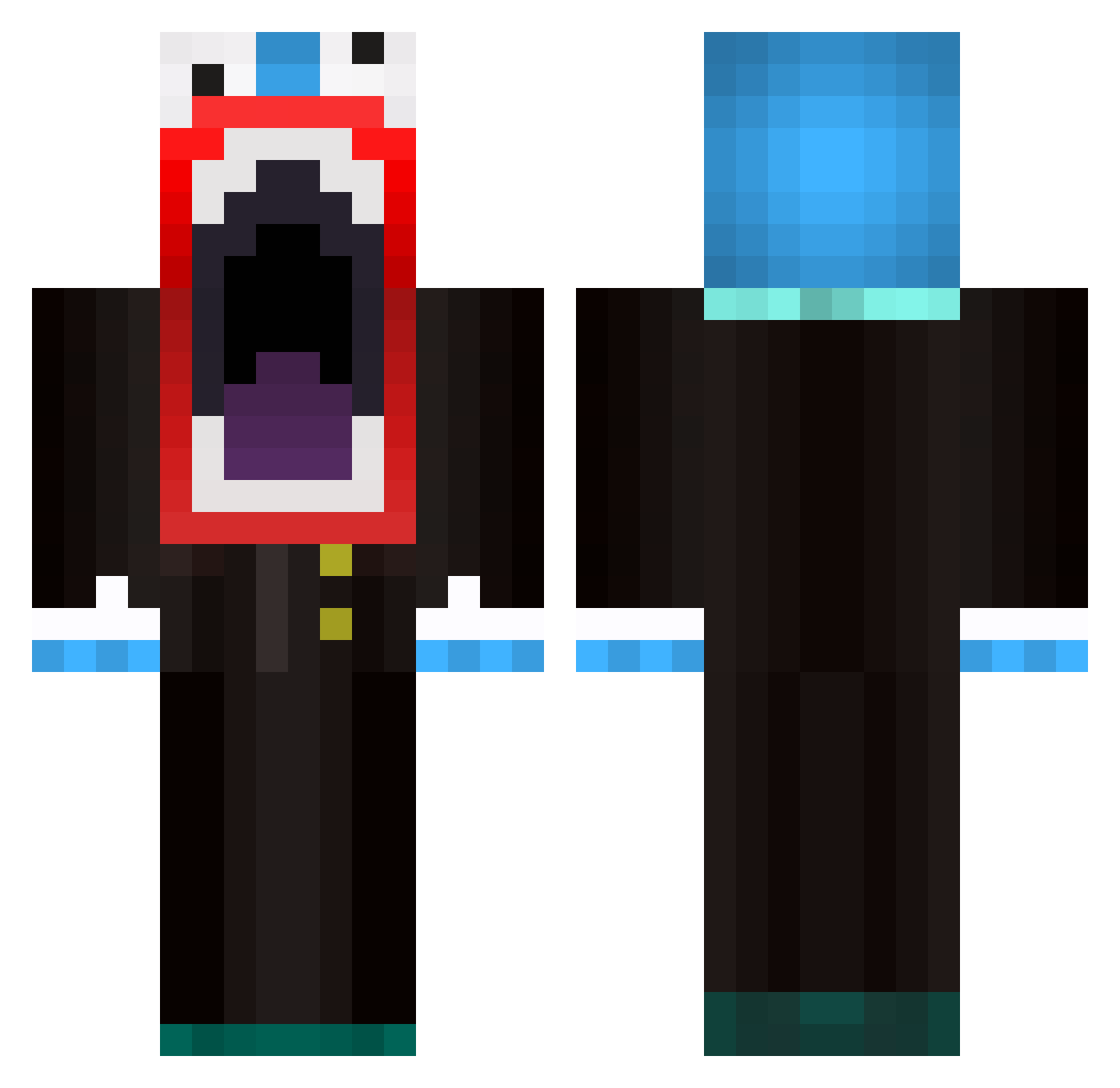
Current Minecraft skin of the player DJcraft625, loaded from the official Mojang API. Rotate the 3D model with your mouse or finger, then download the skin as a PNG file and use it in Minecraft: Bedrock Edition or Java Edition for free. When DJcraft625 changes their skin, this page updates automatically and the old skin stays in the history below.
Other players with this skin (595)
DJcraft625 was the 155th player we have seen with this skin, first spotted on 25.08.2026. The same skin was seen on these players. Open a nickname to see their current skin and skin history.
 kik908 CamSonic2 zombiekiller3410 Ebarse CptNillekaes TheRandomGamer01 SillyGoosePiglet titanicfreak12 jtrobison Cruzzify justins2006 IIIDoom Fearsx Sn0rKeL JayManShazam pittsteelers ZestfulSpark ProPain1997 Aleviltona1 SlappingYou liamisawesome21 Melvin_ryan Islwyn007 FuriousWhiskey alfieman85 samyyman Panyian DESTRUCTIONOP Emil421 Jribel zyclonex greatmom1215 jay_thedragon ShadowKing546 fleksi jdawgizboss litldidwen FocalKesrel371 Jigaboo242 zach2031 Adventure9000 toffe_2000 TheFlyingGoose jonnypooper motoxmane Mr_Crasper CaptainBoom10 11Lunatic jake_tu Alvendo ben1234510 HolyPingUSER Ayrinth treacle_toes HerrUggla londrix sigurdmax23 Sleepybug13 deadcats7 DragonKeeper815
More The Amazing Digital Circus Caine Minecraft skins
See all 6 The Amazing Digital Circus Caine skins
How to install the DJcraft625 skin
- Press the Download button above to save the skin as a PNG file.
- Minecraft: Bedrock Edition (PE): open the Dressing Room from the main menu (or tap your character → Edit Character), go to Classic Skins → Owned, press the + (new skin) button, choose the downloaded PNG and pick the Classic (Steve) model. Works on PC and mobile; consoles cannot import custom skins.
- Minecraft: Java Edition: open the Minecraft Launcher, go to the Skins tab, click New Skin, load the PNG, pick the Classic (Steve) model and press Save & Use. You can also upload it at minecraft.net → Profile → Change Skin.
The skin does not show up after import - what should I do?
Restart Minecraft and open the Dressing Room again - imported skins sometimes appear only after a restart. Also make sure you selected the imported skin and picked the Classic (Steve) model.
Which model should I choose, Classic or Slim?
This skin is designed for the Classic (Steve) model. If you pick the wrong model, the arms of the skin will look stretched or squeezed.
Is the skin of DJcraft625 free to download?
Yes. Press Download, save the PNG file and use it in Minecraft: Bedrock Edition or Java Edition - no payment or registration needed. The skin also works on multiplayer servers and Realms.
More skins
Looking for more? Go back to all Minecraft skins and check the top skins of the week, month and all time, or find any player's skin by nickname.