
DATK3KK0 - Minecraft Skins & Skin History
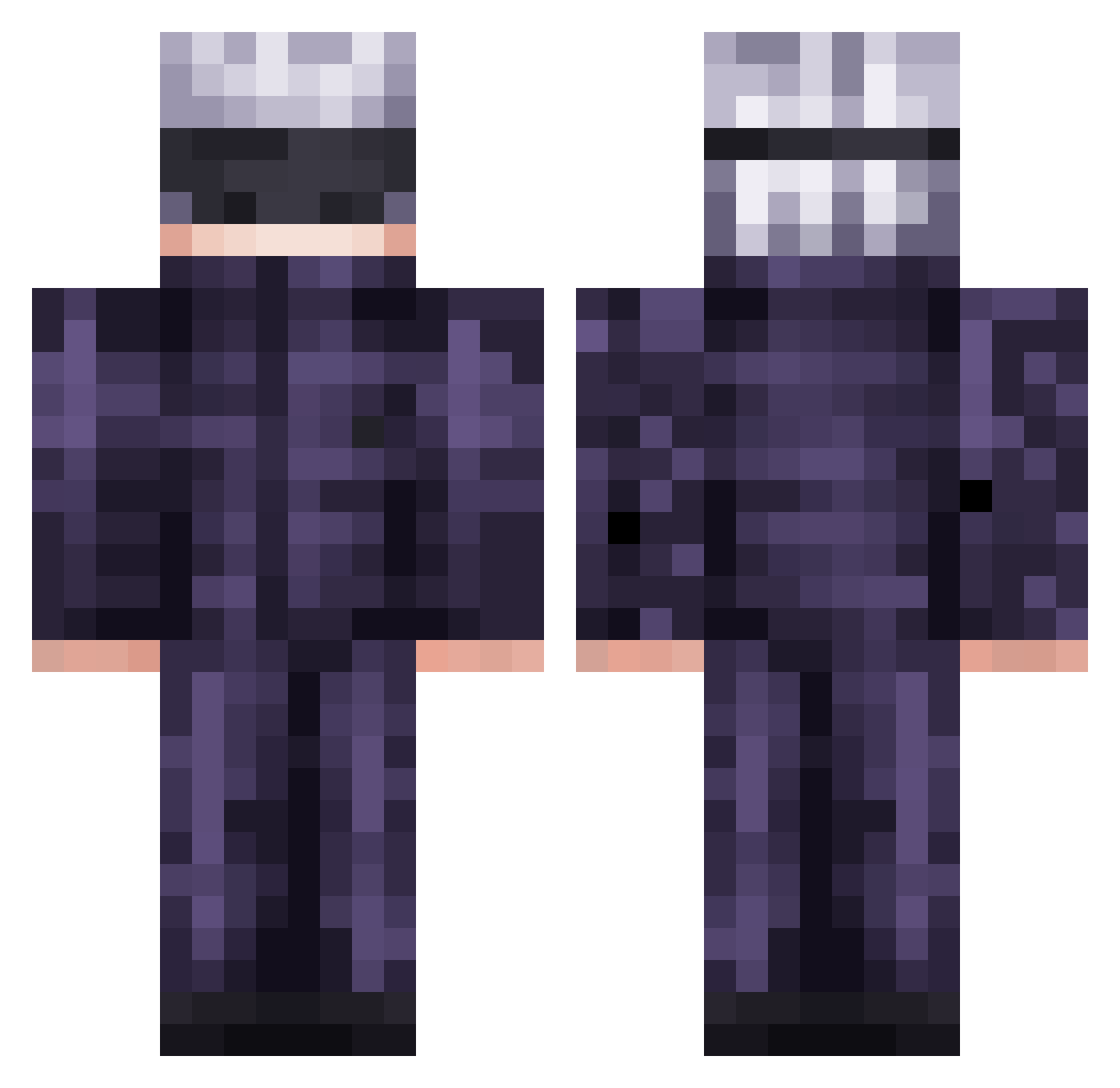
Current Minecraft skin of the player DATK3KK0, loaded from the official Mojang API. Rotate the 3D model with your mouse or finger, then download the skin as a PNG file and use it in Minecraft: Bedrock Edition or Java Edition for free. When DATK3KK0 changes their skin, this page updates automatically and the old skin stays in the history below.
Other players with this skin (568)
DATK3KK0 was the 361st player we have seen with this skin, first spotted on 03.10.2026. The same skin was seen on these players. Open a nickname to see their current skin and skin history.
 tonytbala haseeb6789 NotFormulaa oYuTao Jayzz808 Criz510 kohdail CheesyNuts lemoaux ling_4399 Thegamermaitiu Ra1m4on YOUSOGOODMAN Salsaaa_ SrBagrall Awesome_Jeffry AmbientAuras2 Reki777 Gajano FFressH Pablin03 YokaiKujo MilkmanMills droy4xv Akane69 AlecDeMinecrafto Akira_menai OptimusEli WPredatorX Dirazote BigJu1ceThaSip MilkTw_5012 skosny_smak nouip123 jambirilili_ dudumark carti_fan08 Dethue royalgeneral YanKarlo reax11 Hidden_Auraa J4MP4S EnriqueXx mr01kakka MostlyDelusional Rat_Trapper Purplesnowy VipApache Danken12 Dylei_23 GloriousLeader72 Mikato6579 Light0Destroyer NayT_SabeS SpencerMoose1 Mr_Cmoon Hmmws_1 DKjr06 Daryl32yy
More Satoru Gojo Minecraft skins
See all 1375 Satoru Gojo skins
How to install the DATK3KK0 skin
- Press the Download button above to save the skin as a PNG file.
- Minecraft: Bedrock Edition (PE): open the Dressing Room from the main menu (or tap your character → Edit Character), go to Classic Skins → Owned, press the + (new skin) button, choose the downloaded PNG and pick the Classic (Steve) model. Works on PC and mobile; consoles cannot import custom skins.
- Minecraft: Java Edition: open the Minecraft Launcher, go to the Skins tab, click New Skin, load the PNG, pick the Classic (Steve) model and press Save & Use. You can also upload it at minecraft.net → Profile → Change Skin.
The skin does not show up after import - what should I do?
Restart Minecraft and open the Dressing Room again - imported skins sometimes appear only after a restart. Also make sure you selected the imported skin and picked the Classic (Steve) model.
Which model should I choose, Classic or Slim?
This skin is designed for the Classic (Steve) model. If you pick the wrong model, the arms of the skin will look stretched or squeezed.
Is the skin of DATK3KK0 free to download?
Yes. Press Download, save the PNG file and use it in Minecraft: Bedrock Edition or Java Edition - no payment or registration needed. The skin also works on multiplayer servers and Realms.
More skins
Looking for more? Go back to all Minecraft skins and check the top skins of the week, month and all time, or find any player's skin by nickname.