
CustomCRY - Minecraft Skins & Skin History
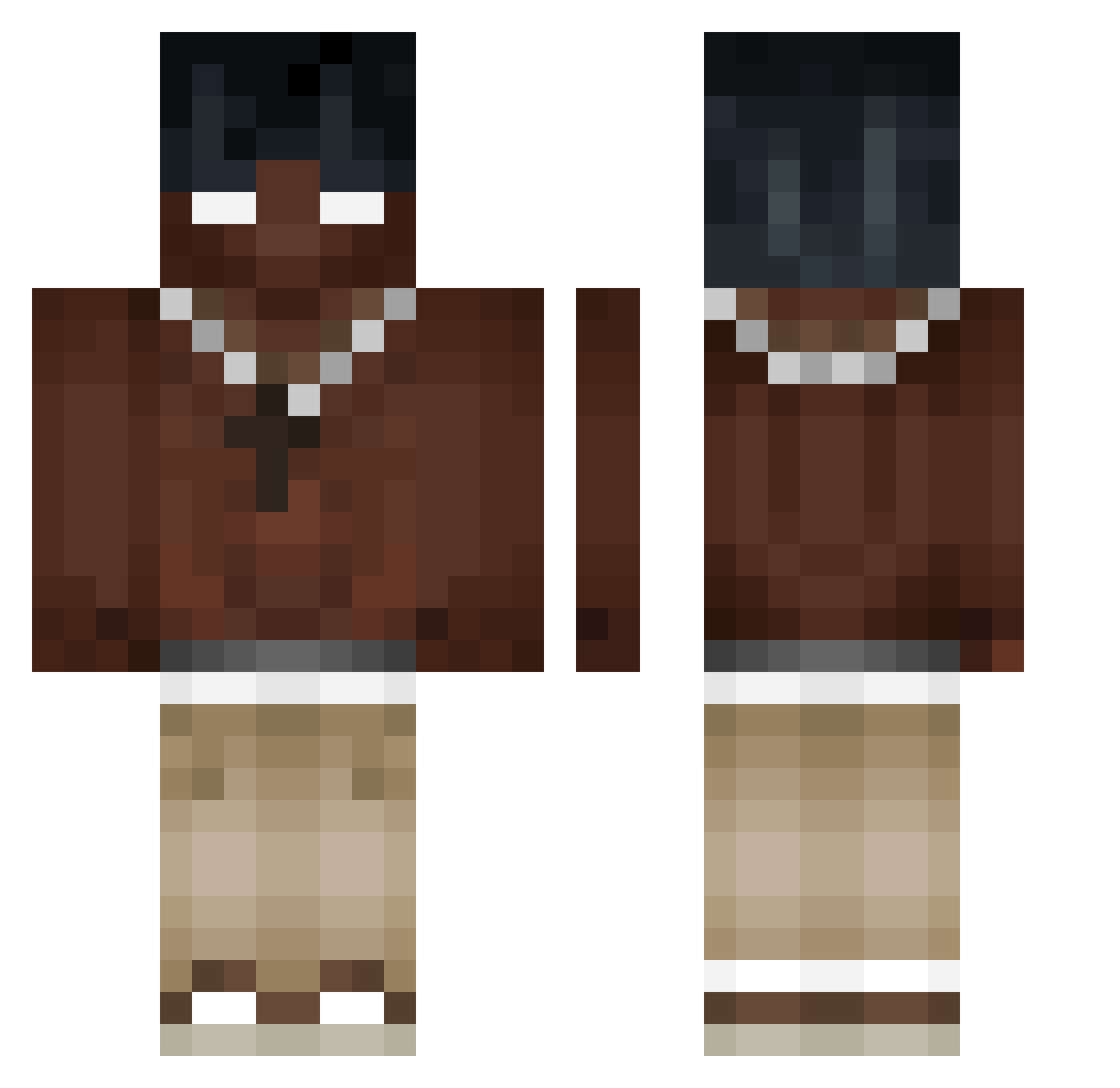
Current Minecraft skin of the player CustomCRY, loaded from the official Mojang API. Rotate the 3D model with your mouse or finger, then download the skin as a PNG file and use it in Minecraft: Bedrock Edition or Java Edition for free. When CustomCRY changes their skin, this page updates automatically and the old skin stays in the history below.
Other players with this skin (341)
CustomCRY was the 231st player we have seen with this skin, first spotted on 30.09.2026. The same skin was seen on these players. Open a nickname to see their current skin and skin history.
 OneBlade404 AlexTostOst Ku_bek_ N3R0107 lucinianipro QQQ_78 Vyprxx lkittas Mike73600 CTB_VEX iukeez TrussJ lBigPoppa Henzo_XC skyrez KUSHHH420 szefvnciu_ zzseezz Blaxkbow jzk_016 HardBion TupacGHG Mr_Che16 LalosVlogs Codrinski mattbno cruzgod FsEzra Jaydenn00 Nxlll1 moneyvix HappyBro128 ItzJerrson JeAntilJeAn Thecookie2001 _KbX_ _Forestt frano214 Arnoldee _oSee_ polbomagiko steffort11 Kenshiro9 Sopciu Muuuttt jinhan3788 IINormal germancito0520 Nedeysun MIK0f4 PANDATOZ boruvix YoungDrozdi akayyyyyy 1rzk 6cheat9 paplyk Alessiooo11 1c3ybear Top1_Prestiz
More Necklace Minecraft skins
How to install the CustomCRY skin
- Press the Download button above to save the skin as a PNG file.
- Minecraft: Bedrock Edition (PE): open the Dressing Room from the main menu (or tap your character → Edit Character), go to Classic Skins → Owned, press the + (new skin) button, choose the downloaded PNG and pick the Classic (Steve) model. Works on PC and mobile; consoles cannot import custom skins.
- Minecraft: Java Edition: open the Minecraft Launcher, go to the Skins tab, click New Skin, load the PNG, pick the Classic (Steve) model and press Save & Use. You can also upload it at minecraft.net → Profile → Change Skin.
The skin does not show up after import - what should I do?
Restart Minecraft and open the Dressing Room again - imported skins sometimes appear only after a restart. Also make sure you selected the imported skin and picked the Classic (Steve) model.
Which model should I choose, Classic or Slim?
This skin is designed for the Classic (Steve) model. If you pick the wrong model, the arms of the skin will look stretched or squeezed.
Is the skin of CustomCRY free to download?
Yes. Press Download, save the PNG file and use it in Minecraft: Bedrock Edition or Java Edition - no payment or registration needed. The skin also works on multiplayer servers and Realms.
More skins
Looking for more? Go back to all Minecraft skins and check the top skins of the week, month and all time, or find any player's skin by nickname.