
Curtis945 - Minecraft Skins & Skin History
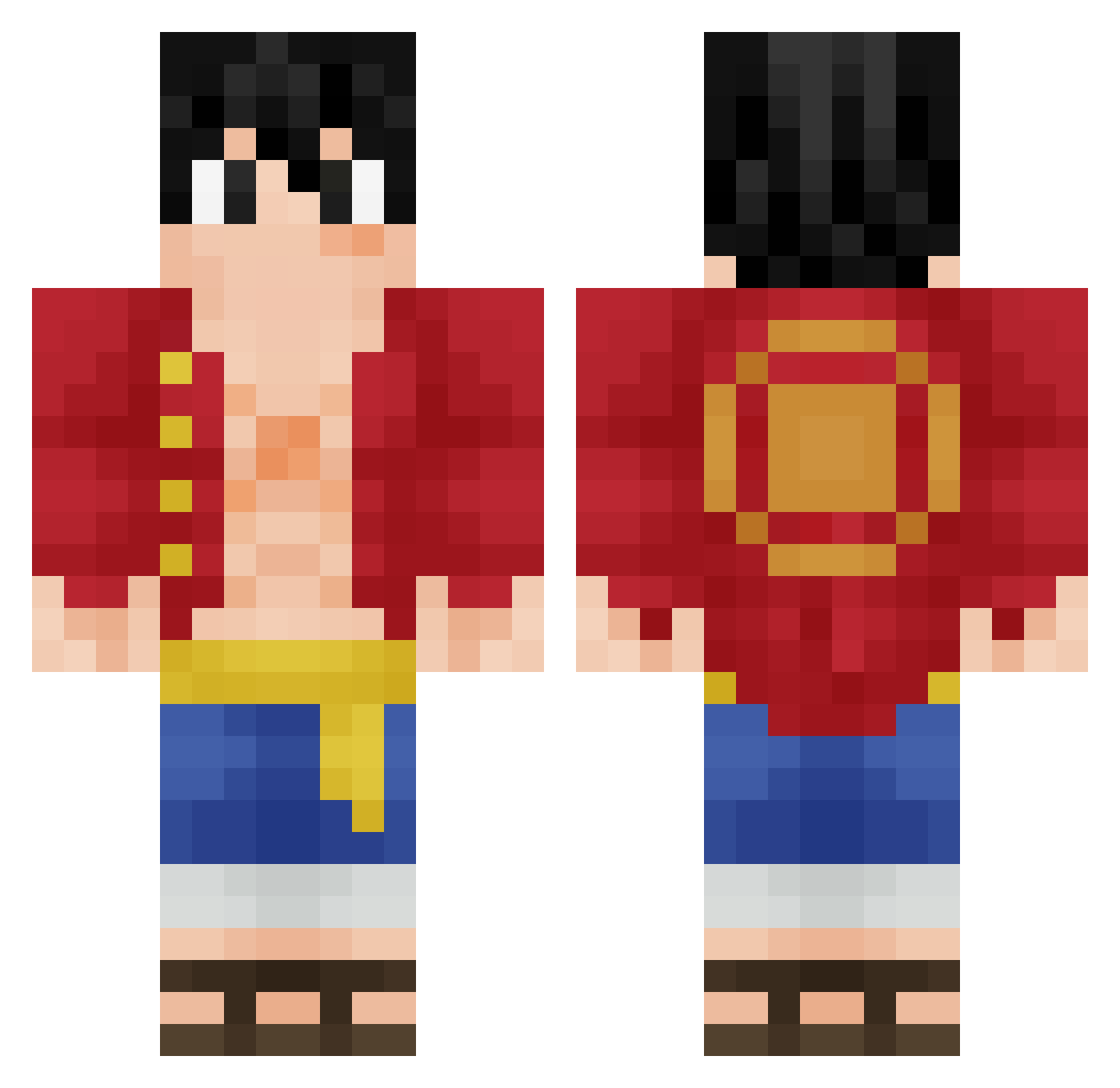
Current Minecraft skin of the player Curtis945, loaded from the official Mojang API. Rotate the 3D model with your mouse or finger, then download the skin as a PNG file and use it in Minecraft: Bedrock Edition or Java Edition for free. When Curtis945 changes their skin, this page updates automatically and the old skin stays in the history below.
Other players with this skin (350)
Curtis945 was the 193rd player we have seen with this skin, first spotted on 28.09.2026. The same skin was seen on these players. Open a nickname to see their current skin and skin history.
 lolnico21 AnthoAnthoAntho Philtonxl steve_premn Zizou21 Goliath227 zThatsCrazy EpicslayerDark Gaabrielzz Systeeme amackay45 oKraito KeepVenture HENTER83 black_sterr Holypeki Nyuugo ABHISHEK_23 rapinkids sathal haruto2014 kokushibo12 HiViet marchewa217 WillNOGUE93 Tommy_Parks Luffy_P_king puppylove325 gmrsoul ItsMulti foundry_1 MonkeyDTony5 tvrtora Gregouzzzz bmsomega THE_KID___ Flannzzz Awbepin SUYOGN xXDOLLARSXx PayMeForGanks xiiROY Copperoton limtaeyun LordJake0121 Wiley666 MiyamoMesashi THENINJA30009 lookmaxingmogger vEgho Asnaphion Vulco_ RuffyTheD T1nbro zeroxkilla No_Vaq Atuchy1 lZenith__ Ro2H hazycs
More Monkey D Luffy Minecraft skins
See all 924 Monkey D Luffy skins
How to install the Curtis945 skin
- Press the Download button above to save the skin as a PNG file.
- Minecraft: Bedrock Edition (PE): open the Dressing Room from the main menu (or tap your character → Edit Character), go to Classic Skins → Owned, press the + (new skin) button, choose the downloaded PNG and pick the Classic (Steve) model. Works on PC and mobile; consoles cannot import custom skins.
- Minecraft: Java Edition: open the Minecraft Launcher, go to the Skins tab, click New Skin, load the PNG, pick the Classic (Steve) model and press Save & Use. You can also upload it at minecraft.net → Profile → Change Skin.
The skin does not show up after import - what should I do?
Restart Minecraft and open the Dressing Room again - imported skins sometimes appear only after a restart. Also make sure you selected the imported skin and picked the Classic (Steve) model.
Which model should I choose, Classic or Slim?
This skin is designed for the Classic (Steve) model. If you pick the wrong model, the arms of the skin will look stretched or squeezed.
Is the skin of Curtis945 free to download?
Yes. Press Download, save the PNG file and use it in Minecraft: Bedrock Edition or Java Edition - no payment or registration needed. The skin also works on multiplayer servers and Realms.
More skins
Looking for more? Go back to all Minecraft skins and check the top skins of the week, month and all time, or find any player's skin by nickname.