
Cursedrob - Minecraft Skins & Skin History
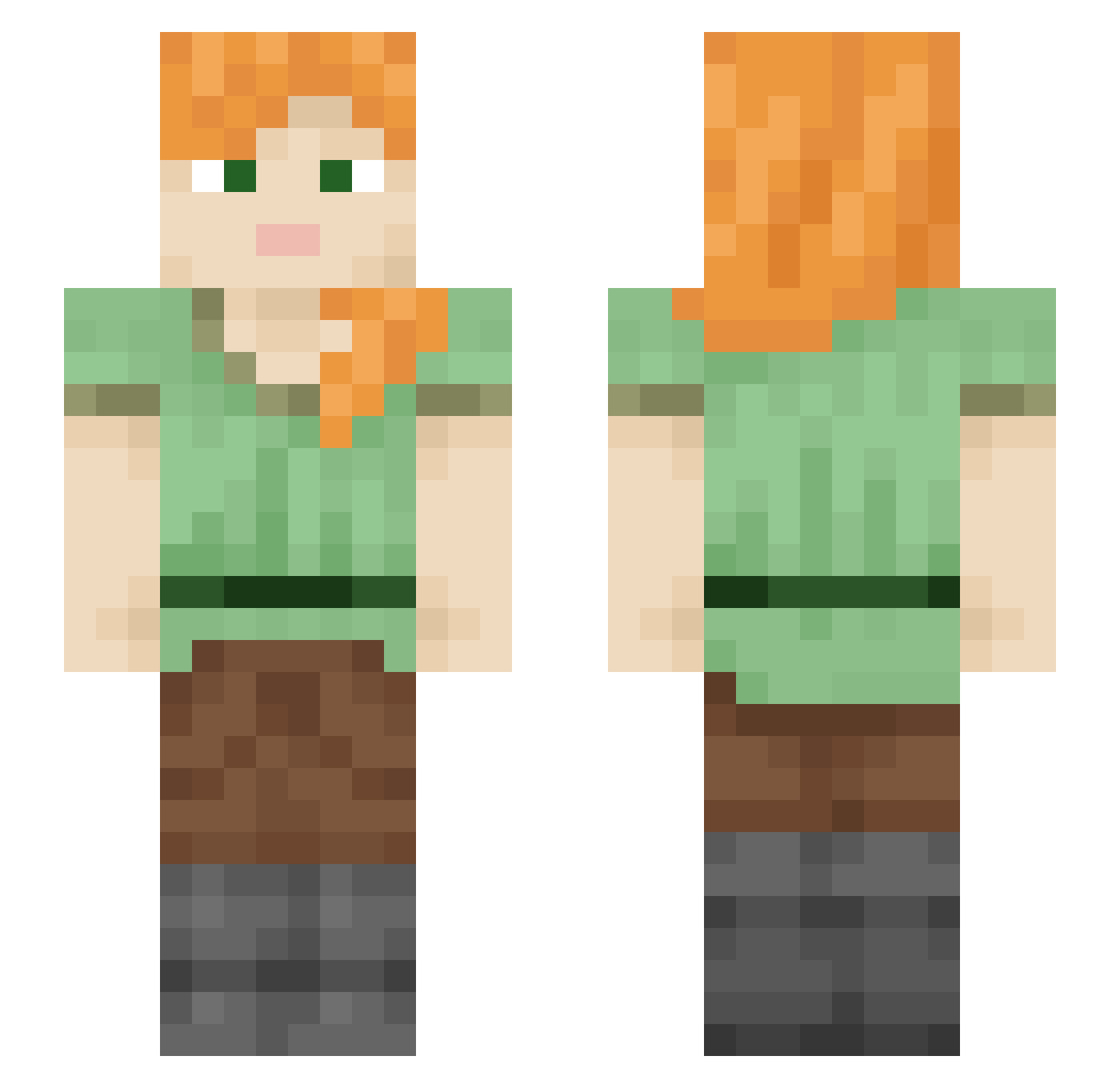
Current Minecraft skin of the player Cursedrob, loaded from the official Mojang API. Rotate the 3D model with your mouse or finger, then download the skin as a PNG file and use it in Minecraft: Bedrock Edition or Java Edition for free. When Cursedrob changes their skin, this page updates automatically and the old skin stays in the history below.
Other players with this skin (2209)
Cursedrob was the 2041st player we have seen with this skin, first spotted on 30.10.2026. The same skin was seen on these players. Open a nickname to see their current skin and skin history.
 Yanduck1995 asdfghj12345 EmoSIayer JusPlatinum TheBestPinkBunny saxe OcramBB m0x1m Stringful astrosscar LinhWuaom0131 Sneezing greenn0 Qasmokee JuueatsAal burnt_nuggets FungusFriend Cruset Zilleyy Slane alkaidddz T0rtadetamal Dristle TIAN0922 random_crybaby HydroOxigen03 IvanVn Fortnitekid9459 Daisy15xoxo Scarcity EirOrIre CaptLaperouse outshout alphapawz Tippier Weaseling Unsure bethanweston HydroMagnetic Invenit Centriuz Patronite LxYUKIxL2 spartiate Fasher HyenaShark Dejwidos ARMY0709 Twayblade jalapeno666 Logorrhea_1 Minored TheBrownCow34 raveK3jNs5JG Talaric Sycomores zxdrr dewiersbf Deathsrose35 Matroclinic
How to install the Cursedrob skin
- Press the Download button above to save the skin as a PNG file.
- Minecraft: Bedrock Edition (PE): open the Dressing Room from the main menu (or tap your character → Edit Character), go to Classic Skins → Owned, press the + (new skin) button, choose the downloaded PNG and pick the Slim (Alex) model. Works on PC and mobile; consoles cannot import custom skins.
- Minecraft: Java Edition: open the Minecraft Launcher, go to the Skins tab, click New Skin, load the PNG, pick the Slim (Alex) model and press Save & Use. You can also upload it at minecraft.net → Profile → Change Skin.
The skin does not show up after import - what should I do?
Restart Minecraft and open the Dressing Room again - imported skins sometimes appear only after a restart. Also make sure you selected the imported skin and picked the Slim (Alex) model.
Which model should I choose, Classic or Slim?
This skin is designed for the Slim (Alex) model. If you pick the wrong model, the arms of the skin will look stretched or squeezed.
Is the skin of Cursedrob free to download?
Yes. Press Download, save the PNG file and use it in Minecraft: Bedrock Edition or Java Edition - no payment or registration needed. The skin also works on multiplayer servers and Realms.
More skins
Looking for more? Go back to all Minecraft skins and check the top skins of the week, month and all time, or find any player's skin by nickname.