
CroNo__ - Minecraft Skins & Skin History
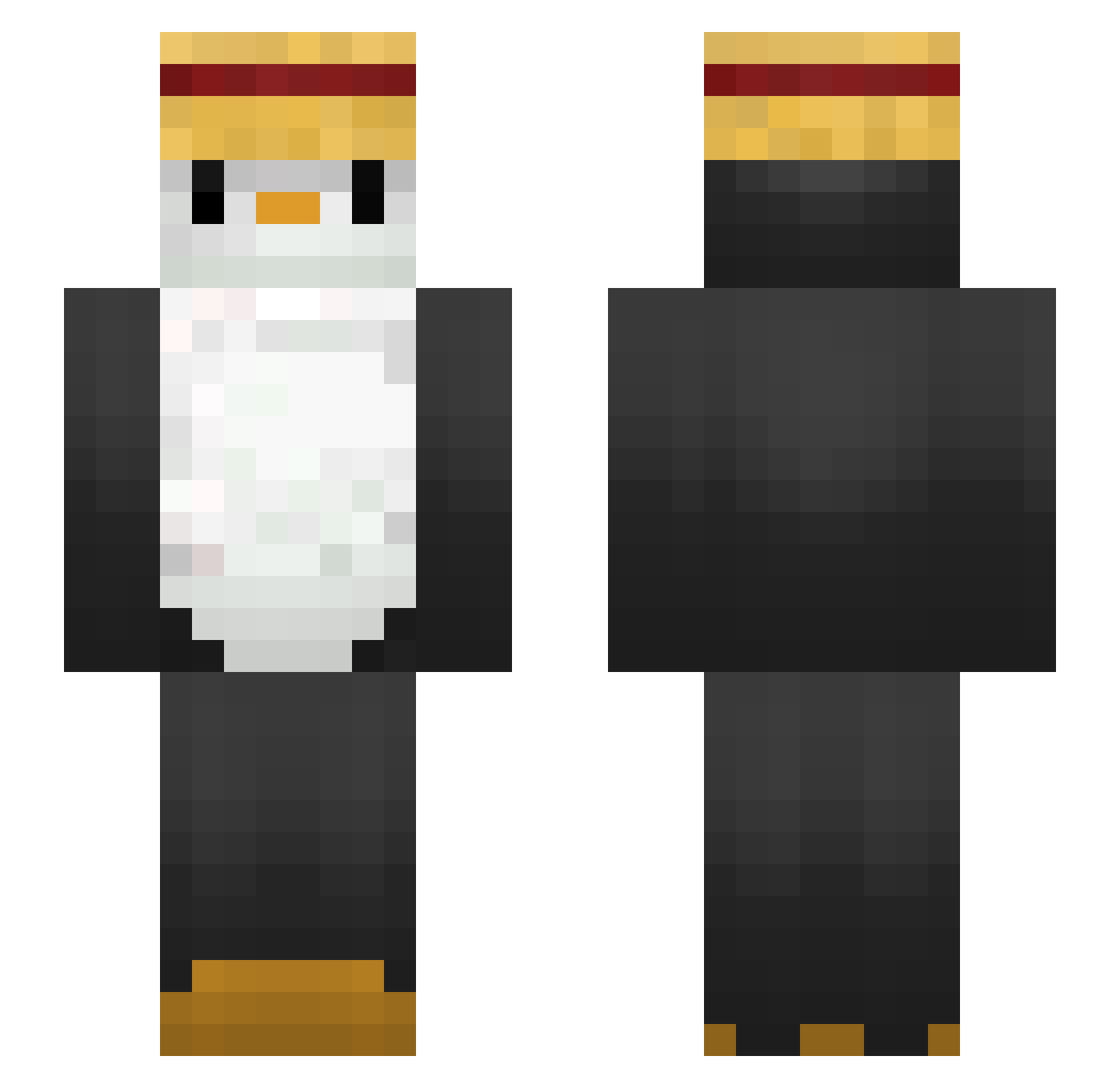
Current Minecraft skin of the player CroNo__, loaded from the official Mojang API. Rotate the 3D model with your mouse or finger, then download the skin as a PNG file and use it in Minecraft: Bedrock Edition or Java Edition for free. When CroNo__ changes their skin, this page updates automatically and the old skin stays in the history below.
Other players with this skin (288)
CroNo__ was the 121st player we have seen with this skin, first spotted on 16.09.2026. The same skin was seen on these players. Open a nickname to see their current skin and skin history.
 Eanair millanmatheus kroos8 Raid7607 OverL1ghT puppy75 BeanCrazy leeyou11 ByeongJiny HyperWar boy117 CultivateCrafter hungergamer117 Saxx06 Errwyn Tekkai21 kell3r01 __Beautyfull Matreusz18 iixAlex_Mx Anderek0 tpgh0227 GlowElephant MonsterGQS jehunn_ Rubao777 S_HYWO Lord_Peng lybin767 Sohappyouo Lukaso_1213 Lasersocks hojeong021 Oyannax _berik parker858 Jeebaleebareee Landunn magma031212 NXTSprint someone38 carciofino23 olopokemon AnimalPuthy ji_hwan_ DENISxFLEXS SloppyToppy bielzoka LosPenguinosss Byron642 TooRisk IHyen Mazi0108 Penguin4366 devilcartman310 Something_1101 PROJO_ dxty3 CptMarmotte purukogi2018
More Straw Hat Minecraft skins
How to install the CroNo__ skin
- Press the Download button above to save the skin as a PNG file.
- Minecraft: Bedrock Edition (PE): open the Dressing Room from the main menu (or tap your character → Edit Character), go to Classic Skins → Owned, press the + (new skin) button, choose the downloaded PNG and pick the Slim (Alex) model. Works on PC and mobile; consoles cannot import custom skins.
- Minecraft: Java Edition: open the Minecraft Launcher, go to the Skins tab, click New Skin, load the PNG, pick the Slim (Alex) model and press Save & Use. You can also upload it at minecraft.net → Profile → Change Skin.
The skin does not show up after import - what should I do?
Restart Minecraft and open the Dressing Room again - imported skins sometimes appear only after a restart. Also make sure you selected the imported skin and picked the Slim (Alex) model.
Which model should I choose, Classic or Slim?
This skin is designed for the Slim (Alex) model. If you pick the wrong model, the arms of the skin will look stretched or squeezed.
Is the skin of CroNo__ free to download?
Yes. Press Download, save the PNG file and use it in Minecraft: Bedrock Edition or Java Edition - no payment or registration needed. The skin also works on multiplayer servers and Realms.
More skins
Looking for more? Go back to all Minecraft skins and check the top skins of the week, month and all time, or find any player's skin by nickname.