
Cratiys - Minecraft Skins & Skin History
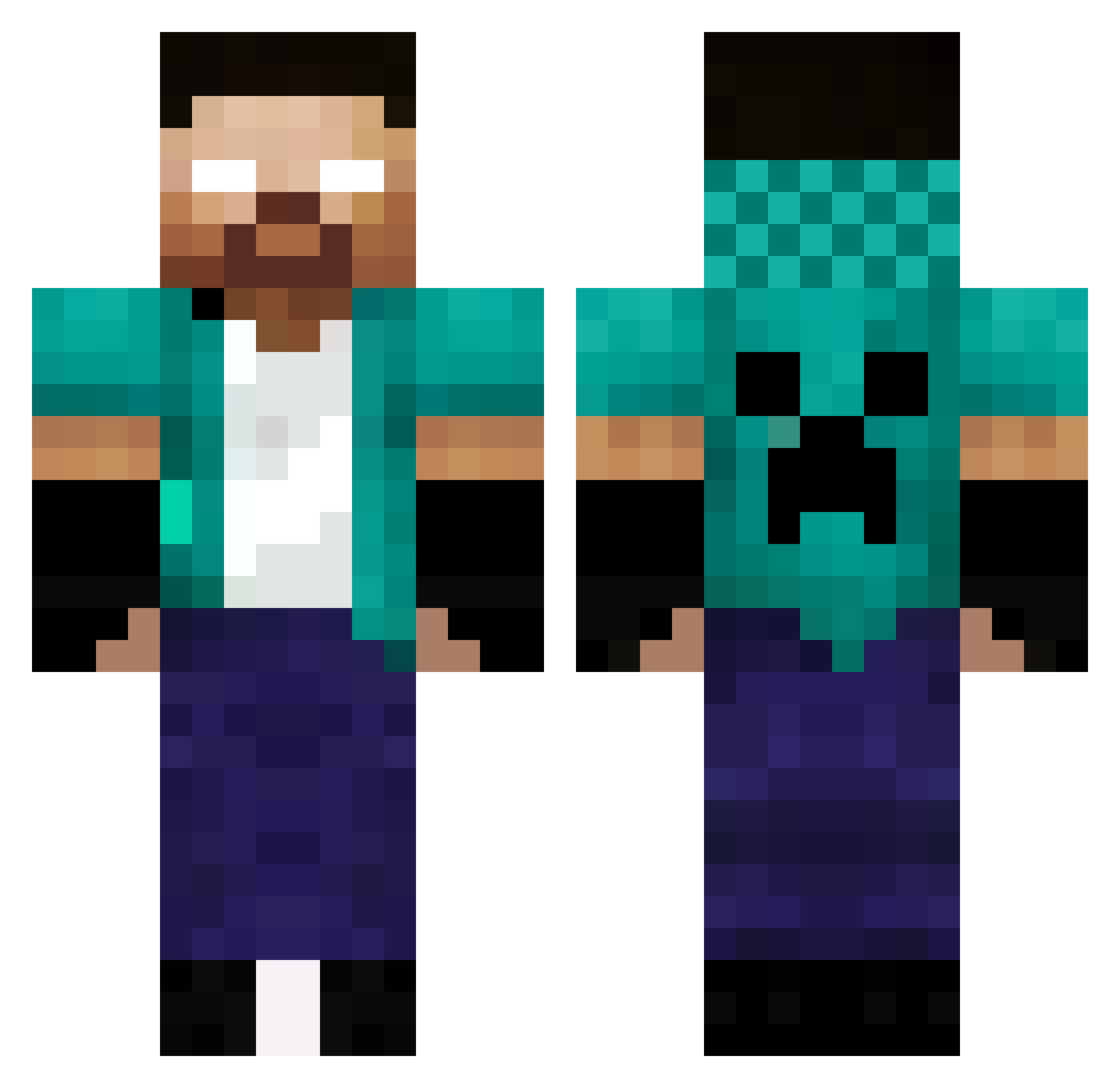
Current Minecraft skin of the player Cratiys, loaded from the official Mojang API. Rotate the 3D model with your mouse or finger, then download the skin as a PNG file and use it in Minecraft: Bedrock Edition or Java Edition for free. When Cratiys changes their skin, this page updates automatically and the old skin stays in the history below.
Other players with this skin (336)
Cratiys was the 174th player we have seen with this skin, first spotted on 10.09.2026. The same skin was seen on these players. Open a nickname to see their current skin and skin history.
 Leoleo121 Sasaiu BasDrot Sweeps111 SilvaVUCVUC Herobrine987654 PROKILLER97_YT EEBau11 MeagerCris Rain_Live phsieplin11 davimt9 Shankers00 LaGiShonMou Eggmannegga11 JakeyCmh2 XXbs2 daying123 Z3R04U Alex_Maxi108 Robin_N_ KratoBR Lucascodev Southstein Leroyhearts JACOBO5071 S1MM Kyoren45 god1243 Iznets easonchiang0421 kylianlepro213 Strikez1318 slepyking DewierFan_ YoriichiXMitsuri Minigun232 Kallumongo Bagaimana LukaszO_ Dragoalex87 iHeroe_ maiscmoi Kimkim69 CarvalhoMartins timeo_Rien PabloEduardo graymonk88 KawaiiDesuneX brrogdaNN Qwerie_ Maxence_BG BartekOstry xDarkSz ZdrackGamerBr Kill_Void
 jmuya Danzockt1974 drianodev TheIdiot123
Previous skins of Cratiys
Skins that Cratiys wore before, newest first. Click a skin to open its page and download it.
More Herobrine Minecraft skins
How to install the Cratiys skin
- Press the Download button above to save the skin as a PNG file.
- Minecraft: Bedrock Edition (PE): open the Dressing Room from the main menu (or tap your character → Edit Character), go to Classic Skins → Owned, press the + (new skin) button, choose the downloaded PNG and pick the Classic (Steve) model. Works on PC and mobile; consoles cannot import custom skins.
- Minecraft: Java Edition: open the Minecraft Launcher, go to the Skins tab, click New Skin, load the PNG, pick the Classic (Steve) model and press Save & Use. You can also upload it at minecraft.net → Profile → Change Skin.
The skin does not show up after import - what should I do?
Restart Minecraft and open the Dressing Room again - imported skins sometimes appear only after a restart. Also make sure you selected the imported skin and picked the Classic (Steve) model.
Which model should I choose, Classic or Slim?
This skin is designed for the Classic (Steve) model. If you pick the wrong model, the arms of the skin will look stretched or squeezed.
Is the skin of Cratiys free to download?
Yes. Press Download, save the PNG file and use it in Minecraft: Bedrock Edition or Java Edition - no payment or registration needed. The skin also works on multiplayer servers and Realms.
More skins
Looking for more? Go back to all Minecraft skins and check the top skins of the week, month and all time, or find any player's skin by nickname.