
Crackguap - Minecraft Skins & Skin History
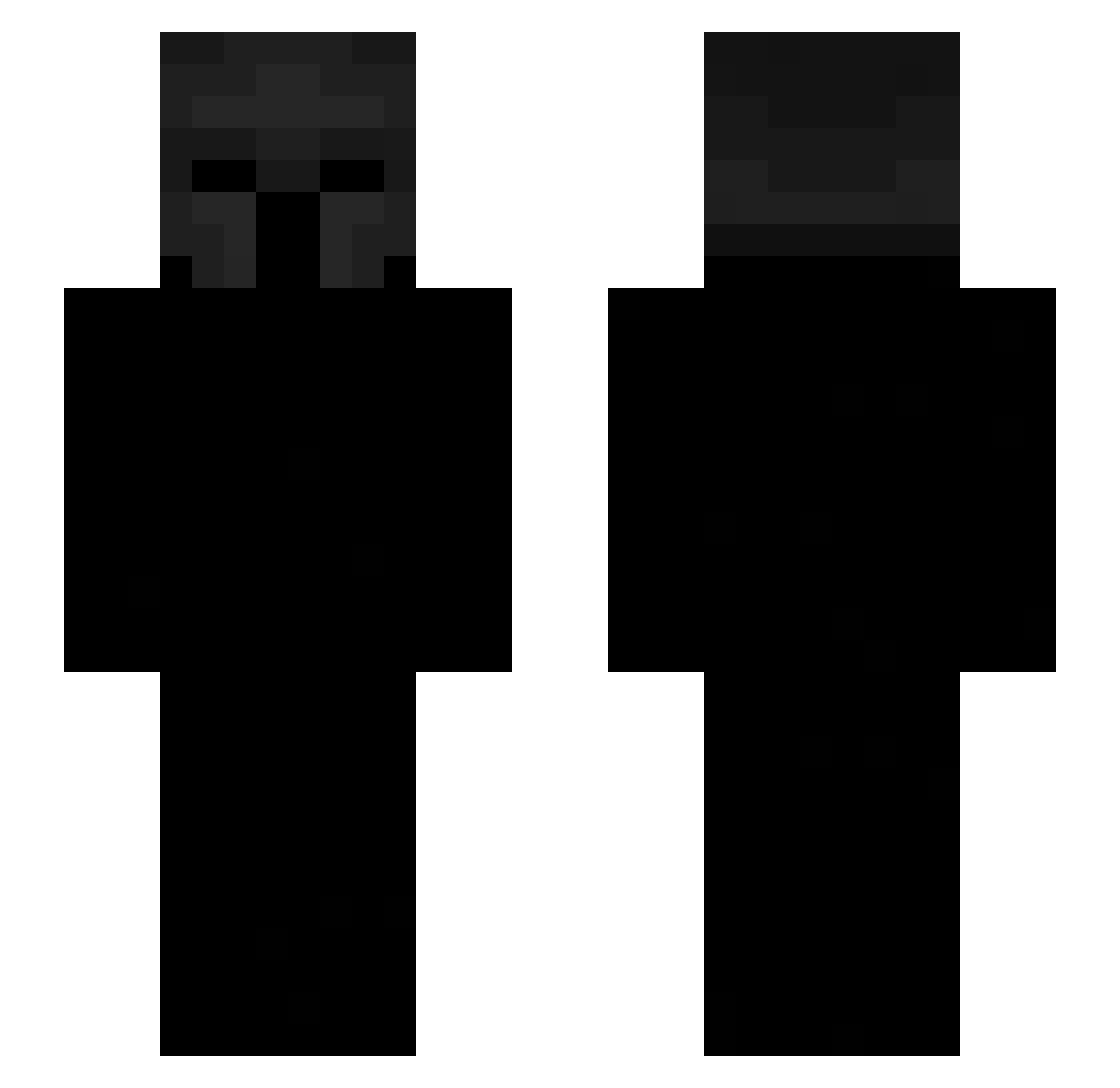
Current Minecraft skin of the player Crackguap, loaded from the official Mojang API. Rotate the 3D model with your mouse or finger, then download the skin as a PNG file and use it in Minecraft: Bedrock Edition or Java Edition for free. When Crackguap changes their skin, this page updates automatically and the old skin stays in the history below.
Other players with this skin (534)
Crackguap was the 216th player we have seen with this skin, first spotted on 03.09.2026. The same skin was seen on these players. Open a nickname to see their current skin and skin history.
 ZilukI fratangelo sezv Gren12 Patrick4127 TrafficLotsOf Morsito Thickyjoe Rocketdog999 imAweird0 Traimir SWAMA Gabriel777gg Cicapica raul2123 zvrzy doonstaa Yatoo7 Amar_on_top Khyload Eniera xTYL3Rx1206 Nalibloc Pacman4423 7evenways Yinon he1zenn MafiaGoon CaraMelSWEET01 Estanu Ladmek hatekaz pietruszkaQ sel4 Fabix125 Argo_GG MiZTakezzz _yuejiu_ Perex_PL giordyz Riciery yshre Watch_Me_Dog accompts matthewgamer22 Gramzie jasp69 jokeryt45 Jp_TheBoys12 TOBIYUTUBE TechnoGit EnvyXD_ Blumpdemon JosueBBO darkaxdxz 0kapi0 Mirza1202 wpda Starzc itekiy
More Spartan Minecraft skins
How to install the Crackguap skin
- Press the Download button above to save the skin as a PNG file.
- Minecraft: Bedrock Edition (PE): open the Dressing Room from the main menu (or tap your character → Edit Character), go to Classic Skins → Owned, press the + (new skin) button, choose the downloaded PNG and pick the Slim (Alex) model. Works on PC and mobile; consoles cannot import custom skins.
- Minecraft: Java Edition: open the Minecraft Launcher, go to the Skins tab, click New Skin, load the PNG, pick the Slim (Alex) model and press Save & Use. You can also upload it at minecraft.net → Profile → Change Skin.
The skin does not show up after import - what should I do?
Restart Minecraft and open the Dressing Room again - imported skins sometimes appear only after a restart. Also make sure you selected the imported skin and picked the Slim (Alex) model.
Which model should I choose, Classic or Slim?
This skin is designed for the Slim (Alex) model. If you pick the wrong model, the arms of the skin will look stretched or squeezed.
Is the skin of Crackguap free to download?
Yes. Press Download, save the PNG file and use it in Minecraft: Bedrock Edition or Java Edition - no payment or registration needed. The skin also works on multiplayer servers and Realms.
More skins
Looking for more? Go back to all Minecraft skins and check the top skins of the week, month and all time, or find any player's skin by nickname.