
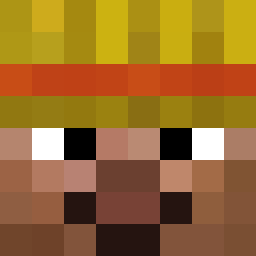
Current Minecraft skin of the player Cooperhaz, loaded from the official Mojang API. Rotate the 3D model with your mouse or finger, then download the skin as a PNG file and use it in Minecraft: Bedrock Edition or Java Edition for free. When Cooperhaz changes their skin, this page updates automatically and the old skin stays in the history below.

Other players with this skin (477)
Cooperhaz was the 119th player we have seen with this skin, first spotted on 15.08.2026. The same skin was seen on these players. Open a nickname to see their current skin and skin history.
 Marele_Zeu_Alpin weegee_69 BadAtPC2345 RamonaVance LithiumBatterie Neatlent Bal_eedera yahtzee1337 Pot_Pie ruggish AweNix0 Breadicon Shappy_Jr Olibigbrain WillBusted VONNOJR wartsniffer Perellzy SeanCombsJr khruv LilOoziSquirt fishyfinlay21 Biggest_Moose sw_kars MataMataa XalerON2 pintoereto _Kishou_ ObesePredator nathanragu RicoJD08 keoxy Thuggly porsche919evo 14_line ToasterBurger Nicolackerman FallenPromise BONZOtheCAKE cedargoldfish44 OO_OOO iSh0tJFK d33n4
 Agianless Sqeegee Mrpro_X_
 Trollged fly1nghat JahSwanson 0_NO BeqiDi Pizzza_Guy TaxemicTundra54 CadburyDuck Trisolaris ADHDlord99 znop_ weetisbread TheSmilingOne Fk3r
More Barack Obama Minecraft skins
See all 223 Barack Obama skins
How to install the Cooperhaz skin
- Press the Download button above to save the skin as a PNG file.
- Minecraft: Bedrock Edition (PE): open the Dressing Room from the main menu (or tap your character → Edit Character), go to Classic Skins → Owned, press the + (new skin) button, choose the downloaded PNG and pick the Classic (Steve) model. Works on PC and mobile; consoles cannot import custom skins.
- Minecraft: Java Edition: open the Minecraft Launcher, go to the Skins tab, click New Skin, load the PNG, pick the Classic (Steve) model and press Save & Use. You can also upload it at minecraft.net → Profile → Change Skin.
The skin does not show up after import - what should I do?
Restart Minecraft and open the Dressing Room again - imported skins sometimes appear only after a restart. Also make sure you selected the imported skin and picked the Classic (Steve) model.
Which model should I choose, Classic or Slim?
This skin is designed for the Classic (Steve) model. If you pick the wrong model, the arms of the skin will look stretched or squeezed.
Is the skin of Cooperhaz free to download?
Yes. Press Download, save the PNG file and use it in Minecraft: Bedrock Edition or Java Edition - no payment or registration needed. The skin also works on multiplayer servers and Realms.
More skins
Looking for more? Go back to all Minecraft skins and check the top skins of the week, month and all time, or find any player's skin by nickname.