
ClickToRekt - Minecraft Skins & Skin History
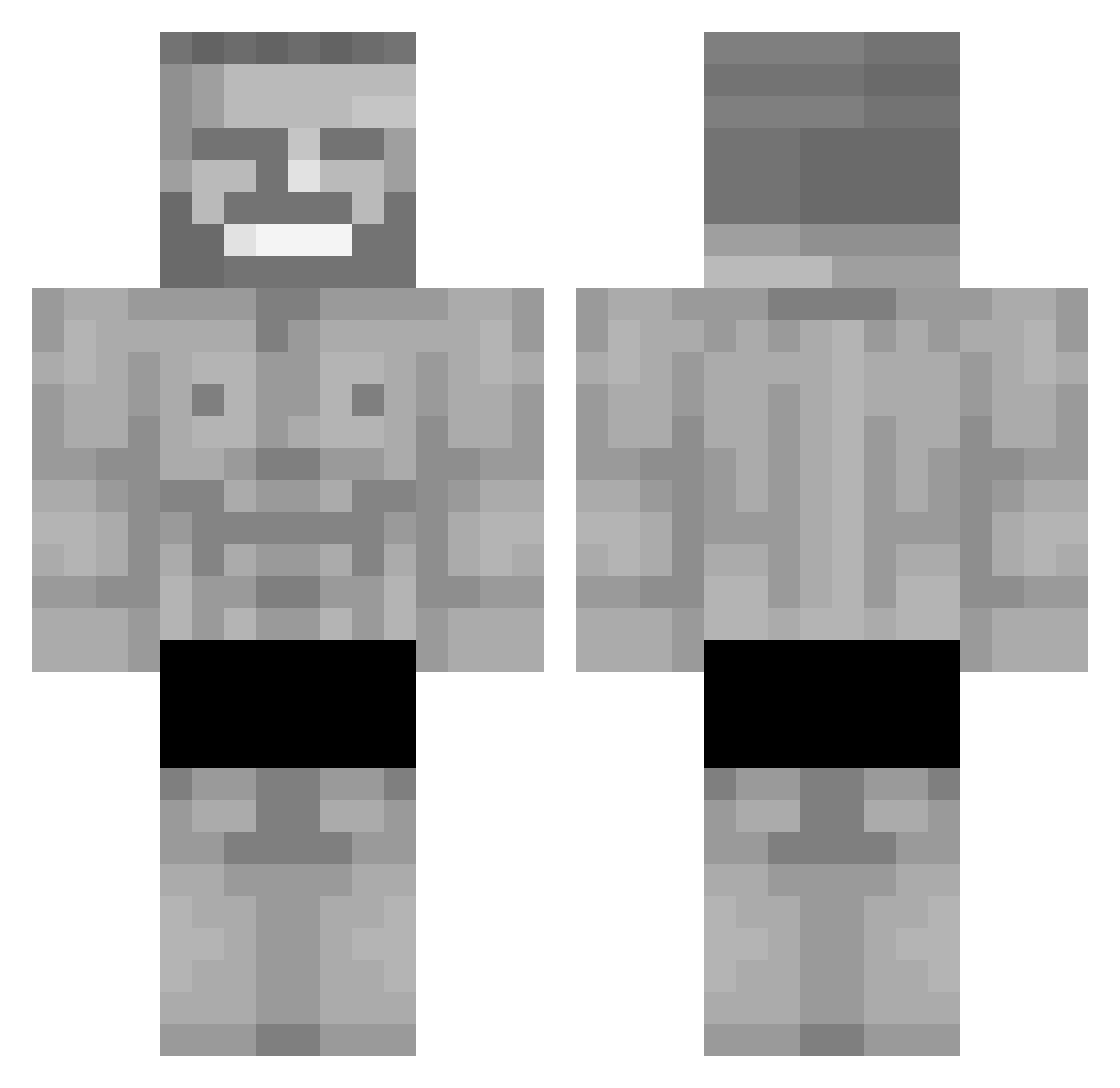
Current Minecraft skin of the player ClickToRekt, loaded from the official Mojang API. Rotate the 3D model with your mouse or finger, then download the skin as a PNG file and use it in Minecraft: Bedrock Edition or Java Edition for free. When ClickToRekt changes their skin, this page updates automatically and the old skin stays in the history below.
Other players with this skin (297)
ClickToRekt was the 284th player we have seen with this skin, first spotted on 26.10.2026. The same skin was seen on these players. Open a nickname to see their current skin and skin history.
 Doidaoo DerUschi Carton_Lapin Readmaster14 Trachi1070 RedFord112 GODSPELL_L Jamesek09 rafaxduarte7 XzanderGYATT ThePastelFrango jaga45 enderman2346 YodaDard AlvesFTW diegowz20 Pastapeep MadLittleJoey ViktorLeon Maiikyy_ reithatchillguy hyunjun0406 kaneki1026mc SirChickenHead SirPickleton_ Rocklegend2912 Ursuul Error_code9081 wicky_31 Vadra Trainman2027 Tkoss4 RyzbysS qwe_rty hyperrrr27 Syllck RighteousGlory 5chWagg3r dragonsfoot010 Shynse doktorplagi Nodogamer28 xXILeoIXx Meowster226 SetPescador oliwier1314 srtwww Manzaniii javelogrelo Mr_Breast_ mark228fair1 IAxiosI Levikeksz babolimugopro iron_fart DeltaHairlines Manolo5047 SuperNitroman69 nrast Cupif
More Gigachad Minecraft skins
How to install the ClickToRekt skin
- Press the Download button above to save the skin as a PNG file.
- Minecraft: Bedrock Edition (PE): open the Dressing Room from the main menu (or tap your character → Edit Character), go to Classic Skins → Owned, press the + (new skin) button, choose the downloaded PNG and pick the Classic (Steve) model. Works on PC and mobile; consoles cannot import custom skins.
- Minecraft: Java Edition: open the Minecraft Launcher, go to the Skins tab, click New Skin, load the PNG, pick the Classic (Steve) model and press Save & Use. You can also upload it at minecraft.net → Profile → Change Skin.
The skin does not show up after import - what should I do?
Restart Minecraft and open the Dressing Room again - imported skins sometimes appear only after a restart. Also make sure you selected the imported skin and picked the Classic (Steve) model.
Which model should I choose, Classic or Slim?
This skin is designed for the Classic (Steve) model. If you pick the wrong model, the arms of the skin will look stretched or squeezed.
Is the skin of ClickToRekt free to download?
Yes. Press Download, save the PNG file and use it in Minecraft: Bedrock Edition or Java Edition - no payment or registration needed. The skin also works on multiplayer servers and Realms.
More skins
Looking for more? Go back to all Minecraft skins and check the top skins of the week, month and all time, or find any player's skin by nickname.