
ClenchedAlloy58 - Minecraft Skins & Skin History
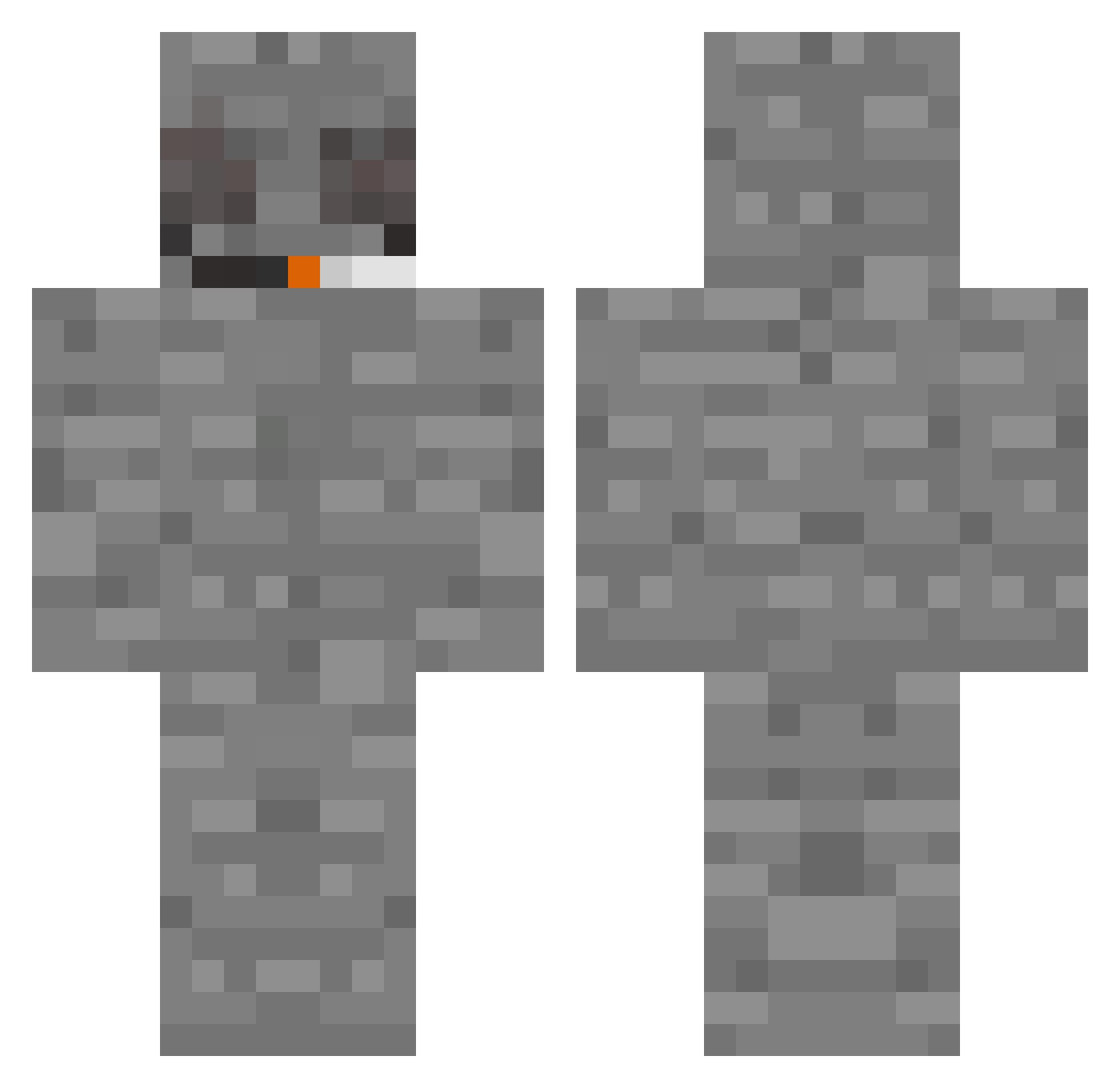
Current Minecraft skin of the player ClenchedAlloy58, loaded from the official Mojang API. Rotate the 3D model with your mouse or finger, then download the skin as a PNG file and use it in Minecraft: Bedrock Edition or Java Edition for free. When ClenchedAlloy58 changes their skin, this page updates automatically and the old skin stays in the history below.
Other players with this skin (336)
ClenchedAlloy58 was the 101st player we have seen with this skin, first spotted on 27.08.2026. The same skin was seen on these players. Open a nickname to see their current skin and skin history.
 skotrr Teamer_337 roku4real zenyaii GrappaIce EuphoricHerb SFAxts 999WRLDs Hrychna waffle_chaz sunssets Green_Tabacco johnnypikachu MVrCKS692 GrejpfrutRobert
 ry_xn uxmn dAUGUST tartar_sauceboss jim_my1234 Uncle_Ricco SteveTaboga RuniTuni smako3 wmbyy rummmmed Jeankulasec koro01 wetmaker69 SCUERT Xaan21 anibanani_22 IchWerfSteine HowDidYouLose Aj41fb Yisumadhoe runaway__ DirtyMango StonedMantis barslev romorr RoxzGore habeinklein dj_36 yunglabz Void_Wandarer Lurkks V1z1onz RaccoonManGuy isacck CaptainKostas Octagonal51 reallysmelly HpO853 Cuhrey DaddyPriest i6e SirGordoThe3rd captionAtismo HvacApp
More Rock Minecraft skins
How to install the ClenchedAlloy58 skin
- Press the Download button above to save the skin as a PNG file.
- Minecraft: Bedrock Edition (PE): open the Dressing Room from the main menu (or tap your character → Edit Character), go to Classic Skins → Owned, press the + (new skin) button, choose the downloaded PNG and pick the Classic (Steve) model. Works on PC and mobile; consoles cannot import custom skins.
- Minecraft: Java Edition: open the Minecraft Launcher, go to the Skins tab, click New Skin, load the PNG, pick the Classic (Steve) model and press Save & Use. You can also upload it at minecraft.net → Profile → Change Skin.
The skin does not show up after import - what should I do?
Restart Minecraft and open the Dressing Room again - imported skins sometimes appear only after a restart. Also make sure you selected the imported skin and picked the Classic (Steve) model.
Which model should I choose, Classic or Slim?
This skin is designed for the Classic (Steve) model. If you pick the wrong model, the arms of the skin will look stretched or squeezed.
Is the skin of ClenchedAlloy58 free to download?
Yes. Press Download, save the PNG file and use it in Minecraft: Bedrock Edition or Java Edition - no payment or registration needed. The skin also works on multiplayer servers and Realms.
More skins
Looking for more? Go back to all Minecraft skins and check the top skins of the week, month and all time, or find any player's skin by nickname.