
Chrissi_33 - Minecraft Skins & Skin History
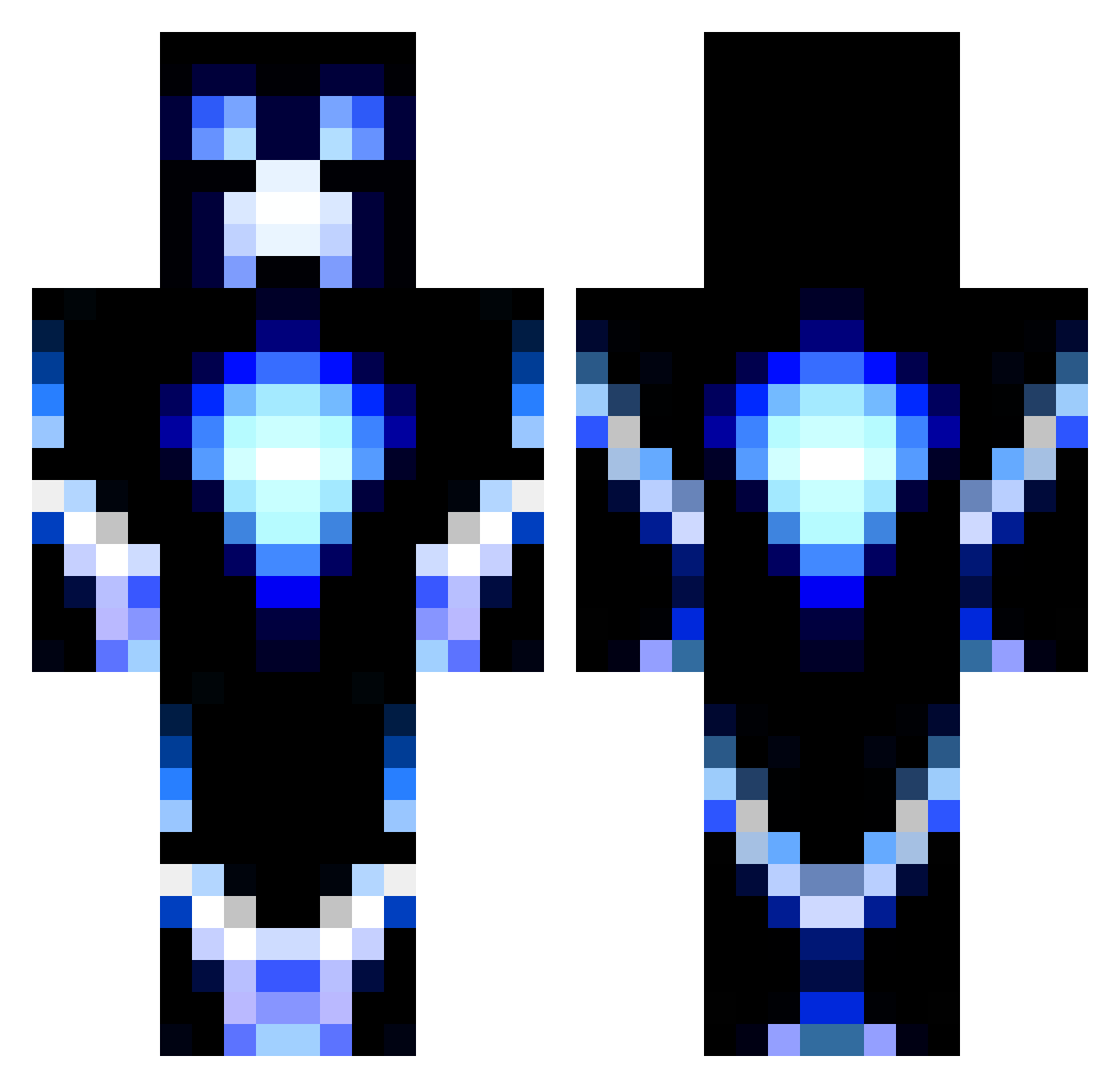
Current Minecraft skin of the player Chrissi_33, loaded from the official Mojang API. Rotate the 3D model with your mouse or finger, then download the skin as a PNG file and use it in Minecraft: Bedrock Edition or Java Edition for free. When Chrissi_33 changes their skin, this page updates automatically and the old skin stays in the history below.
Other players with this skin (64)
Chrissi_33 was the 22nd player we have seen with this skin, first spotted on 01.09.2026. The same skin was seen on these players. Open a nickname to see their current skin and skin history.
 Blueman122 aksndfp Yi_Ping GRFN_00 Lion15D AlexBanana_OG Infinite_Magnus King_Tommi gemmaauau velvetcro Echo_oedd root090 rock87317 winfich kuba_mich Kilmoon BotComb0 VENDETTAMG BLOweyJ Ethangamer37 BOZOOOOOOO CovetableRoom26 larft
 MierdaMC Retorno 4NTH099 FELIP5670 mc6857 Gusbasso EbenenWanze4487 TUABUELA_22 jesusromero92 TUZUIX Volkrum Skorqro Willy_Knuckles BSFlame NT13 NuncaMais rwanou2649 buster1246 BrettioO crialbe02 OmeK98 Osamah_sr Bahamiut TestFiziks CLOSTUZ M0RD3K finelame14 NuageMagic666 Joppa_2000 Stawi98 Daymakerj Garzins makkan45 diolok420 Macmadoodle CyborgH1 BOREACYT
More Glowing Minecraft skins
How to install the Chrissi_33 skin
- Press the Download button above to save the skin as a PNG file.
- Minecraft: Bedrock Edition (PE): open the Dressing Room from the main menu (or tap your character → Edit Character), go to Classic Skins → Owned, press the + (new skin) button, choose the downloaded PNG and pick the Classic (Steve) model. Works on PC and mobile; consoles cannot import custom skins.
- Minecraft: Java Edition: open the Minecraft Launcher, go to the Skins tab, click New Skin, load the PNG, pick the Classic (Steve) model and press Save & Use. You can also upload it at minecraft.net → Profile → Change Skin.
The skin does not show up after import - what should I do?
Restart Minecraft and open the Dressing Room again - imported skins sometimes appear only after a restart. Also make sure you selected the imported skin and picked the Classic (Steve) model.
Which model should I choose, Classic or Slim?
This skin is designed for the Classic (Steve) model. If you pick the wrong model, the arms of the skin will look stretched or squeezed.
Is the skin of Chrissi_33 free to download?
Yes. Press Download, save the PNG file and use it in Minecraft: Bedrock Edition or Java Edition - no payment or registration needed. The skin also works on multiplayer servers and Realms.
More skins
Looking for more? Go back to all Minecraft skins and check the top skins of the week, month and all time, or find any player's skin by nickname.