
Chris_Dorner1 - Minecraft Skins & Skin History
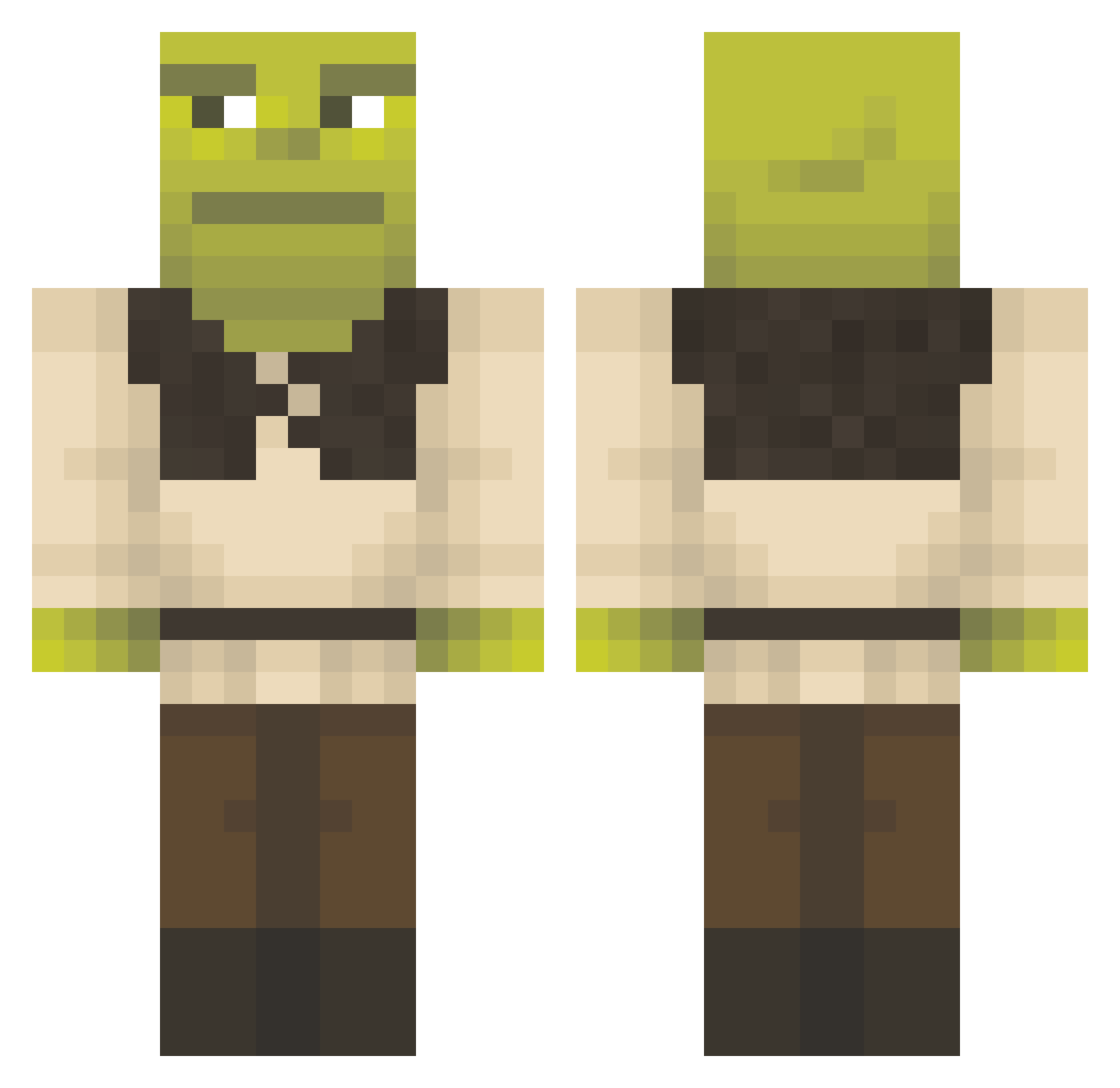
Current Minecraft skin of the player Chris_Dorner1, loaded from the official Mojang API. Rotate the 3D model with your mouse or finger, then download the skin as a PNG file and use it in Minecraft: Bedrock Edition or Java Edition for free. When Chris_Dorner1 changes their skin, this page updates automatically and the old skin stays in the history below.
Other players with this skin (1291)
Chris_Dorner1 was the 1267th player we have seen with this skin, first spotted on 29.10.2026. The same skin was seen on these players. Open a nickname to see their current skin and skin history.
 Hysingir sepismybro SorcerersPledge iamhim123 Merpys DougMissura Jucieman Free5259 urmomsasmurf pizka06 PeterAbi_ HitZz__ IDoudz 144Munk Toasty__Ty HUGO8801 Yuki_Nashi hunterkr ikemoto110 VoxelBeatbox victorvictor21 Gerg2012 Khorsum zambies1 Paran0rmal666 Corran501 demolitionlukas batatalove wakeup70 weirdcat2424 adeleng imiuri ElmasViral06 Jmadriv TayBlue ChudManly tacoman666 Dirtymonkey69420 RetrosFlamez reggybot LordLucid82 ohsheep111 Pow3rrr EdwardTheHungry Lechugagodd catslayer68 marty1997 _charmand3r_ cave_johnson345 Eurosere AbdytheBabdy YavuzPax fphoog Gzraa PaulDarkSouls TheGreatKeeper coconutkatie3 toopapi ttobaal aaStackz
More Shrek Minecraft skins
How to install the Chris_Dorner1 skin
- Press the Download button above to save the skin as a PNG file.
- Minecraft: Bedrock Edition (PE): open the Dressing Room from the main menu (or tap your character → Edit Character), go to Classic Skins → Owned, press the + (new skin) button, choose the downloaded PNG and pick the Classic (Steve) model. Works on PC and mobile; consoles cannot import custom skins.
- Minecraft: Java Edition: open the Minecraft Launcher, go to the Skins tab, click New Skin, load the PNG, pick the Classic (Steve) model and press Save & Use. You can also upload it at minecraft.net → Profile → Change Skin.
The skin does not show up after import - what should I do?
Restart Minecraft and open the Dressing Room again - imported skins sometimes appear only after a restart. Also make sure you selected the imported skin and picked the Classic (Steve) model.
Which model should I choose, Classic or Slim?
This skin is designed for the Classic (Steve) model. If you pick the wrong model, the arms of the skin will look stretched or squeezed.
Is the skin of Chris_Dorner1 free to download?
Yes. Press Download, save the PNG file and use it in Minecraft: Bedrock Edition or Java Edition - no payment or registration needed. The skin also works on multiplayer servers and Realms.
More skins
Looking for more? Go back to all Minecraft skins and check the top skins of the week, month and all time, or find any player's skin by nickname.