
ChipiThippy - Minecraft Skins & Skin History
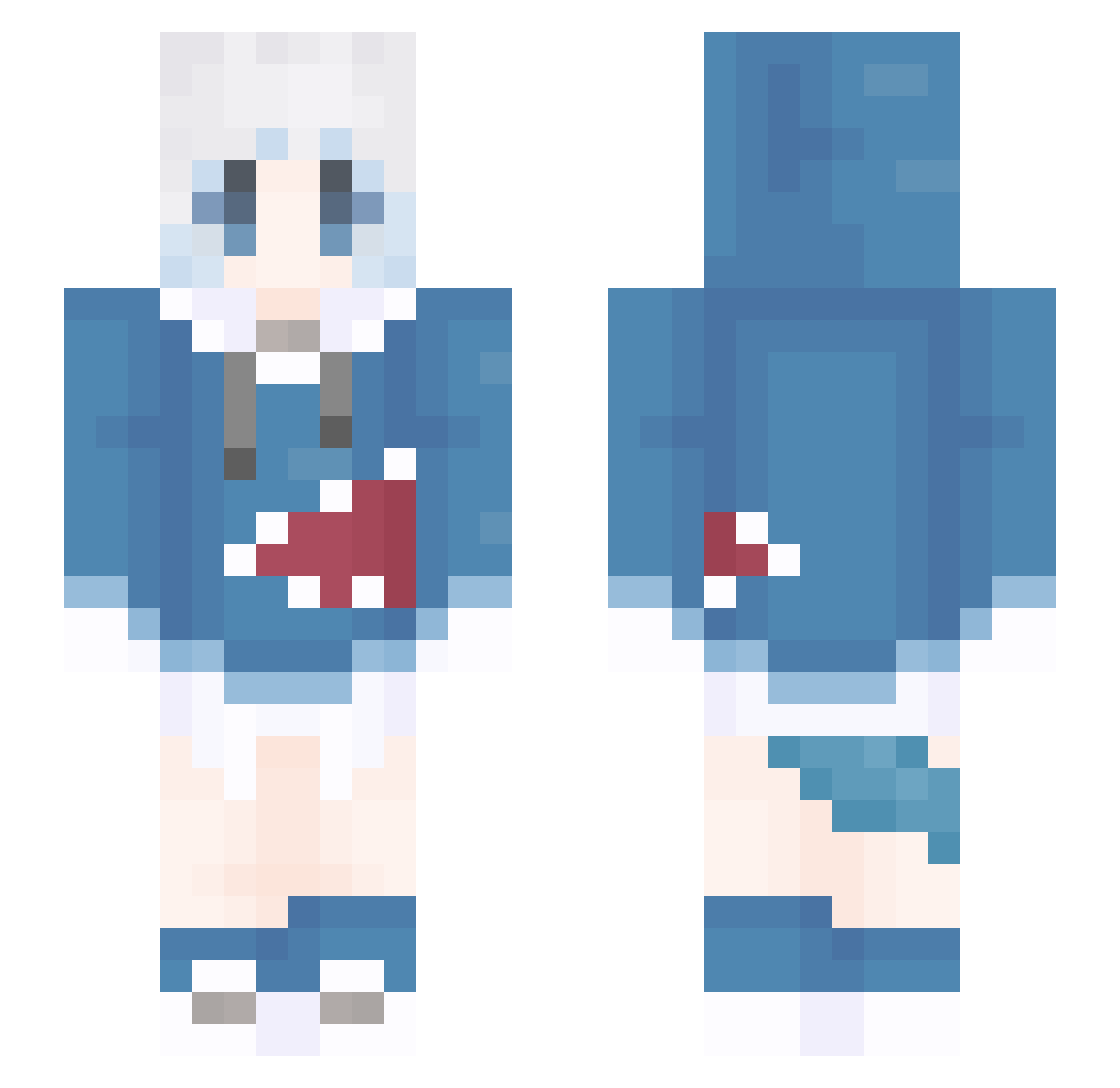
Current Minecraft skin of the player ChipiThippy, loaded from the official Mojang API. Rotate the 3D model with your mouse or finger, then download the skin as a PNG file and use it in Minecraft: Bedrock Edition or Java Edition for free. When ChipiThippy changes their skin, this page updates automatically and the old skin stays in the history below.
Other players with this skin (1104)
ChipiThippy was the 183rd player we have seen with this skin, first spotted on 09.08.2026. The same skin was seen on these players. Open a nickname to see their current skin and skin history.
 Blahajar MikeyQAQ QOGTA 2_seri liusheng3 THRONE0505 kawa1_ wanzi77 doghhhhh liaosihao cxx_x YaeSakura95 Mizuki_Yumi 111aaaaaa Macaidan yanyu214 QWQ117
 KillerCrepper888 OkeyDokeyLokey sdthggd Yan_Zhen KodakDuck wcr777 yuban13240 rubisama zhishaung sake0112 Bowsxu mu1cha Haqki_Bucki yanchengggg Elias3396 nian_ran RICK_239 moan1 minrya kun123434 blueberry0731 NNNNNIM Skaarl112 Zedyay TongAgong XYALY FsaberF XiaChunQiu GBLBZY dahai_poonnnlasx FunRa244 wingswad AnnaZelek kuangxi Palpitation_L VelPro_L Bi_an_Ka DIO_____ BeiBei111 AlmiraLyl MUAmiao xi_thor k25600
More Gawr Gura Minecraft skins
How to install the ChipiThippy skin
- Press the Download button above to save the skin as a PNG file.
- Minecraft: Bedrock Edition (PE): open the Dressing Room from the main menu (or tap your character → Edit Character), go to Classic Skins → Owned, press the + (new skin) button, choose the downloaded PNG and pick the Slim (Alex) model. Works on PC and mobile; consoles cannot import custom skins.
- Minecraft: Java Edition: open the Minecraft Launcher, go to the Skins tab, click New Skin, load the PNG, pick the Slim (Alex) model and press Save & Use. You can also upload it at minecraft.net → Profile → Change Skin.
The skin does not show up after import - what should I do?
Restart Minecraft and open the Dressing Room again - imported skins sometimes appear only after a restart. Also make sure you selected the imported skin and picked the Slim (Alex) model.
Which model should I choose, Classic or Slim?
This skin is designed for the Slim (Alex) model. If you pick the wrong model, the arms of the skin will look stretched or squeezed.
Is the skin of ChipiThippy free to download?
Yes. Press Download, save the PNG file and use it in Minecraft: Bedrock Edition or Java Edition - no payment or registration needed. The skin also works on multiplayer servers and Realms.
More skins
Looking for more? Go back to all Minecraft skins and check the top skins of the week, month and all time, or find any player's skin by nickname.