
AlmiraLyl - Minecraft Skins & Skin History
Current Minecraft skin of the player AlmiraLyl, loaded from the official Mojang API. Rotate the 3D model with your mouse or finger, then download the skin as a PNG file and use it in Minecraft: Bedrock Edition or Java Edition for free. When AlmiraLyl changes their skin, this page updates automatically and the old skin stays in the history below.
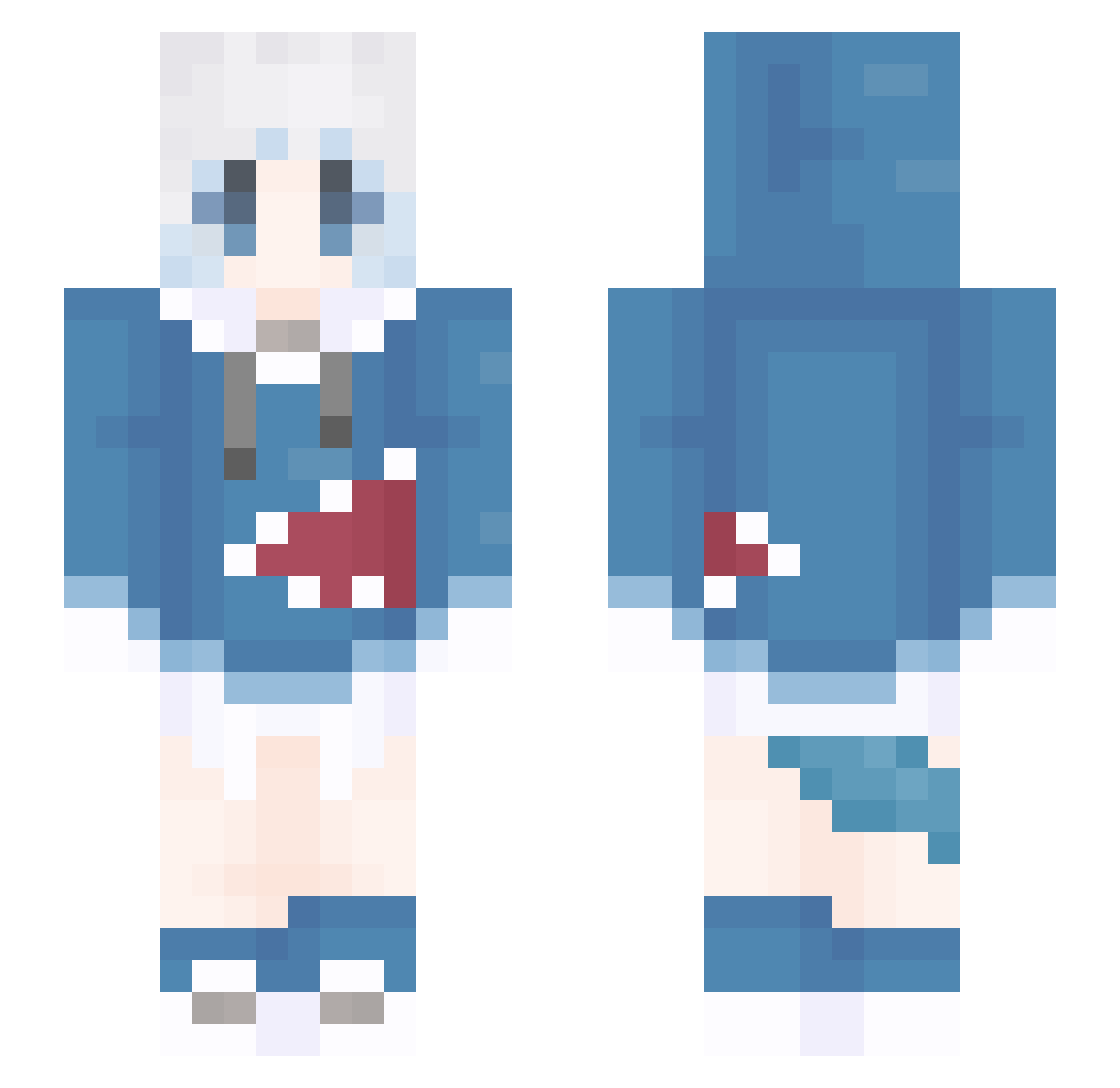
Other players with this skin (1102)
AlmiraLyl was the 209th player we have seen with this skin, first spotted on 12.08.2026. The same skin was seen on these players. Open a nickname to see their current skin and skin history.
 BeiBei111 Bi_an_Ka AnnaZelek wingswad 78_nBnmW_02_27 dahai_poonnnlasx 23zh GBLBZY LQL205 iloveoniichan Lone1ySqrT3 FsaberF Shaking_m XYALY WINoooo Zedyay GawrInseyy NNNNNIM kun123434 yxysave wh1tesugar minrya super577 EdRachel sky2502 RICK_239 nian_ran lyudmila401 SHINANEET qin_w mu1cha Bowsxu sake0112 Ninth_tide Avarice250 yanhe233 Uesig zhishaung yuban13240 vanillahibiki wcr777 Aore_ SummerGardenia
 KillerCrepper888 XWEXED Macaidan theweather3164 TheWXS xiaozhuozi233 YaeSakura95 peponi321 Runnnnnnnnnnnn waterguagua CHANGYAO7 THRONE0505 liusheng3 Sunny021121
 YXZAF Ax_LeaD ChipiThippy
More Gawr Gura Minecraft skins
How to install the AlmiraLyl skin
- Press the Download button above to save the skin as a PNG file.
- Minecraft: Bedrock Edition (PE): open the Dressing Room from the main menu (or tap your character → Edit Character), go to Classic Skins → Owned, press the + (new skin) button, choose the downloaded PNG and pick the Slim (Alex) model. Works on PC and mobile; consoles cannot import custom skins.
- Minecraft: Java Edition: open the Minecraft Launcher, go to the Skins tab, click New Skin, load the PNG, pick the Slim (Alex) model and press Save & Use. You can also upload it at minecraft.net → Profile → Change Skin.
The skin does not show up after import - what should I do?
Restart Minecraft and open the Dressing Room again - imported skins sometimes appear only after a restart. Also make sure you selected the imported skin and picked the Slim (Alex) model.
Which model should I choose, Classic or Slim?
This skin is designed for the Slim (Alex) model. If you pick the wrong model, the arms of the skin will look stretched or squeezed.
Is the skin of AlmiraLyl free to download?
Yes. Press Download, save the PNG file and use it in Minecraft: Bedrock Edition or Java Edition - no payment or registration needed. The skin also works on multiplayer servers and Realms.
More skins
Looking for more? Go back to all Minecraft skins and check the top skins of the week, month and all time, or find any player's skin by nickname.