
Charzzan - Minecraft Skins & Skin History
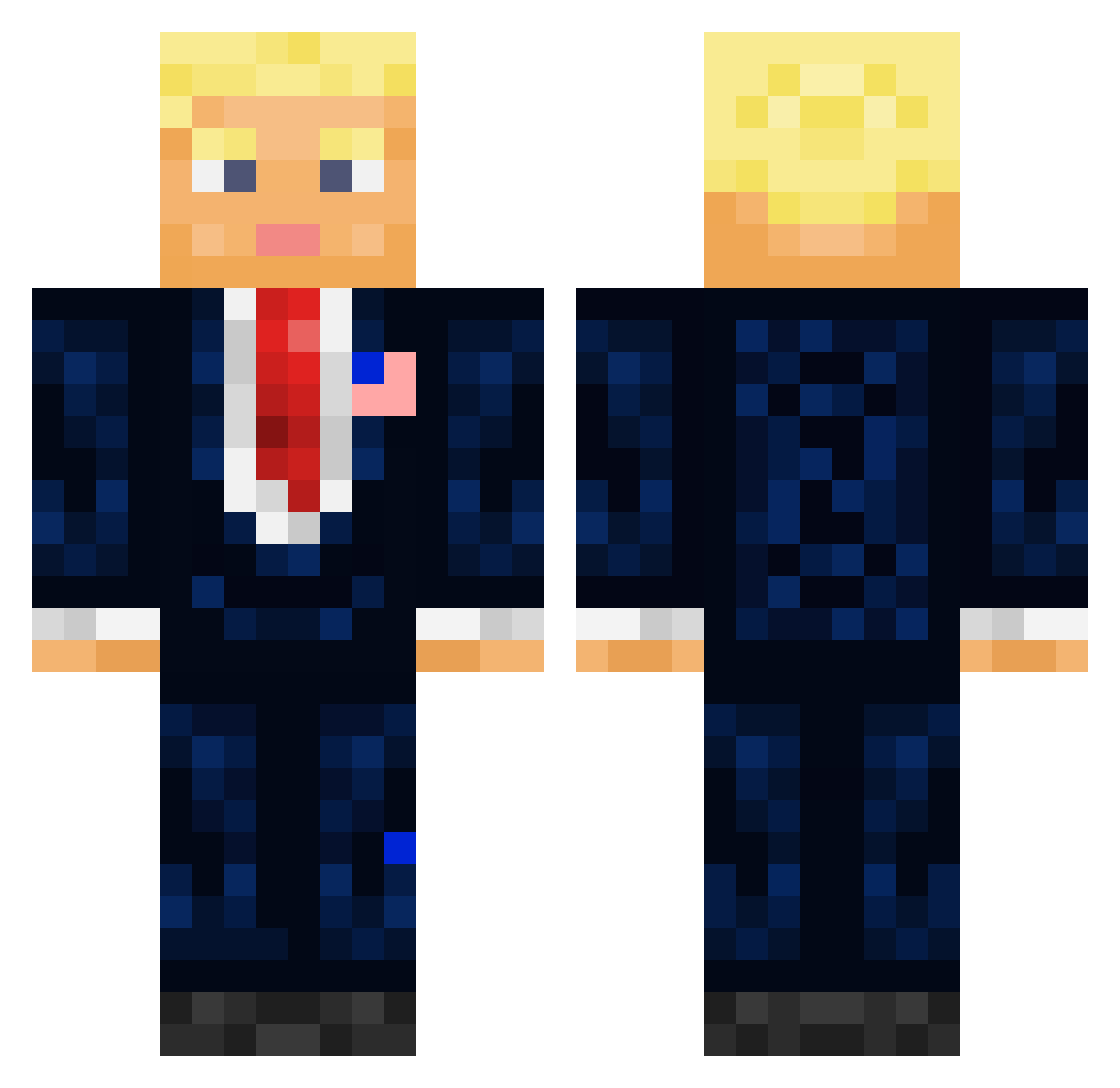
Current Minecraft skin of the player Charzzan, loaded from the official Mojang API. Rotate the 3D model with your mouse or finger, then download the skin as a PNG file and use it in Minecraft: Bedrock Edition or Java Edition for free. When Charzzan changes their skin, this page updates automatically and the old skin stays in the history below.
Other players with this skin (711)
Charzzan was the 322nd player we have seen with this skin, first spotted on 17.09.2026. The same skin was seen on these players. Open a nickname to see their current skin and skin history.
 MidgetsAreDevils Rhurac 2Dylicious Bobsaqqet69 Ikesicle RazzWell ZoomBoozled basel_rizz BarcodeGenerator CJsGamings Marlowz basti329 WuzUrDaddy yourdogwaternopr Nonalimmigration quinner17 CheeseDue Vanilla_Pie KennyDuIt Trubnik KankaAihrhorn Bennett35 itachi209 nicolarosettani jasnoun jay24k Kacper_Slu emoisduda NotZeep fake_mexican_exe Berlin1210 rianfrantic yourmomstoy69 TelTura johnhsalmon raspyboi LAZlEST bzisniper2 Donaldito Primal_22 FallingAcorns nass2708 Ovaculum BIG_dyl08 Webskiii Pockitaces White_BMW Gerisn SWmaster13 Gomazaemon 3600j lukareset Hunter2623 RandySavage12 CommitAndRun heropercy SilverKies Missaahh Bottom_G Fedlogo
More President Minecraft skins
How to install the Charzzan skin
- Press the Download button above to save the skin as a PNG file.
- Minecraft: Bedrock Edition (PE): open the Dressing Room from the main menu (or tap your character → Edit Character), go to Classic Skins → Owned, press the + (new skin) button, choose the downloaded PNG and pick the Classic (Steve) model. Works on PC and mobile; consoles cannot import custom skins.
- Minecraft: Java Edition: open the Minecraft Launcher, go to the Skins tab, click New Skin, load the PNG, pick the Classic (Steve) model and press Save & Use. You can also upload it at minecraft.net → Profile → Change Skin.
The skin does not show up after import - what should I do?
Restart Minecraft and open the Dressing Room again - imported skins sometimes appear only after a restart. Also make sure you selected the imported skin and picked the Classic (Steve) model.
Which model should I choose, Classic or Slim?
This skin is designed for the Classic (Steve) model. If you pick the wrong model, the arms of the skin will look stretched or squeezed.
Is the skin of Charzzan free to download?
Yes. Press Download, save the PNG file and use it in Minecraft: Bedrock Edition or Java Edition - no payment or registration needed. The skin also works on multiplayer servers and Realms.
More skins
Looking for more? Go back to all Minecraft skins and check the top skins of the week, month and all time, or find any player's skin by nickname.