
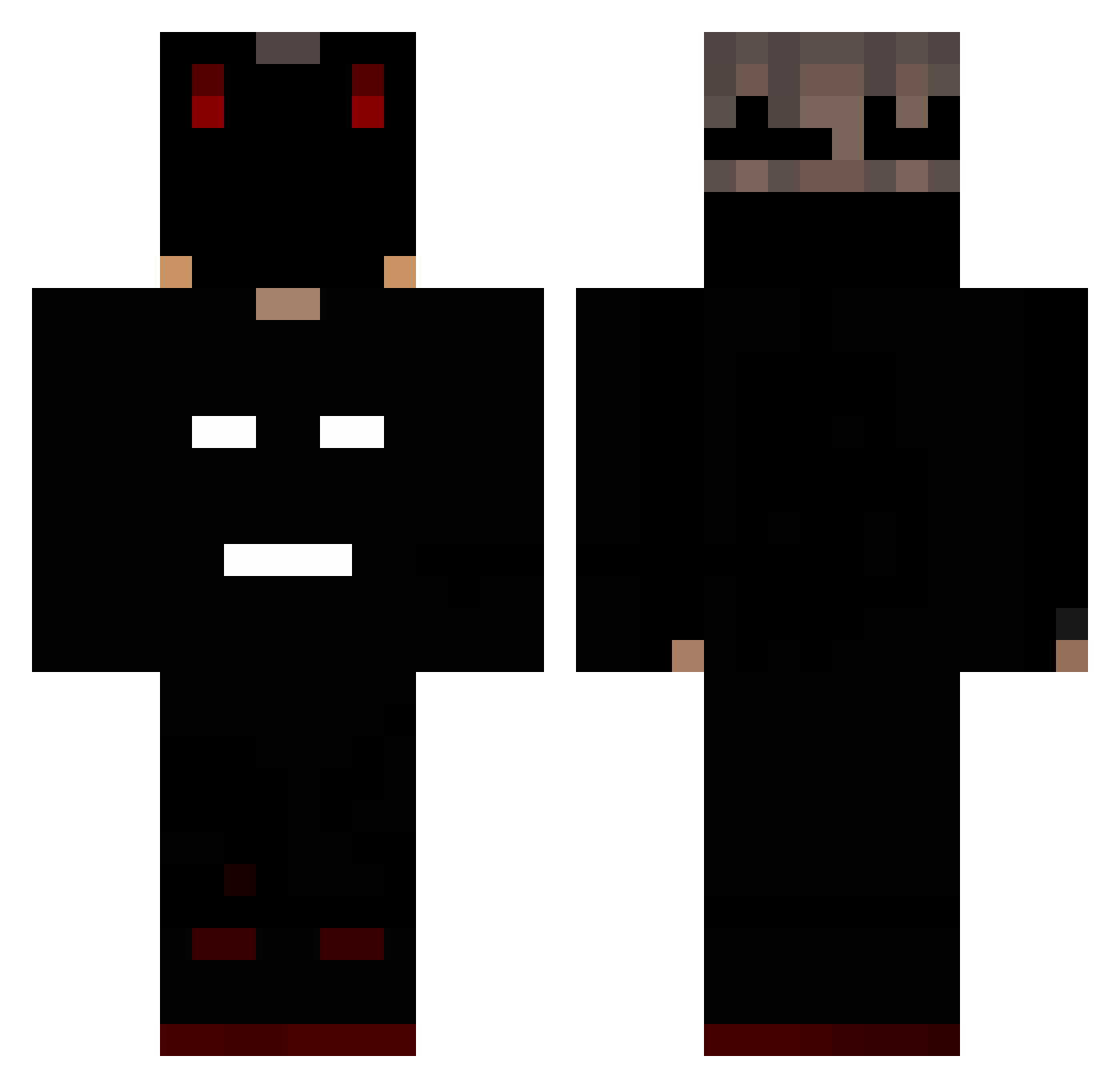
Current Minecraft skin of the player ChampionKID, loaded from the official Mojang API. Rotate the 3D model with your mouse or finger, then download the skin as a PNG file and use it in Minecraft: Bedrock Edition or Java Edition for free. When ChampionKID changes their skin, this page updates automatically and the old skin stays in the history below.
Other players with this skin (158)
ChampionKID was the 122nd player we have seen with this skin, first spotted on 05.10.2026. The same skin was seen on these players. Open a nickname to see their current skin and skin history.
 MrBassam MemeKills Vinny244hz RichTree257 KosFilip133 proORnoob NAUT_Z DarkFailert Yaelaporte SUPERCUTESHERR1A RealCattivo VACTOP1 _LeiGe ArmaGeddoN_YT craftguy0 DAZMO09 nemasil TheJone1 Ni640nja Daniel_Yasen_99 NelgLife smuhge iY0SHIII duble23 take_072 Coldxlord spidertreat Armucha1 BLYNDES verxyyy Morgui_ volvo156 Im_Armored D4rkzinn_ beamteam Mabel_FresH pedrosa_03 Raphougnoul spodermon_og DirtyMexican36 FloresSlager Armaan175 pg206206 ToghMC Sh4dowKP BomBing00 Yon3zU Guckoy MKXDF frisli12345 Trololololdj Kracken74 KrzaqYT ProStivAlex LABONNECOCHONNE glamgal2039 Decoy_q BricKiller DefineVexx _zxpr
More Mask Minecraft skins
How to install the ChampionKID skin
- Press the Download button above to save the skin as a PNG file.
- Minecraft: Bedrock Edition (PE): open the Dressing Room from the main menu (or tap your character → Edit Character), go to Classic Skins → Owned, press the + (new skin) button, choose the downloaded PNG and pick the Classic (Steve) model. Works on PC and mobile; consoles cannot import custom skins.
- Minecraft: Java Edition: open the Minecraft Launcher, go to the Skins tab, click New Skin, load the PNG, pick the Classic (Steve) model and press Save & Use. You can also upload it at minecraft.net → Profile → Change Skin.
The skin does not show up after import - what should I do?
Restart Minecraft and open the Dressing Room again - imported skins sometimes appear only after a restart. Also make sure you selected the imported skin and picked the Classic (Steve) model.
Which model should I choose, Classic or Slim?
This skin is designed for the Classic (Steve) model. If you pick the wrong model, the arms of the skin will look stretched or squeezed.
Is the skin of ChampionKID free to download?
Yes. Press Download, save the PNG file and use it in Minecraft: Bedrock Edition or Java Edition - no payment or registration needed. The skin also works on multiplayer servers and Realms.
More skins
Looking for more? Go back to all Minecraft skins and check the top skins of the week, month and all time, or find any player's skin by nickname.