
Certyxl - Minecraft Skins & Skin History
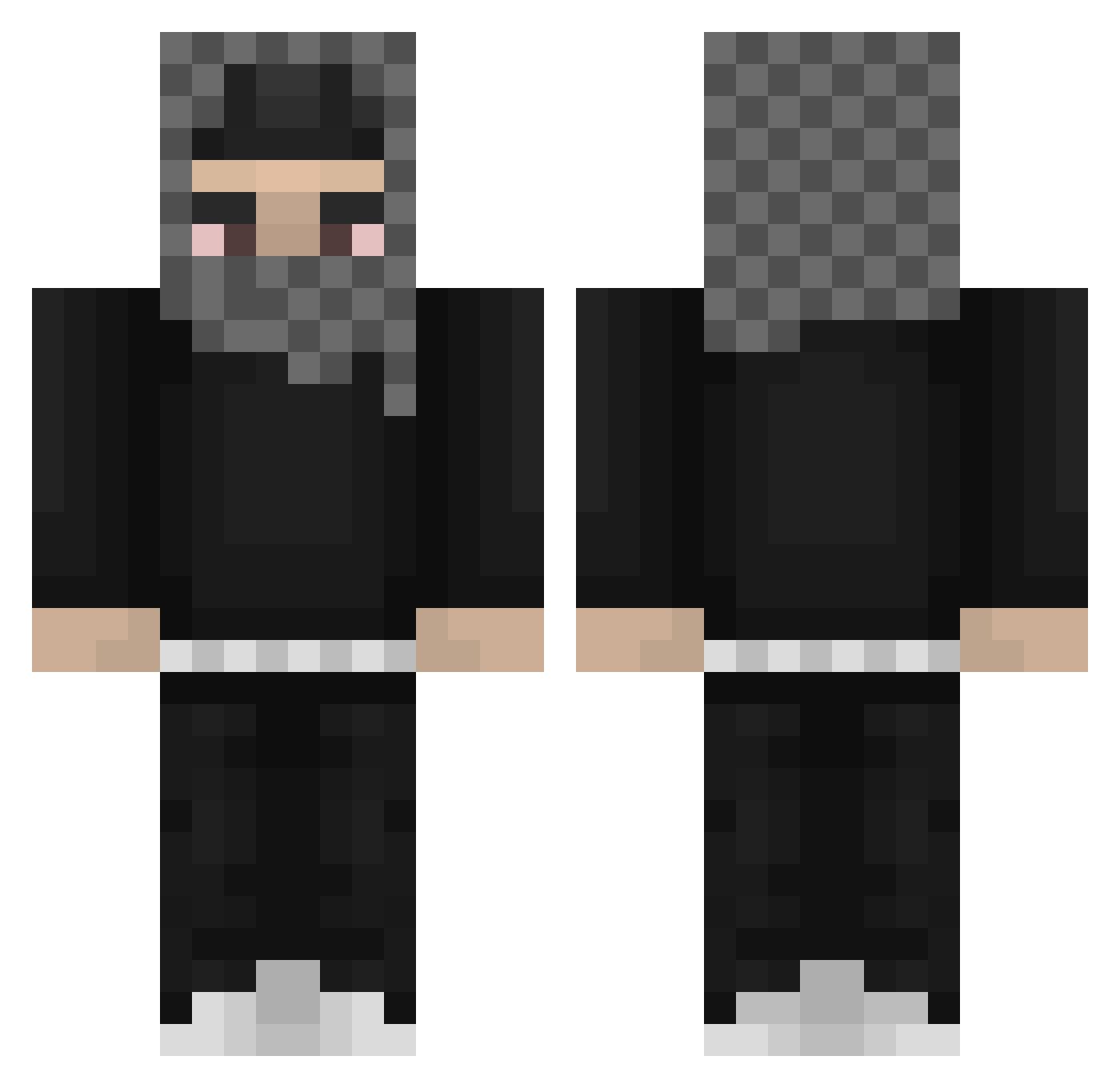
Current Minecraft skin of the player Certyxl, loaded from the official Mojang API. Rotate the 3D model with your mouse or finger, then download the skin as a PNG file and use it in Minecraft: Bedrock Edition or Java Edition for free. When Certyxl changes their skin, this page updates automatically and the old skin stays in the history below.
Other players with this skin (812)
Certyxl was the 136th player we have seen with this skin, first spotted on 11.08.2026. The same skin was seen on these players. Open a nickname to see their current skin and skin history.
 Yeat______ babvcia Onzo69 Srav_
 Stwzy__ Drxzii Caprino TEMPOgambino MehdiLeopard yogurt_is_pigeon yalocalfinesser
 Novexxfoxx PATOFNICA R6Zyvnn Mastich mvvsti md3z rncel arve12 _oczek_ krimsonyx 0_maidens SNOWZ444 gricee ssspiggy Kankuddyy Jayd3nTh3G0at Hendrik21222 ReyGaming LOL_STQZ_QB OmgDman EichelSchmerzen Slow_Nyy twizzzyr1ch GeoxVFX ZawaZawa3000 BaileysWRLD Kzinaurus naswastaken DefNotAce dauzi62 luhhgeek yvngjxyy La_Trixterr CiapatyCapek _goony Avashhh mineman001 Refault wokstar5 seglyukszaglaszo BabbyTron Yamaguchiii MrSharkNoodles countonmike250 shatyourself Lynt0n 00_xin M00slimMan_ DavcaKuchajik
More Streetwear Minecraft skins
How to install the Certyxl skin
- Press the Download button above to save the skin as a PNG file.
- Minecraft: Bedrock Edition (PE): open the Dressing Room from the main menu (or tap your character → Edit Character), go to Classic Skins → Owned, press the + (new skin) button, choose the downloaded PNG and pick the Classic (Steve) model. Works on PC and mobile; consoles cannot import custom skins.
- Minecraft: Java Edition: open the Minecraft Launcher, go to the Skins tab, click New Skin, load the PNG, pick the Classic (Steve) model and press Save & Use. You can also upload it at minecraft.net → Profile → Change Skin.
The skin does not show up after import - what should I do?
Restart Minecraft and open the Dressing Room again - imported skins sometimes appear only after a restart. Also make sure you selected the imported skin and picked the Classic (Steve) model.
Which model should I choose, Classic or Slim?
This skin is designed for the Classic (Steve) model. If you pick the wrong model, the arms of the skin will look stretched or squeezed.
Is the skin of Certyxl free to download?
Yes. Press Download, save the PNG file and use it in Minecraft: Bedrock Edition or Java Edition - no payment or registration needed. The skin also works on multiplayer servers and Realms.
More skins
Looking for more? Go back to all Minecraft skins and check the top skins of the week, month and all time, or find any player's skin by nickname.