
Carcer99 - Minecraft Skins & Skin History
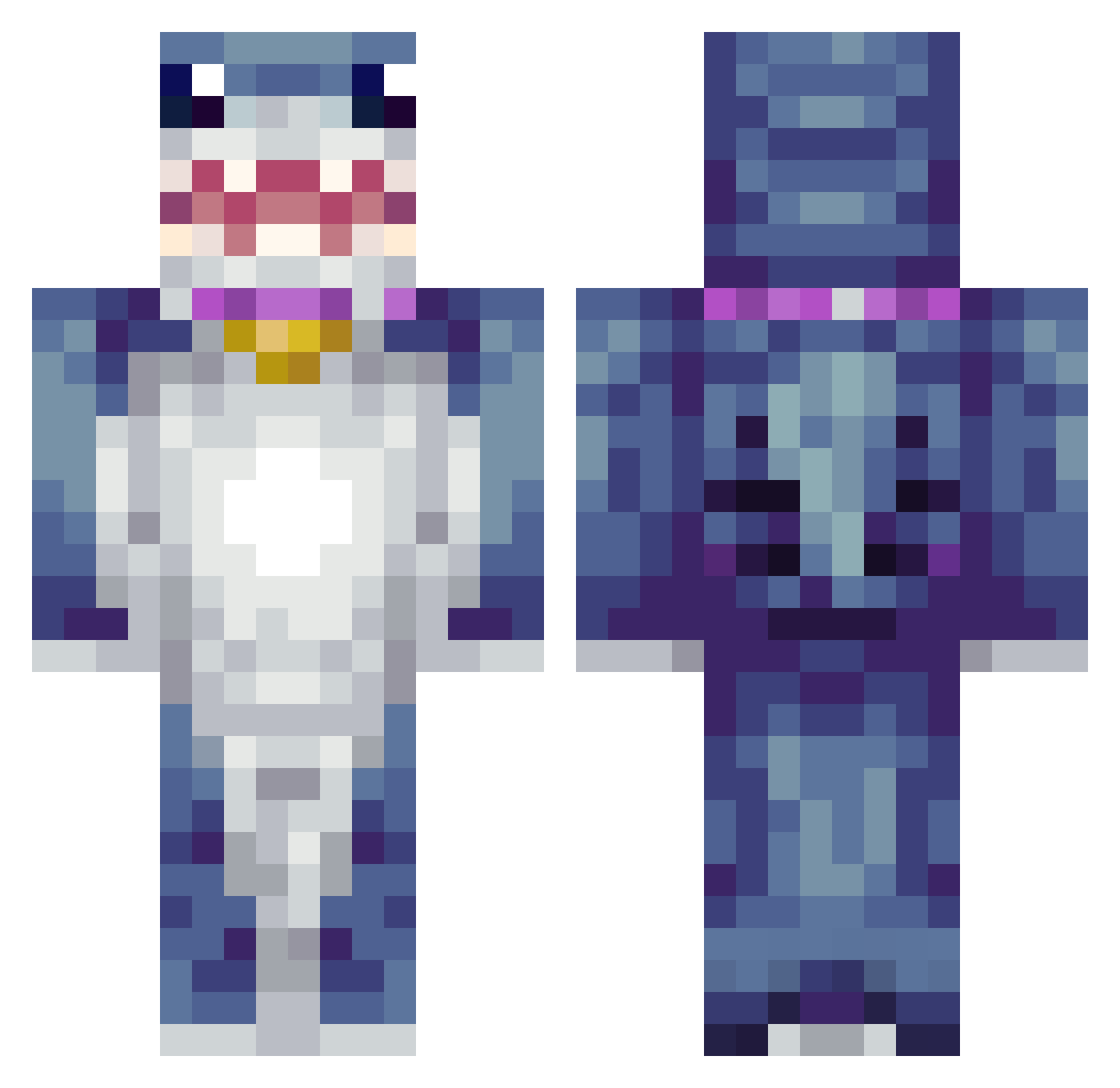
Current Minecraft skin of the player Carcer99, loaded from the official Mojang API. Rotate the 3D model with your mouse or finger, then download the skin as a PNG file and use it in Minecraft: Bedrock Edition or Java Edition for free. When Carcer99 changes their skin, this page updates automatically and the old skin stays in the history below.
Other players with this skin (425)
Carcer99 was the 44th player we have seen with this skin, first spotted on 04.08.2026. The same skin was seen on these players. Open a nickname to see their current skin and skin history.
 Leooo5678 TungTungGod21 CalmBuyer138 JediNarwals EShark27 mgtd33 lurking201 SirFishtank Jazzytheefatty22 Pablo6Kayy Robytron
 BamBam2016 Seanergan semiblueheart anniemalzoo robotstegosaurus Riggsman87 Sharkofsky BoneyTonyTroll Shanshuker Heejinsgcf Pietrimon MagiccMagicc MurkyLake Animal_Hunter123 Regulus_777 Jammpo rossalien DZIGI_LEWIATAN JINWQAA KhangKhang RoloMopo xBandini AquaticWoods Fuzzywolfs AlexKiss13 Danker2000
 ZekeBEME WeirdBeanz Wojt888788878 DUBSOURCE chog_champ lsw0613 EaterOfSouls2020 MORBID_ANG3L
 GAMHE1 BOPEXI SirNickC Hique26
 Vbee2013 JaidenBig_boy lansoncat06 iwancaat Gummybearblue FUG_MC MariosBall lanielon30fps DPine21
 TyronN14 Joosebox89
More Shark Minecraft skins
How to install the Carcer99 skin
- Press the Download button above to save the skin as a PNG file.
- Minecraft: Bedrock Edition (PE): open the Dressing Room from the main menu (or tap your character → Edit Character), go to Classic Skins → Owned, press the + (new skin) button, choose the downloaded PNG and pick the Classic (Steve) model. Works on PC and mobile; consoles cannot import custom skins.
- Minecraft: Java Edition: open the Minecraft Launcher, go to the Skins tab, click New Skin, load the PNG, pick the Classic (Steve) model and press Save & Use. You can also upload it at minecraft.net → Profile → Change Skin.
The skin does not show up after import - what should I do?
Restart Minecraft and open the Dressing Room again - imported skins sometimes appear only after a restart. Also make sure you selected the imported skin and picked the Classic (Steve) model.
Which model should I choose, Classic or Slim?
This skin is designed for the Classic (Steve) model. If you pick the wrong model, the arms of the skin will look stretched or squeezed.
Is the skin of Carcer99 free to download?
Yes. Press Download, save the PNG file and use it in Minecraft: Bedrock Edition or Java Edition - no payment or registration needed. The skin also works on multiplayer servers and Realms.
More skins
Looking for more? Go back to all Minecraft skins and check the top skins of the week, month and all time, or find any player's skin by nickname.