
Camiv - Minecraft Skins & Skin History
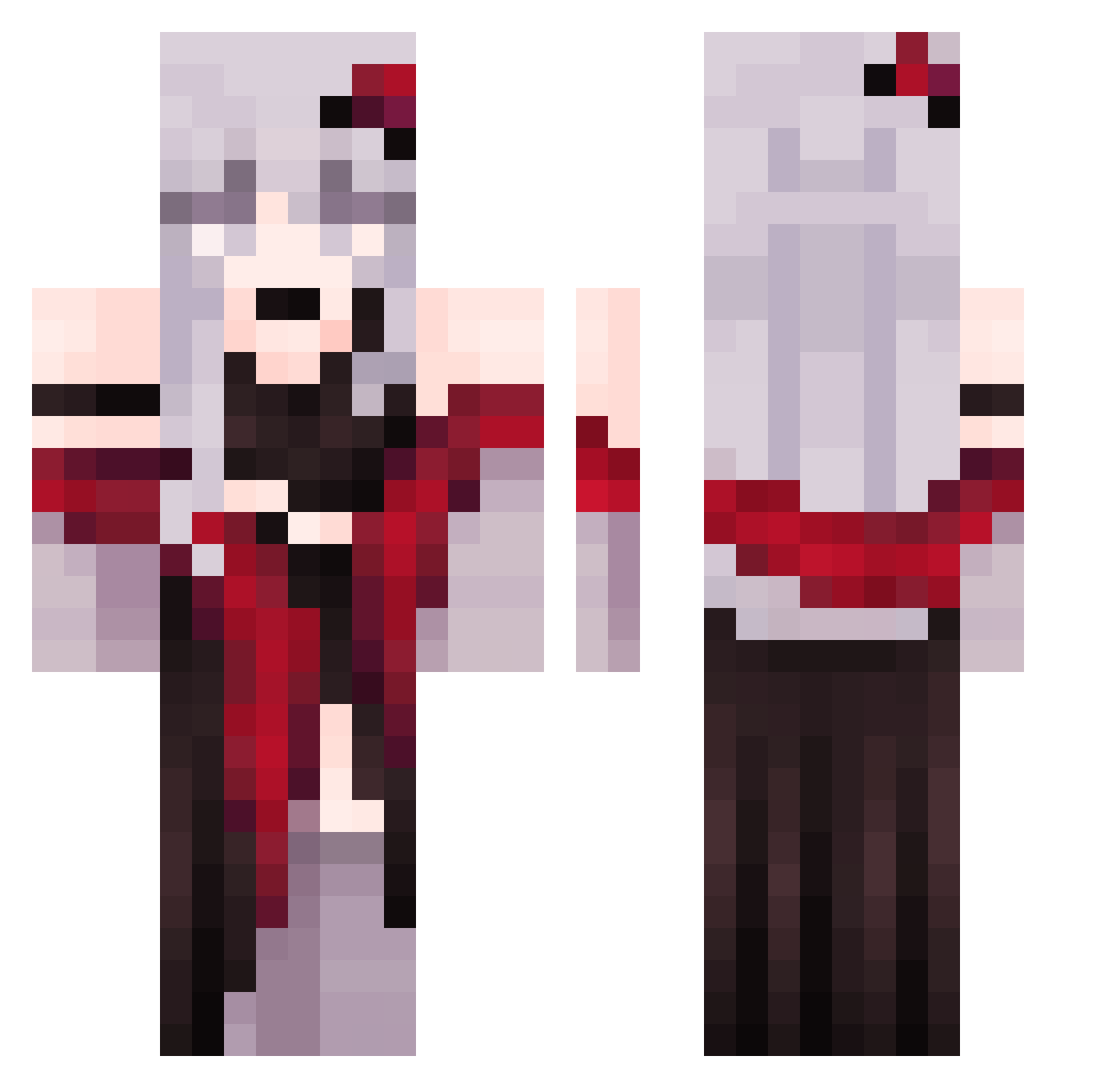
Current Minecraft skin of the player Camiv, loaded from the official Mojang API. Rotate the 3D model with your mouse or finger, then download the skin as a PNG file and use it in Minecraft: Bedrock Edition or Java Edition for free. When Camiv changes their skin, this page updates automatically and the old skin stays in the history below.
Other players with this skin (326)
Camiv was the 47th player we have seen with this skin, first spotted on 09.08.2026. The same skin was seen on these players. Open a nickname to see their current skin and skin history.
 Sagisou AlexTNT2333 trex1117 culturedToucan1 TonyMr Foremka_ 9aoshi Yejii_ Kurai69 MuYun233 bebelzebu Liuwenqin Ilikecongyu NonoMymy ityce4ka Kentakle Walekeeper imMinamii qjcold LaCerise21 Husky3511 Everlasting_Sky Hua_Yua maplestory261 DeV1dE L1lo_15 anpontan1234 NUTCRACKERSs PrincessHyuuga Bakugo_Katsuki22 xXAstolXx ASOULLE _LittleCookie__ Evelynisgood Ruby_Agnes Herryhui7024 StepwiseWalk6 Puma090 ROZIBORI FalaFluke mengmeng1314 Hertz_syx jiangshuo zaf_reen sacyadic 0_VAIN xaolinmatador_ kennyS217 Skoll0 XylasNyx tmdhks39 Aster0_o NINGMENGDS blob9176 MrStinkyCheezit KingdomsCraft RTX4060LapTops black_rose1206 Rl_Lamia ONEHERE
More Anime Girl Minecraft skins
See all 13514 Anime Girl skins
How to install the Camiv skin
- Press the Download button above to save the skin as a PNG file.
- Minecraft: Bedrock Edition (PE): open the Dressing Room from the main menu (or tap your character → Edit Character), go to Classic Skins → Owned, press the + (new skin) button, choose the downloaded PNG and pick the Classic (Steve) model. Works on PC and mobile; consoles cannot import custom skins.
- Minecraft: Java Edition: open the Minecraft Launcher, go to the Skins tab, click New Skin, load the PNG, pick the Classic (Steve) model and press Save & Use. You can also upload it at minecraft.net → Profile → Change Skin.
The skin does not show up after import - what should I do?
Restart Minecraft and open the Dressing Room again - imported skins sometimes appear only after a restart. Also make sure you selected the imported skin and picked the Classic (Steve) model.
Which model should I choose, Classic or Slim?
This skin is designed for the Classic (Steve) model. If you pick the wrong model, the arms of the skin will look stretched or squeezed.
Is the skin of Camiv free to download?
Yes. Press Download, save the PNG file and use it in Minecraft: Bedrock Edition or Java Edition - no payment or registration needed. The skin also works on multiplayer servers and Realms.
More skins
Looking for more? Go back to all Minecraft skins and check the top skins of the week, month and all time, or find any player's skin by nickname.