
CadenTheCreeper - Minecraft Skins & Skin History
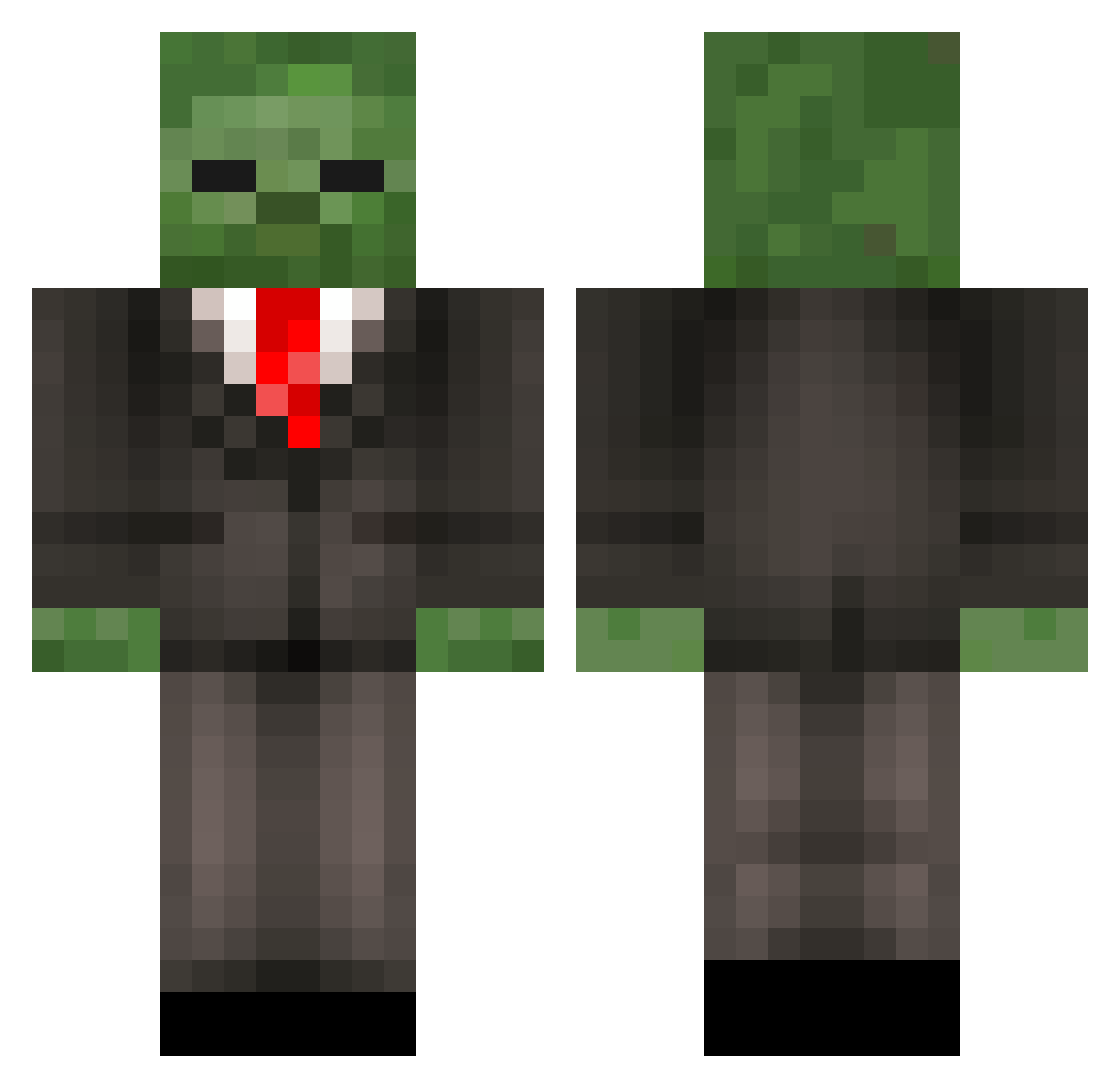
Current Minecraft skin of the player CadenTheCreeper, loaded from the official Mojang API. Rotate the 3D model with your mouse or finger, then download the skin as a PNG file and use it in Minecraft: Bedrock Edition or Java Edition for free. When CadenTheCreeper changes their skin, this page updates automatically and the old skin stays in the history below.
Other players with this skin (452)
CadenTheCreeper was the 39th player we have seen with this skin, first spotted on 02.08.2026. The same skin was seen on these players. Open a nickname to see their current skin and skin history.
 Cavelot thespencyb MrZaedinSir Spooky_Dolan opiemonster Gabe12345612 MedicoAlico rombler13 DJVIC3 EchoNotation purplemilkman ZombieRider14 LilFat umutool Vijon IRISHx43 NKZ_ZombieZ Humidzy EnwyVal Tyler32949 KUUukko5000 Skipperfrog skunkhunter42 scruffyboy123 akirajds NTB_Dino UNdeadMOunkey123 joshb1103 Flaschikowski Slzp RUBEN_BRAVO AtomicSE Tripjip clemgigI Kitchen125 WhizzyHD NightMan_TTV Andromaliusus Ternonicus XxKingJohn Neonjet Tucksedo18 F4k3rrr GeorgeTaylor1257 alle787 ZOMBIE_MINER_1 empsuli zombz05 ZxOmranZx welchie05 rc2land Bishop97 LMFAOwen roskya steve1750 Kauhia gregorkas Hjarno ajb2107 Mr_Tyson1
More Zombie Minecraft skins
How to install the CadenTheCreeper skin
- Press the Download button above to save the skin as a PNG file.
- Minecraft: Bedrock Edition (PE): open the Dressing Room from the main menu (or tap your character → Edit Character), go to Classic Skins → Owned, press the + (new skin) button, choose the downloaded PNG and pick the Classic (Steve) model. Works on PC and mobile; consoles cannot import custom skins.
- Minecraft: Java Edition: open the Minecraft Launcher, go to the Skins tab, click New Skin, load the PNG, pick the Classic (Steve) model and press Save & Use. You can also upload it at minecraft.net → Profile → Change Skin.
The skin does not show up after import - what should I do?
Restart Minecraft and open the Dressing Room again - imported skins sometimes appear only after a restart. Also make sure you selected the imported skin and picked the Classic (Steve) model.
Which model should I choose, Classic or Slim?
This skin is designed for the Classic (Steve) model. If you pick the wrong model, the arms of the skin will look stretched or squeezed.
Is the skin of CadenTheCreeper free to download?
Yes. Press Download, save the PNG file and use it in Minecraft: Bedrock Edition or Java Edition - no payment or registration needed. The skin also works on multiplayer servers and Realms.
More skins
Looking for more? Go back to all Minecraft skins and check the top skins of the week, month and all time, or find any player's skin by nickname.