
CONFIA0 - Minecraft Skins & Skin History
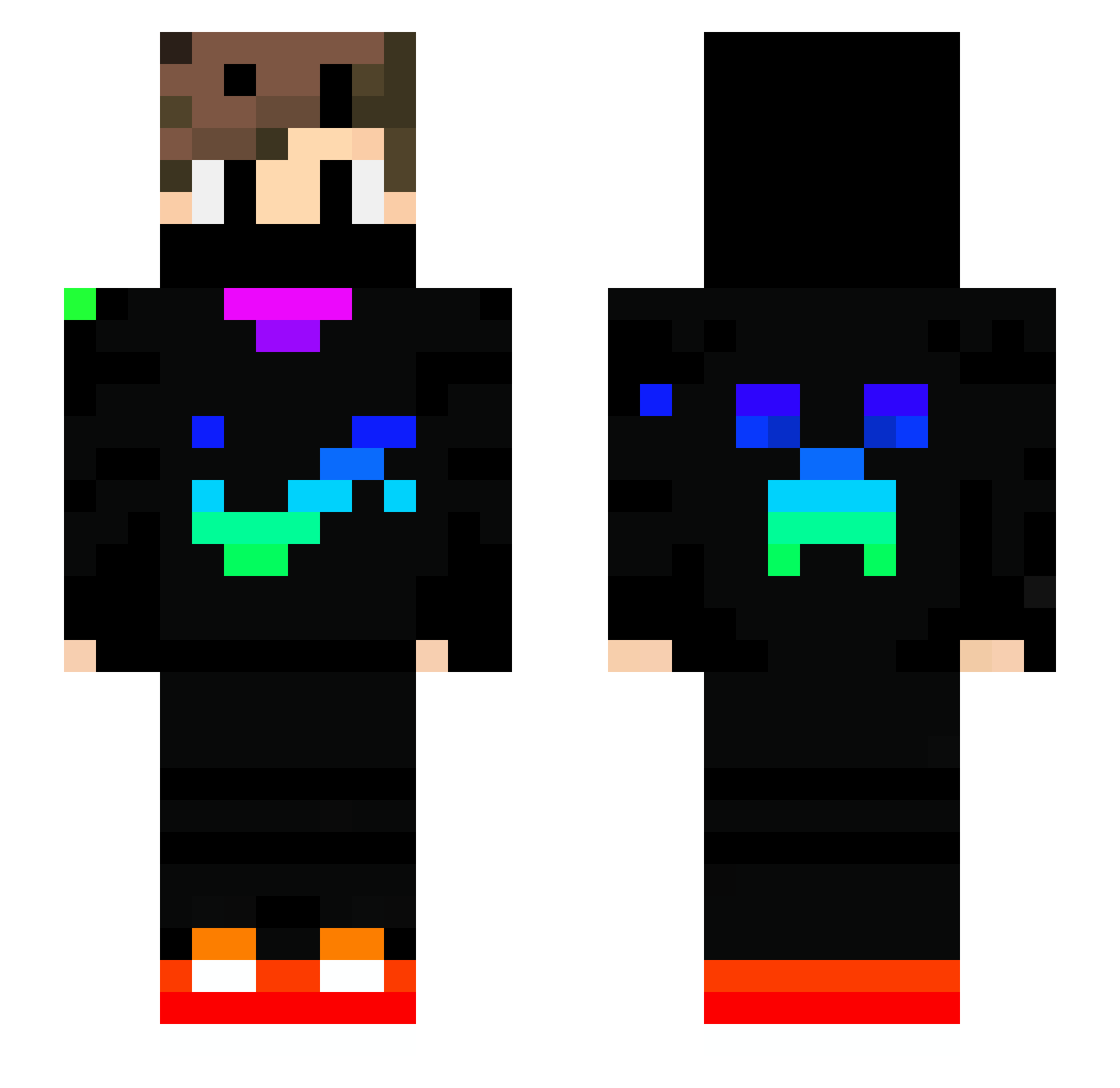
Current Minecraft skin of the player CONFIA0, loaded from the official Mojang API. Rotate the 3D model with your mouse or finger, then download the skin as a PNG file and use it in Minecraft: Bedrock Edition or Java Edition for free. When CONFIA0 changes their skin, this page updates automatically and the old skin stays in the history below.
Other players with this skin (742)
CONFIA0 was the 104th player we have seen with this skin, first spotted on 08.08.2026. The same skin was seen on these players. Open a nickname to see their current skin and skin history.
 DR_Schneemann OnlyNero_YT
 gohbdmfn Shinigami3562 CAKE1231 Tobiasomgfansv2 zPower098 K4YK_LV Queenrami le_chat_qui_taff Gamerwindowstop
 shangou10 AienAL Wertzu225 MrALAS driesbotha88 GORAGA p0rudo SzymonYT_17 Diobiesel1303 Flo_der_echte MarcosGamerPlays PrOAndi DrMishMish slakchergames AK47974 pour_lordre_16 Flitzi250 6Verbsi9 IBUKING_bb Geburtstag9480 rostblau Leander_001 TAMSUS myszakysz123 ichinori0321 SamuTop12 Antoniospindola OliveVerte403 Brhay LiamTu2013 DweebFishy omar_king131 RENASIPADRE
 Monkeyljs Ander_Saga AlexandreRUSH Alex0445 mannyl6709 emirkaya1905 TristanJohann Mmoullle waleibarra200821 Madlenka88 DaveTheQuber neunauge008 kryptoniteclark TicoDragon311 m_a_x007_ Juncky_Style
More Creeper Minecraft skins
How to install the CONFIA0 skin
- Press the Download button above to save the skin as a PNG file.
- Minecraft: Bedrock Edition (PE): open the Dressing Room from the main menu (or tap your character → Edit Character), go to Classic Skins → Owned, press the + (new skin) button, choose the downloaded PNG and pick the Slim (Alex) model. Works on PC and mobile; consoles cannot import custom skins.
- Minecraft: Java Edition: open the Minecraft Launcher, go to the Skins tab, click New Skin, load the PNG, pick the Slim (Alex) model and press Save & Use. You can also upload it at minecraft.net → Profile → Change Skin.
The skin does not show up after import - what should I do?
Restart Minecraft and open the Dressing Room again - imported skins sometimes appear only after a restart. Also make sure you selected the imported skin and picked the Slim (Alex) model.
Which model should I choose, Classic or Slim?
This skin is designed for the Slim (Alex) model. If you pick the wrong model, the arms of the skin will look stretched or squeezed.
Is the skin of CONFIA0 free to download?
Yes. Press Download, save the PNG file and use it in Minecraft: Bedrock Edition or Java Edition - no payment or registration needed. The skin also works on multiplayer servers and Realms.
More skins
Looking for more? Go back to all Minecraft skins and check the top skins of the week, month and all time, or find any player's skin by nickname.