
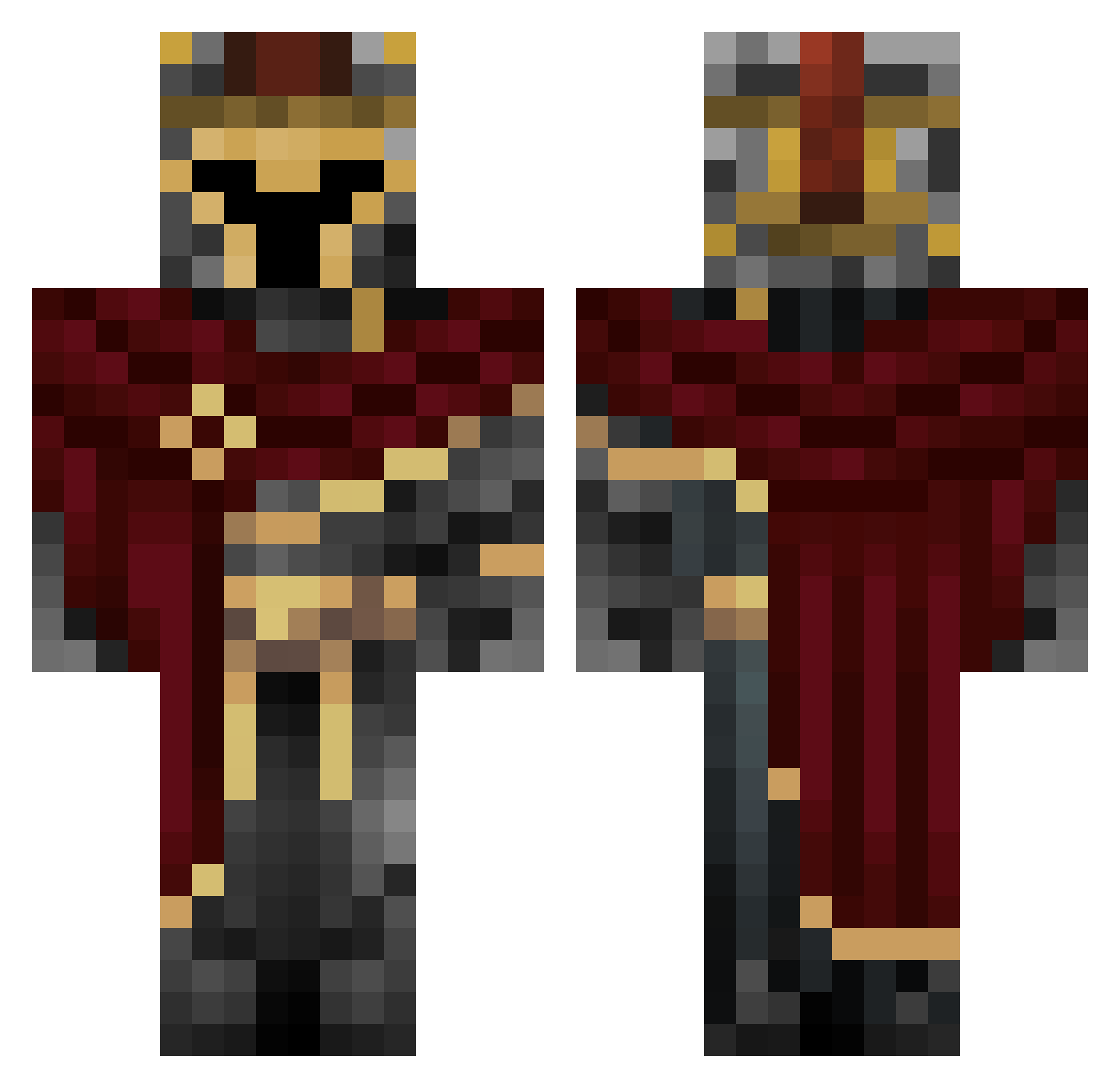
Current Minecraft skin of the player CJMC9, loaded from the official Mojang API. Rotate the 3D model with your mouse or finger, then download the skin as a PNG file and use it in Minecraft: Bedrock Edition or Java Edition for free. When CJMC9 changes their skin, this page updates automatically and the old skin stays in the history below.
Other players with this skin (523)
CJMC9 was the 294th player we have seen with this skin, first spotted on 09.09.2026. The same skin was seen on these players. Open a nickname to see their current skin and skin history.
 Kevinbenson10 Homelander_____ _Alabasta_ Incarnating Protnman DeadBoltOwl YuChen16 CmdrHawk LT_NICHOLLS Andraasssss HII_C AirSlice LOLSiuuuuu107 MattySairon Random_DudeX farbecht_kuchen Roover27817 vrulax poolfloaty28 Chief_Zay KondysCZ Frost5962 _TEMPLIOS_ Puiissance korumb Xen_7 noinoi2014 LexasV TheAmortalPotato Slushygaming10 asgardhunter Dollarsignsix BlueJay3037448 WasgehtPro happybutter08 Happy_qiqi bustywolverine OriginBot Enos696 MightyMiner8 Teek4 Richumbrella914 MaveFred SueltoCosmoto qpBlue Kahniin Electrove12 anthonaddd binkerbots1 Sussytol FeGonii Atomic_Lad TheRealKnight_ STRWB3RYMLK Zewtsss Vortex374 TheEvolution1 SampleText06 ItsKayn Aidan0511
More Spartan Minecraft skins
How to install the CJMC9 skin
- Press the Download button above to save the skin as a PNG file.
- Minecraft: Bedrock Edition (PE): open the Dressing Room from the main menu (or tap your character → Edit Character), go to Classic Skins → Owned, press the + (new skin) button, choose the downloaded PNG and pick the Classic (Steve) model. Works on PC and mobile; consoles cannot import custom skins.
- Minecraft: Java Edition: open the Minecraft Launcher, go to the Skins tab, click New Skin, load the PNG, pick the Classic (Steve) model and press Save & Use. You can also upload it at minecraft.net → Profile → Change Skin.
The skin does not show up after import - what should I do?
Restart Minecraft and open the Dressing Room again - imported skins sometimes appear only after a restart. Also make sure you selected the imported skin and picked the Classic (Steve) model.
Which model should I choose, Classic or Slim?
This skin is designed for the Classic (Steve) model. If you pick the wrong model, the arms of the skin will look stretched or squeezed.
Is the skin of CJMC9 free to download?
Yes. Press Download, save the PNG file and use it in Minecraft: Bedrock Edition or Java Edition - no payment or registration needed. The skin also works on multiplayer servers and Realms.
More skins
Looking for more? Go back to all Minecraft skins and check the top skins of the week, month and all time, or find any player's skin by nickname.