
CIubK - Minecraft Skins & Skin History
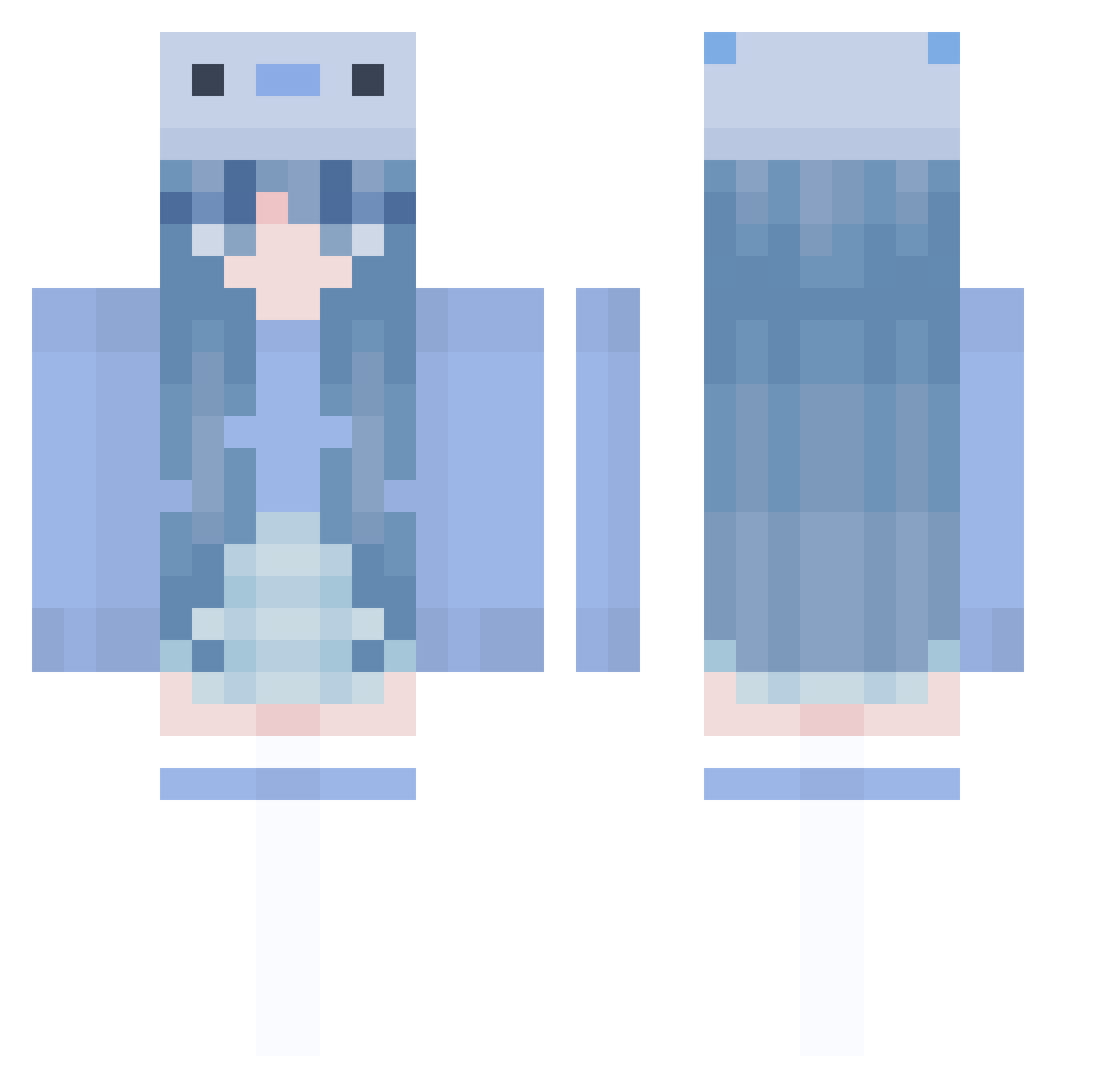
Current Minecraft skin of the player CIubK, loaded from the official Mojang API. Rotate the 3D model with your mouse or finger, then download the skin as a PNG file and use it in Minecraft: Bedrock Edition or Java Edition for free. When CIubK changes their skin, this page updates automatically and the old skin stays in the history below.
Other players with this skin (1005)
CIubK was the 652nd player we have seen with this skin, first spotted on 07.10.2026. The same skin was seen on these players. Open a nickname to see their current skin and skin history.
 AkiwaChin t3herndon lucertola666 LockDuck paperamoira ambersunfish ENE0303 PetitAngel5 JustAsh_ ManaMekeno le_af N3rdyOwl Yua310 SpaceLight_ yoisaki pinkiewhale a1tta GGo_mi Therealwizard10 remulade03 dre4m38 Bonny0922 Frosty0249 CozyAxolotl Midnight_Snax nayu_choco shooobydoo JulyyWasHere wingedrabbit888 Oliwciak123 dory2097 Meechie1015 Mikeuwu_ niemoz chairism c4rla22 _Zeeku Jinuk_E Suheda_Nur MilkTeaS2 Huchuuuu egirlmineira e11ixr0s3 Icysharkk mizu_108 Hyru1eMC REIGN0000000 Memeinq MICx_0005 sou_0100 haruyama423 01092 _ANDY_CANDY_ ryshu2553 plua_is_dog BaekSeju0 TF_JUDGE CnEh4068 iZbourne49 ElseFruitcake
More Axolotl Minecraft skins
How to install the CIubK skin
- Press the Download button above to save the skin as a PNG file.
- Minecraft: Bedrock Edition (PE): open the Dressing Room from the main menu (or tap your character → Edit Character), go to Classic Skins → Owned, press the + (new skin) button, choose the downloaded PNG and pick the Classic (Steve) model. Works on PC and mobile; consoles cannot import custom skins.
- Minecraft: Java Edition: open the Minecraft Launcher, go to the Skins tab, click New Skin, load the PNG, pick the Classic (Steve) model and press Save & Use. You can also upload it at minecraft.net → Profile → Change Skin.
The skin does not show up after import - what should I do?
Restart Minecraft and open the Dressing Room again - imported skins sometimes appear only after a restart. Also make sure you selected the imported skin and picked the Classic (Steve) model.
Which model should I choose, Classic or Slim?
This skin is designed for the Classic (Steve) model. If you pick the wrong model, the arms of the skin will look stretched or squeezed.
Is the skin of CIubK free to download?
Yes. Press Download, save the PNG file and use it in Minecraft: Bedrock Edition or Java Edition - no payment or registration needed. The skin also works on multiplayer servers and Realms.
More skins
Looking for more? Go back to all Minecraft skins and check the top skins of the week, month and all time, or find any player's skin by nickname.