
CIRAV - Minecraft Skins & Skin History
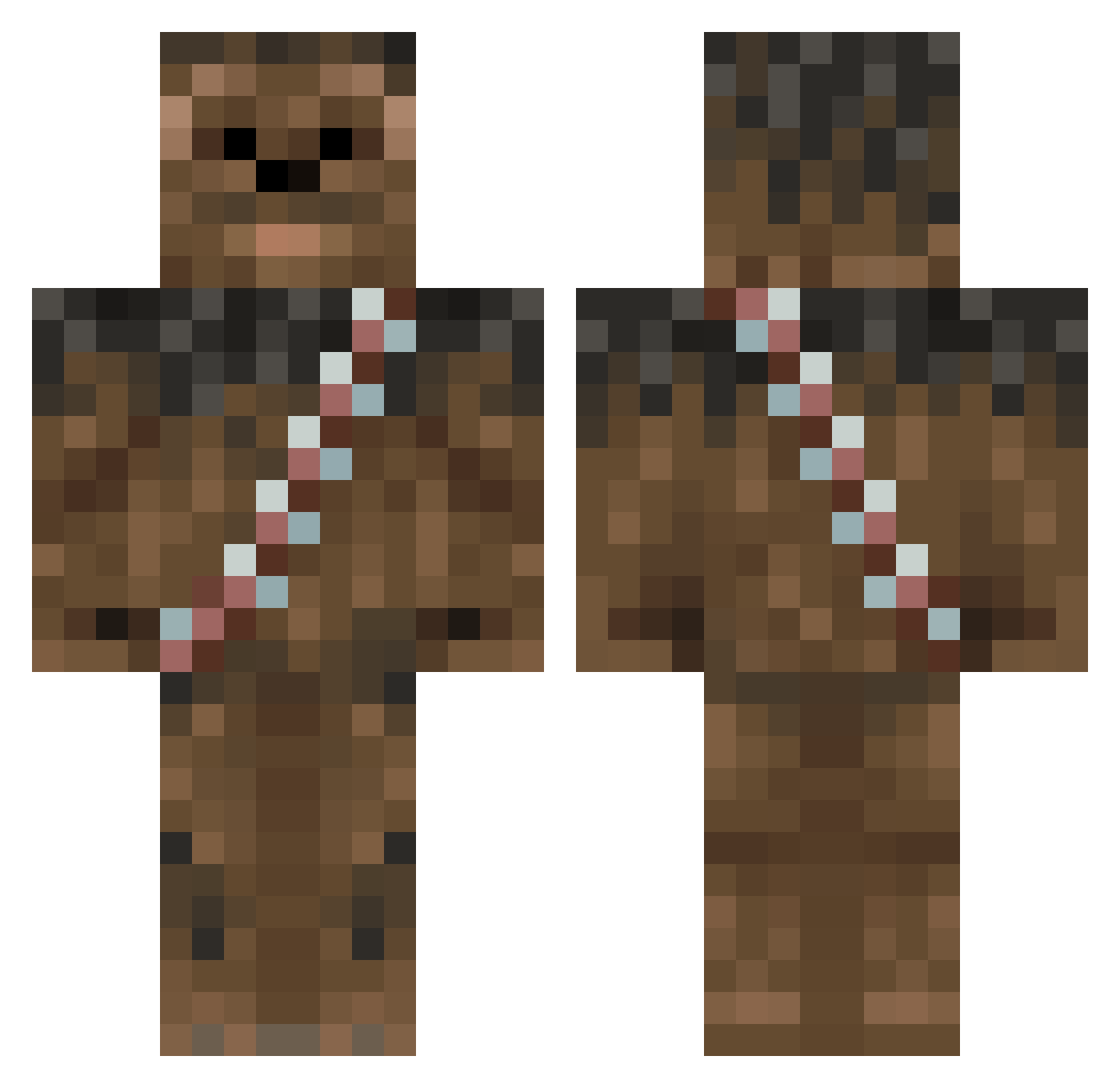
Current Minecraft skin of the player CIRAV, loaded from the official Mojang API. Rotate the 3D model with your mouse or finger, then download the skin as a PNG file and use it in Minecraft: Bedrock Edition or Java Edition for free. When CIRAV changes their skin, this page updates automatically and the old skin stays in the history below.
Other players with this skin (307)
CIRAV was the 216th player we have seen with this skin, first spotted on 12.10.2026. The same skin was seen on these players. Open a nickname to see their current skin and skin history.
 icemonkeyzz Danielbobry robinkill Blackstars2012 Flynn_carroll LennoxAX _Alphire_ TomTom_GER Jertron11 Carba14 Dejmianj Bobbiebeerr iburn319 good_golly_gosh SusanneH20 throckcraft ze_lema_munke guibrimaz yagoyago16 Fuuzzzy KnuviHD Rontom05 glossinis Jedismith13 YaoBeans mpmjuli SrTapia Silk1Vexin SuperKerem61 babtorek VladamirBinPutin RickGonja LaDyBoY123 Cpt_Boon biemoz edouardbeurre LukeHon26 Chewbee71 L0Gi_BeaR drgwho DeathsLastStop PequeYoda gerthunder12 Feliugui Minedaft71 HaramKipje Canada18 Mortiis99 Thuthur24 DuBellay Hendo20318 joshwahsquashwah jessetipton AnteQ_ Incend BackshotBarry hErNiX2606 Niziol Rez4u Lionne
More Wookiee Minecraft skins
How to install the CIRAV skin
- Press the Download button above to save the skin as a PNG file.
- Minecraft: Bedrock Edition (PE): open the Dressing Room from the main menu (or tap your character → Edit Character), go to Classic Skins → Owned, press the + (new skin) button, choose the downloaded PNG and pick the Classic (Steve) model. Works on PC and mobile; consoles cannot import custom skins.
- Minecraft: Java Edition: open the Minecraft Launcher, go to the Skins tab, click New Skin, load the PNG, pick the Classic (Steve) model and press Save & Use. You can also upload it at minecraft.net → Profile → Change Skin.
The skin does not show up after import - what should I do?
Restart Minecraft and open the Dressing Room again - imported skins sometimes appear only after a restart. Also make sure you selected the imported skin and picked the Classic (Steve) model.
Which model should I choose, Classic or Slim?
This skin is designed for the Classic (Steve) model. If you pick the wrong model, the arms of the skin will look stretched or squeezed.
Is the skin of CIRAV free to download?
Yes. Press Download, save the PNG file and use it in Minecraft: Bedrock Edition or Java Edition - no payment or registration needed. The skin also works on multiplayer servers and Realms.
More skins
Looking for more? Go back to all Minecraft skins and check the top skins of the week, month and all time, or find any player's skin by nickname.