
CGStopedo - Minecraft Skins & Skin History
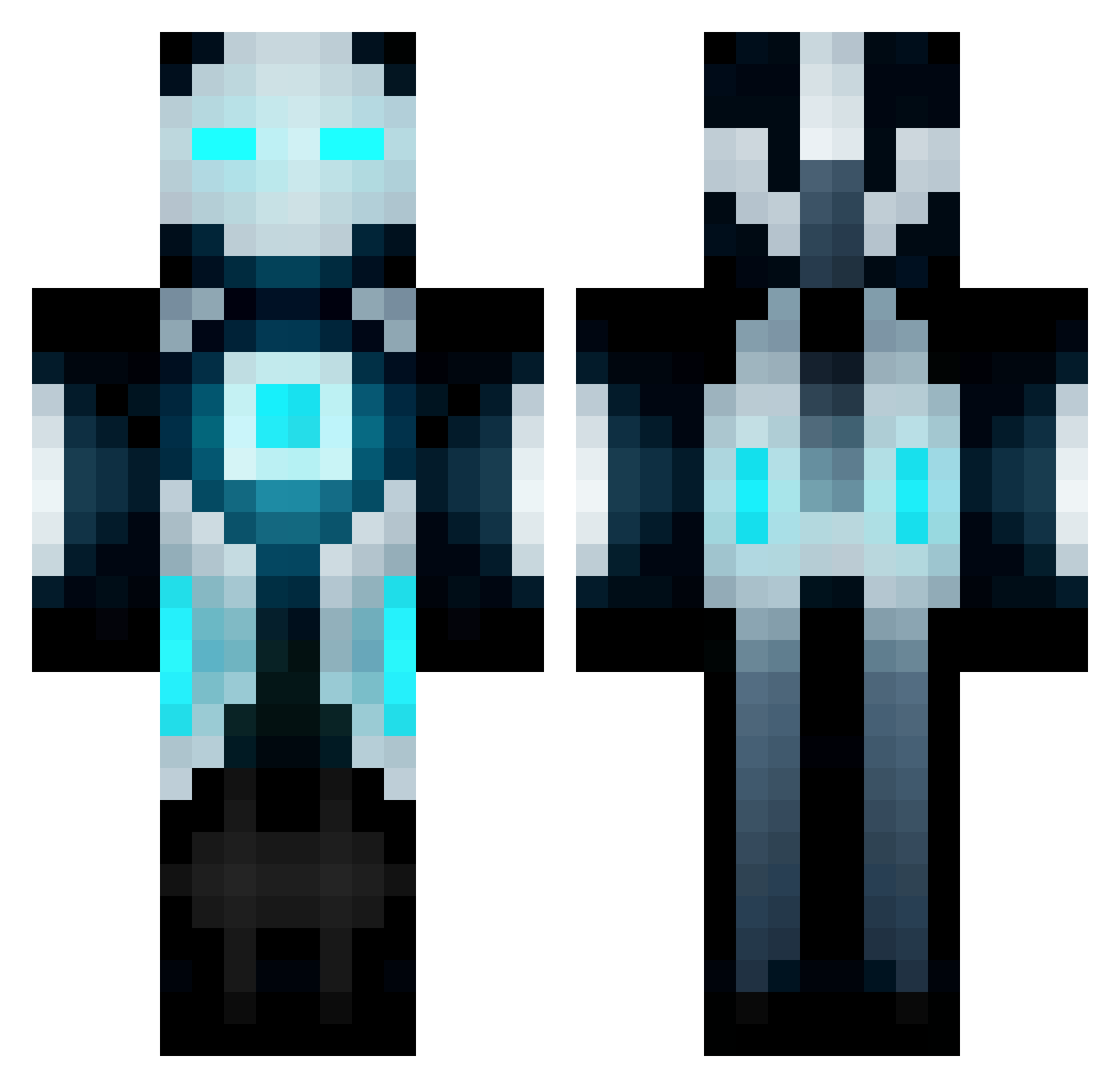
Current Minecraft skin of the player CGStopedo, loaded from the official Mojang API. Rotate the 3D model with your mouse or finger, then download the skin as a PNG file and use it in Minecraft: Bedrock Edition or Java Edition for free. When CGStopedo changes their skin, this page updates automatically and the old skin stays in the history below.
Other players with this skin (671)
CGStopedo was the 98th player we have seen with this skin, first spotted on 10.08.2026. The same skin was seen on these players. Open a nickname to see their current skin and skin history.
 spartyman30 Ch1ef176 AzureWarhawK ant_er spidy705 Squ1g1nator sk8terpro221 archra18 MadAexMC brycenorman markusSvampbob Tombleeboo spacecow333 Spyname149 Mandoo0117 j_k_24 roobin2001 Sharkmm Randdel Fastfolk puxor Jaguar345 brgillespie dikillu RagingBrunette Tigorman1337 Teejayna96 IMA_LIGHT_FIRE iMizzy1 sclossin mare211 powned4 texan214 raym0nd_69 Diamond_Warroir Coops_2012 Predaaator Master12232 Necrotech09 judedalla workaholic4 yoli65 Mr_Secret_99 Adopolus240 Jollyeagle123 BroncoHawkeye11 xboxman10 marblon Scando99 Stisek StrictlyVibes mizuki0373 Kashikins SalamieBoyrr KuroSky ShadyAsFuck XxWarriors28Xx jude11213 JTbaum snakeman7
More Futuristic Minecraft skins
How to install the CGStopedo skin
- Press the Download button above to save the skin as a PNG file.
- Minecraft: Bedrock Edition (PE): open the Dressing Room from the main menu (or tap your character → Edit Character), go to Classic Skins → Owned, press the + (new skin) button, choose the downloaded PNG and pick the Classic (Steve) model. Works on PC and mobile; consoles cannot import custom skins.
- Minecraft: Java Edition: open the Minecraft Launcher, go to the Skins tab, click New Skin, load the PNG, pick the Classic (Steve) model and press Save & Use. You can also upload it at minecraft.net → Profile → Change Skin.
The skin does not show up after import - what should I do?
Restart Minecraft and open the Dressing Room again - imported skins sometimes appear only after a restart. Also make sure you selected the imported skin and picked the Classic (Steve) model.
Which model should I choose, Classic or Slim?
This skin is designed for the Classic (Steve) model. If you pick the wrong model, the arms of the skin will look stretched or squeezed.
Is the skin of CGStopedo free to download?
Yes. Press Download, save the PNG file and use it in Minecraft: Bedrock Edition or Java Edition - no payment or registration needed. The skin also works on multiplayer servers and Realms.
More skins
Looking for more? Go back to all Minecraft skins and check the top skins of the week, month and all time, or find any player's skin by nickname.