
CANYAN888 - Minecraft Skins & Skin History
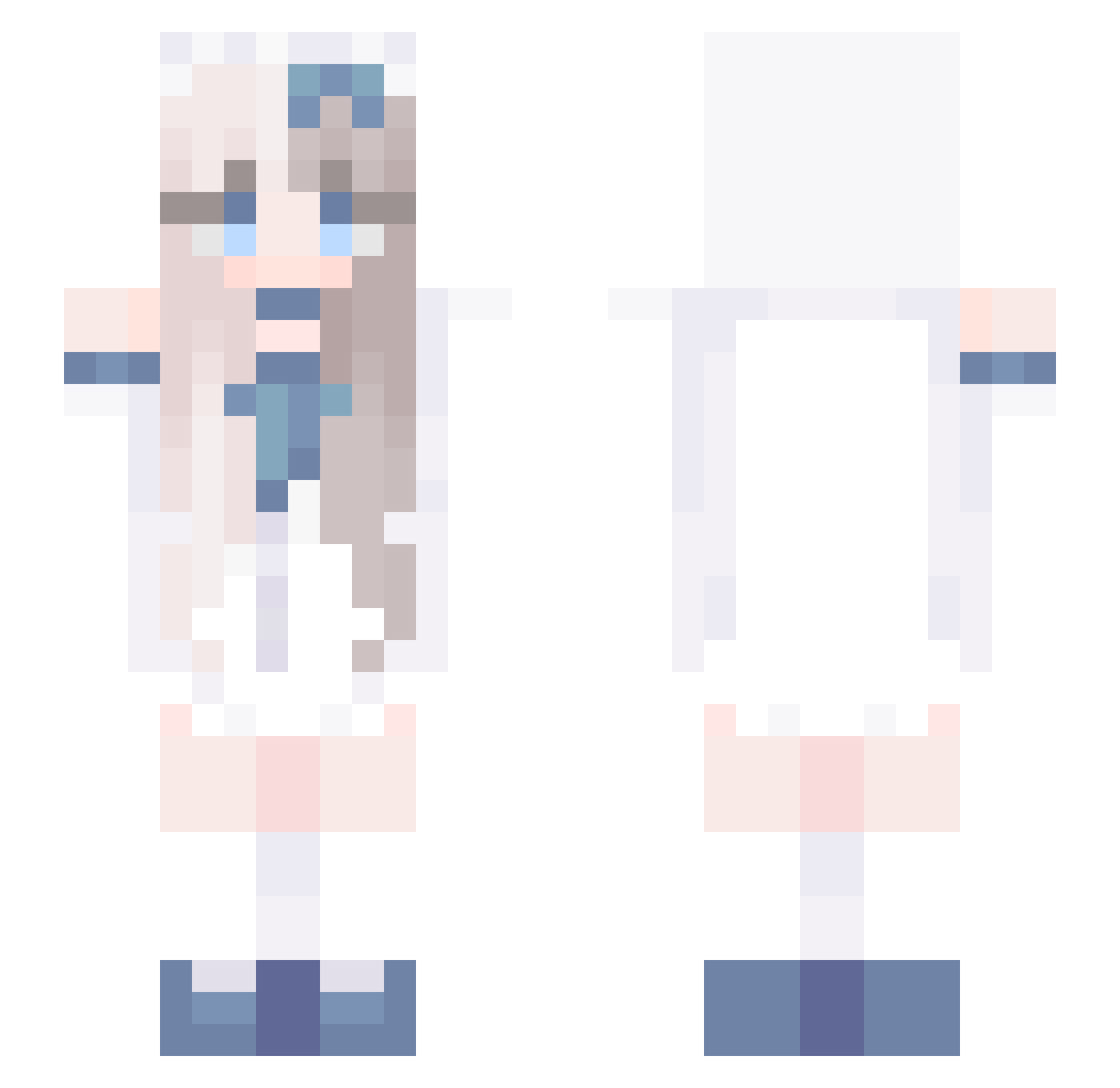
Current Minecraft skin of the player CANYAN888, loaded from the official Mojang API. Rotate the 3D model with your mouse or finger, then download the skin as a PNG file and use it in Minecraft: Bedrock Edition or Java Edition for free. When CANYAN888 changes their skin, this page updates automatically and the old skin stays in the history below.
Other players with this skin (730)
CANYAN888 was the 250th player we have seen with this skin, first spotted on 29.08.2026. The same skin was seen on these players. Open a nickname to see their current skin and skin history.
 ElblueUS sugar_cube2 erikumi Atrsg water_fish2 meng0204 haz1rah Tuu_Tikki sxrendipityy L__X__K cining Maariecheen diudiuder JinxEnemy elizales Rornantic IzaMine love002 rencham PandaPanda0117 Awei_awei_ hanhanyu7 eee1s
 Caenss nina0527 AirPeis Sylnera yiming564 Suhye0n gwkangraoo Kikomii
 hongleji imfallinluv chrupek3491 tubulent gerriex xiaoyu_dayo Shengyuanweihua1 xeilv Yumitsuki_ azma666 vseh_ fantasyking12 SweetFishyLlx ssh3y x123xuc 091409 Nelciaax MelCarp Linkerboo CDITDZP HenryGong StellarWraith kore79974 duyan656 HyvaXJR Ashes828 dvt222 ooYuriiioo wwwwhale
More Anime Girl Minecraft skins
See all 13509 Anime Girl skins
How to install the CANYAN888 skin
- Press the Download button above to save the skin as a PNG file.
- Minecraft: Bedrock Edition (PE): open the Dressing Room from the main menu (or tap your character → Edit Character), go to Classic Skins → Owned, press the + (new skin) button, choose the downloaded PNG and pick the Slim (Alex) model. Works on PC and mobile; consoles cannot import custom skins.
- Minecraft: Java Edition: open the Minecraft Launcher, go to the Skins tab, click New Skin, load the PNG, pick the Slim (Alex) model and press Save & Use. You can also upload it at minecraft.net → Profile → Change Skin.
The skin does not show up after import - what should I do?
Restart Minecraft and open the Dressing Room again - imported skins sometimes appear only after a restart. Also make sure you selected the imported skin and picked the Slim (Alex) model.
Which model should I choose, Classic or Slim?
This skin is designed for the Slim (Alex) model. If you pick the wrong model, the arms of the skin will look stretched or squeezed.
Is the skin of CANYAN888 free to download?
Yes. Press Download, save the PNG file and use it in Minecraft: Bedrock Edition or Java Edition - no payment or registration needed. The skin also works on multiplayer servers and Realms.
More skins
Looking for more? Go back to all Minecraft skins and check the top skins of the week, month and all time, or find any player's skin by nickname.