
C7Magic - Minecraft Skins & Skin History
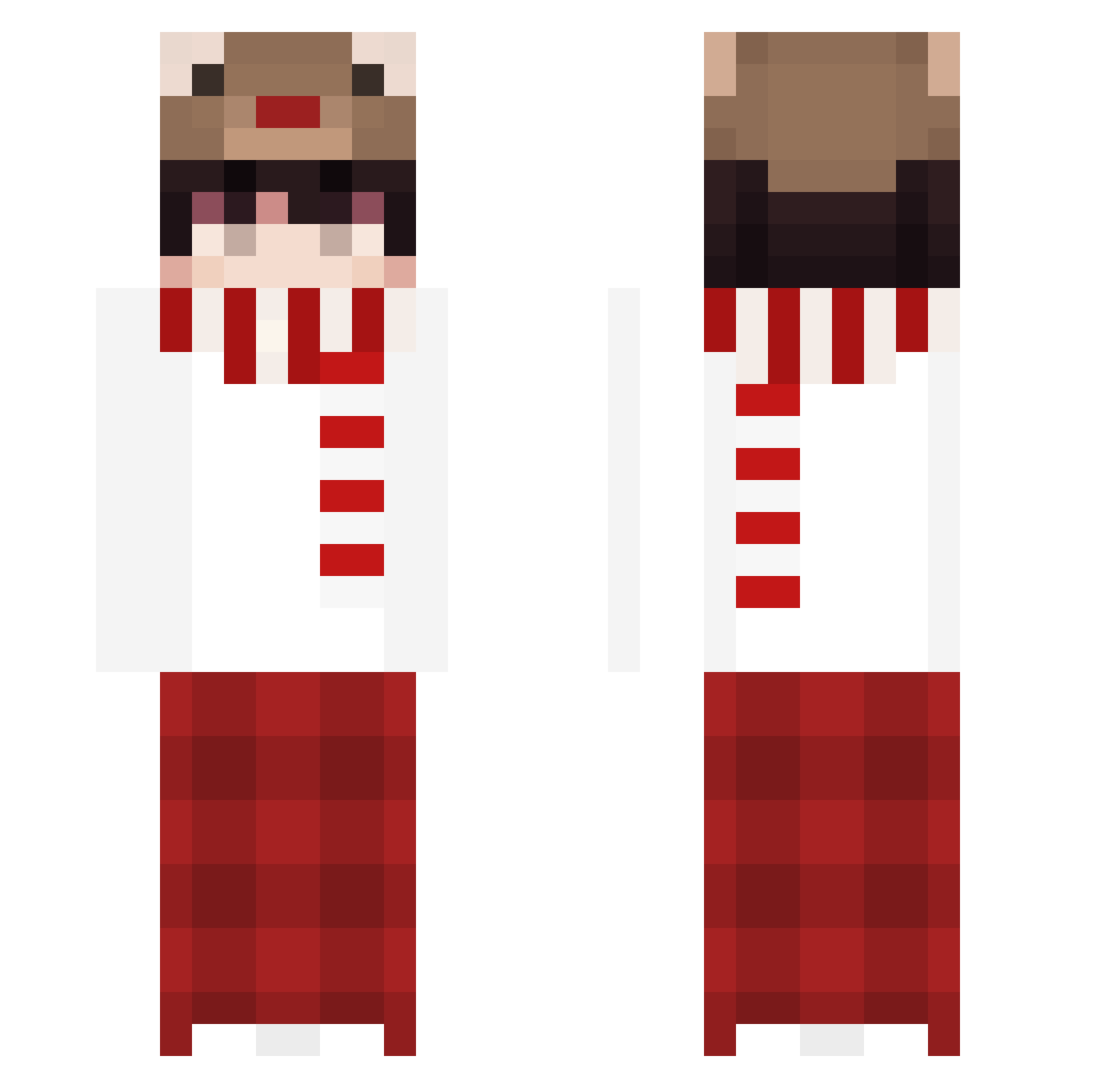
Current Minecraft skin of the player C7Magic, loaded from the official Mojang API. Rotate the 3D model with your mouse or finger, then download the skin as a PNG file and use it in Minecraft: Bedrock Edition or Java Edition for free. When C7Magic changes their skin, this page updates automatically and the old skin stays in the history below.
Other players with this skin (185)
C7Magic was the 69th player we have seen with this skin, first spotted on 02.09.2026. The same skin was seen on these players. Open a nickname to see their current skin and skin history.
 jonny0827 Jotinha021 IdLima BOABOAB0A Xeenoviq Geon_06 Insipidroom vitjaV1 MojoShido dlrpskdi_1 huoqiqi kanta626 Daesung Andrew1030 ITaY_AsT xtyjc senji_akiro PandaTT kong_de hansam04 Ciecierzyca2115 ving_ving canyon_OwO cool884 XlimST xaou22
 mmmokey2 MINSEONG21 thtQAQ fun_init_ grffer Holbajzos ScaryPaparino23
 alli_um Liowos17 FourWig72580271 zotrypt_7 MuYou153 LyleLin Nellykinz SilverWT PublicNutria538 blackvzla Kyuux17 Noob726 R_R_R000 Gumiber_21 CloudMap MechanicsFN Finii6688 Xiaodied durmun987 valexxn j_unn_09 Kisei69 karyun05 Semix562_5 jazmin_27 Xeriza Subpar_gg
More Winter Minecraft skins
How to install the C7Magic skin
- Press the Download button above to save the skin as a PNG file.
- Minecraft: Bedrock Edition (PE): open the Dressing Room from the main menu (or tap your character → Edit Character), go to Classic Skins → Owned, press the + (new skin) button, choose the downloaded PNG and pick the Classic (Steve) model. Works on PC and mobile; consoles cannot import custom skins.
- Minecraft: Java Edition: open the Minecraft Launcher, go to the Skins tab, click New Skin, load the PNG, pick the Classic (Steve) model and press Save & Use. You can also upload it at minecraft.net → Profile → Change Skin.
The skin does not show up after import - what should I do?
Restart Minecraft and open the Dressing Room again - imported skins sometimes appear only after a restart. Also make sure you selected the imported skin and picked the Classic (Steve) model.
Which model should I choose, Classic or Slim?
This skin is designed for the Classic (Steve) model. If you pick the wrong model, the arms of the skin will look stretched or squeezed.
Is the skin of C7Magic free to download?
Yes. Press Download, save the PNG file and use it in Minecraft: Bedrock Edition or Java Edition - no payment or registration needed. The skin also works on multiplayer servers and Realms.
More skins
Looking for more? Go back to all Minecraft skins and check the top skins of the week, month and all time, or find any player's skin by nickname.