
C3H5ONO23 - Minecraft Skins & Skin History
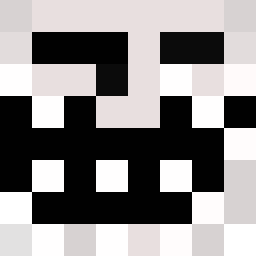
Current Minecraft skin of the player C3H5ONO23, loaded from the official Mojang API. Rotate the 3D model with your mouse or finger, then download the skin as a PNG file and use it in Minecraft: Bedrock Edition or Java Edition for free. When C3H5ONO23 changes their skin, this page updates automatically and the old skin stays in the history below.

Other players with this skin (210)
C3H5ONO23 was the 58th player we have seen with this skin, first spotted on 22.08.2026. The same skin was seen on these players. Open a nickname to see their current skin and skin history.
 fishhahahaha xnsp qpfs_ Giraffi7000 Iconic_Black_Man TommyIsFriendly waltuhwhite_ xtreamgaymer _paara GetGreedy51 Dr_Troll3R IEatTraps YEETMYFEET123 nelliesteam Universe____ nil09s FunkyMonkey8495 RasmusPettersson MikeEman BillDozer8000 Nils1124 ugotfingershot LeonSenpaichan2 Kegla Dumbledik420 king19500 HXRRY163 BobShaftoe mrcreeny AndroGamerDA BasedPolice KingKelpySWA Bankuro Oumera Maplewraith SharkAttack1870 Alt000 0471_ TheGodKnight JDH_667 plopbob attepii Twekkelo husko81 john1258 Krayakins Grepija Seal_38 Viluxtea TheKingly_King boejiden kpobbob Dreamerkiwi MrStrmm Aywisss Alcaynee RODODENDRON666 Lanserb10 Transformers_70 20_Art3mis
More Trollface Minecraft skins
How to install the C3H5ONO23 skin
- Press the Download button above to save the skin as a PNG file.
- Minecraft: Bedrock Edition (PE): open the Dressing Room from the main menu (or tap your character → Edit Character), go to Classic Skins → Owned, press the + (new skin) button, choose the downloaded PNG and pick the Classic (Steve) model. Works on PC and mobile; consoles cannot import custom skins.
- Minecraft: Java Edition: open the Minecraft Launcher, go to the Skins tab, click New Skin, load the PNG, pick the Classic (Steve) model and press Save & Use. You can also upload it at minecraft.net → Profile → Change Skin.
The skin does not show up after import - what should I do?
Restart Minecraft and open the Dressing Room again - imported skins sometimes appear only after a restart. Also make sure you selected the imported skin and picked the Classic (Steve) model.
Which model should I choose, Classic or Slim?
This skin is designed for the Classic (Steve) model. If you pick the wrong model, the arms of the skin will look stretched or squeezed.
Is the skin of C3H5ONO23 free to download?
Yes. Press Download, save the PNG file and use it in Minecraft: Bedrock Edition or Java Edition - no payment or registration needed. The skin also works on multiplayer servers and Realms.
More skins
Looking for more? Go back to all Minecraft skins and check the top skins of the week, month and all time, or find any player's skin by nickname.