
Bxtmanszz - Minecraft Skins & Skin History
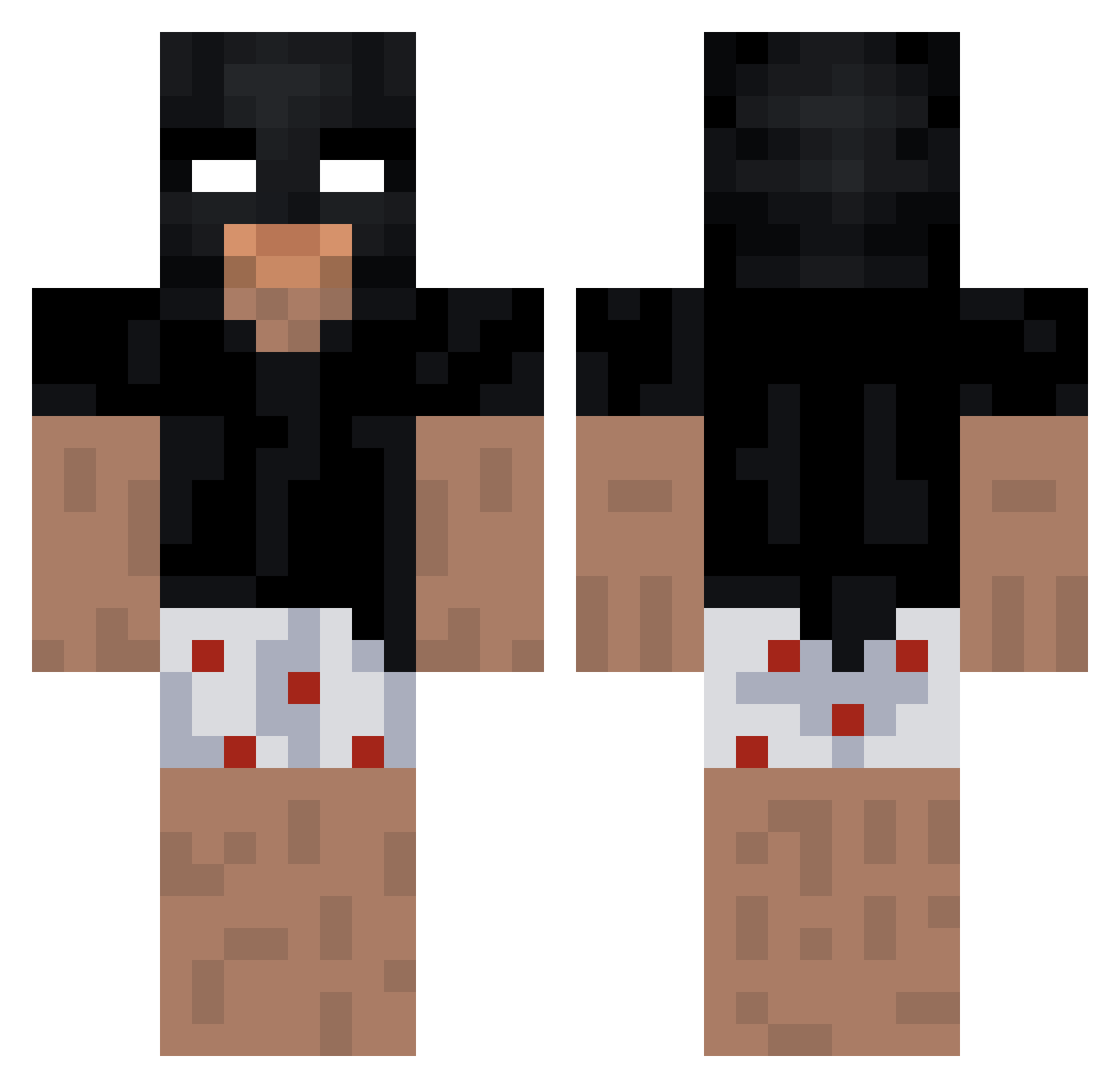
Current Minecraft skin of the player Bxtmanszz, loaded from the official Mojang API. Rotate the 3D model with your mouse or finger, then download the skin as a PNG file and use it in Minecraft: Bedrock Edition or Java Edition for free. When Bxtmanszz changes their skin, this page updates automatically and the old skin stays in the history below.
Other players with this skin (184)
Bxtmanszz was the 103rd player we have seen with this skin, first spotted on 23.09.2026. The same skin was seen on these players. Open a nickname to see their current skin and skin history.
 Crackrock300 DoodGod bixeks xypher3 brendonss PvP_Wyjebka Mitsu_X boxertyp vtrxzll XXjokonXX dvz9 kawrlk schnityyy arecky_ Mortel31 ermusca Sevexeuh zlxero Oyassu_ soyelagus huletrolden05 Elpa karetka_ ArtixMec Ilecz1n Iteepikk ImxFried yVelix Larguinho20
 Polyacid AverageNine 442JUde Salmander22 longiswhat Aviqra N1kla50 hrxw niuzi114 Clefurby Oxims azuremyers xhakassj Nz4560 UsingMylo almeidaszx Kanako01 Myauzilla DR4CUU Pjoter_2000 Chuhndy 0setra xBadBAKUx Dejo030 Alex260402 3morexp john4326 dododio JustSomeone007 270tjrsplushaut LilCapuche
More Batman Minecraft skins
How to install the Bxtmanszz skin
- Press the Download button above to save the skin as a PNG file.
- Minecraft: Bedrock Edition (PE): open the Dressing Room from the main menu (or tap your character → Edit Character), go to Classic Skins → Owned, press the + (new skin) button, choose the downloaded PNG and pick the Classic (Steve) model. Works on PC and mobile; consoles cannot import custom skins.
- Minecraft: Java Edition: open the Minecraft Launcher, go to the Skins tab, click New Skin, load the PNG, pick the Classic (Steve) model and press Save & Use. You can also upload it at minecraft.net → Profile → Change Skin.
The skin does not show up after import - what should I do?
Restart Minecraft and open the Dressing Room again - imported skins sometimes appear only after a restart. Also make sure you selected the imported skin and picked the Classic (Steve) model.
Which model should I choose, Classic or Slim?
This skin is designed for the Classic (Steve) model. If you pick the wrong model, the arms of the skin will look stretched or squeezed.
Is the skin of Bxtmanszz free to download?
Yes. Press Download, save the PNG file and use it in Minecraft: Bedrock Edition or Java Edition - no payment or registration needed. The skin also works on multiplayer servers and Realms.
More skins
Looking for more? Go back to all Minecraft skins and check the top skins of the week, month and all time, or find any player's skin by nickname.