
Bxntz - Minecraft Skins & Skin History
Current Minecraft skin of the player Bxntz, loaded from the official Mojang API. Rotate the 3D model with your mouse or finger, then download the skin as a PNG file and use it in Minecraft: Bedrock Edition or Java Edition for free. When Bxntz changes their skin, this page updates automatically and the old skin stays in the history below.
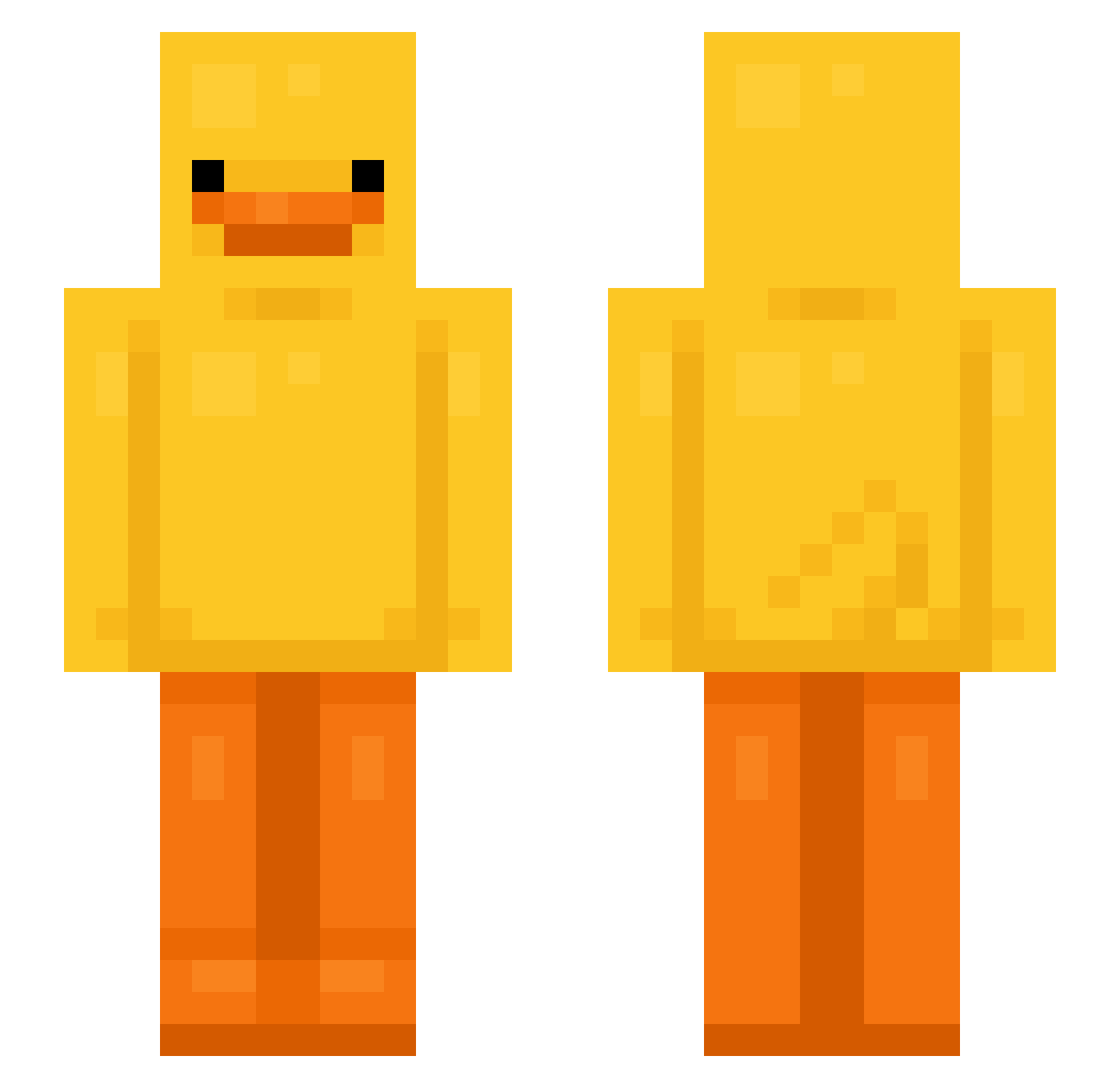
Other players with this skin (594)
Bxntz was the 293rd player we have seen with this skin, first spotted on 03.09.2026. The same skin was seen on these players. Open a nickname to see their current skin and skin history.
 Xer0wastaken soyjang777 d1n3xxx GAONIIS2 Kuya_Jon yosefyhyh qGayaz _qutee_ _gloxy_ Jacob97531 THIAGOBLACKCARFT ballzcrushr cakirefer littleinnocent Daran_T AeAeh YUKUN001 aaaaaaaaaaaqaa popsonn _Reaper_0 yuppyamir Nyelowo fxgal sw3fty2 Darkoniko_ nymandd ChurchRow jaxxson_13L General_Andy Krystian3873 Kocool1203 pooping_rn vvhub Jake_15476 Diazxl penutpickle xing_222 sanocorito14 bowbow2516 NONEUNGEJEILJOH trexsito Neustp8 Glittershocks jmmj1212 flowerptals Droppedbylego UUduck610 KiNg240hz yeong12342 riverhamrin Calmag xXVoidDemonXx alewife0
 moguno thundercat123 Juli3p NoahTch JohnnyMcQueen
 Ye_Boi_Jimmy WillyWonter1
More Bird Minecraft skins
How to install the Bxntz skin
- Press the Download button above to save the skin as a PNG file.
- Minecraft: Bedrock Edition (PE): open the Dressing Room from the main menu (or tap your character → Edit Character), go to Classic Skins → Owned, press the + (new skin) button, choose the downloaded PNG and pick the Slim (Alex) model. Works on PC and mobile; consoles cannot import custom skins.
- Minecraft: Java Edition: open the Minecraft Launcher, go to the Skins tab, click New Skin, load the PNG, pick the Slim (Alex) model and press Save & Use. You can also upload it at minecraft.net → Profile → Change Skin.
The skin does not show up after import - what should I do?
Restart Minecraft and open the Dressing Room again - imported skins sometimes appear only after a restart. Also make sure you selected the imported skin and picked the Slim (Alex) model.
Which model should I choose, Classic or Slim?
This skin is designed for the Slim (Alex) model. If you pick the wrong model, the arms of the skin will look stretched or squeezed.
Is the skin of Bxntz free to download?
Yes. Press Download, save the PNG file and use it in Minecraft: Bedrock Edition or Java Edition - no payment or registration needed. The skin also works on multiplayer servers and Realms.
More skins
Looking for more? Go back to all Minecraft skins and check the top skins of the week, month and all time, or find any player's skin by nickname.