
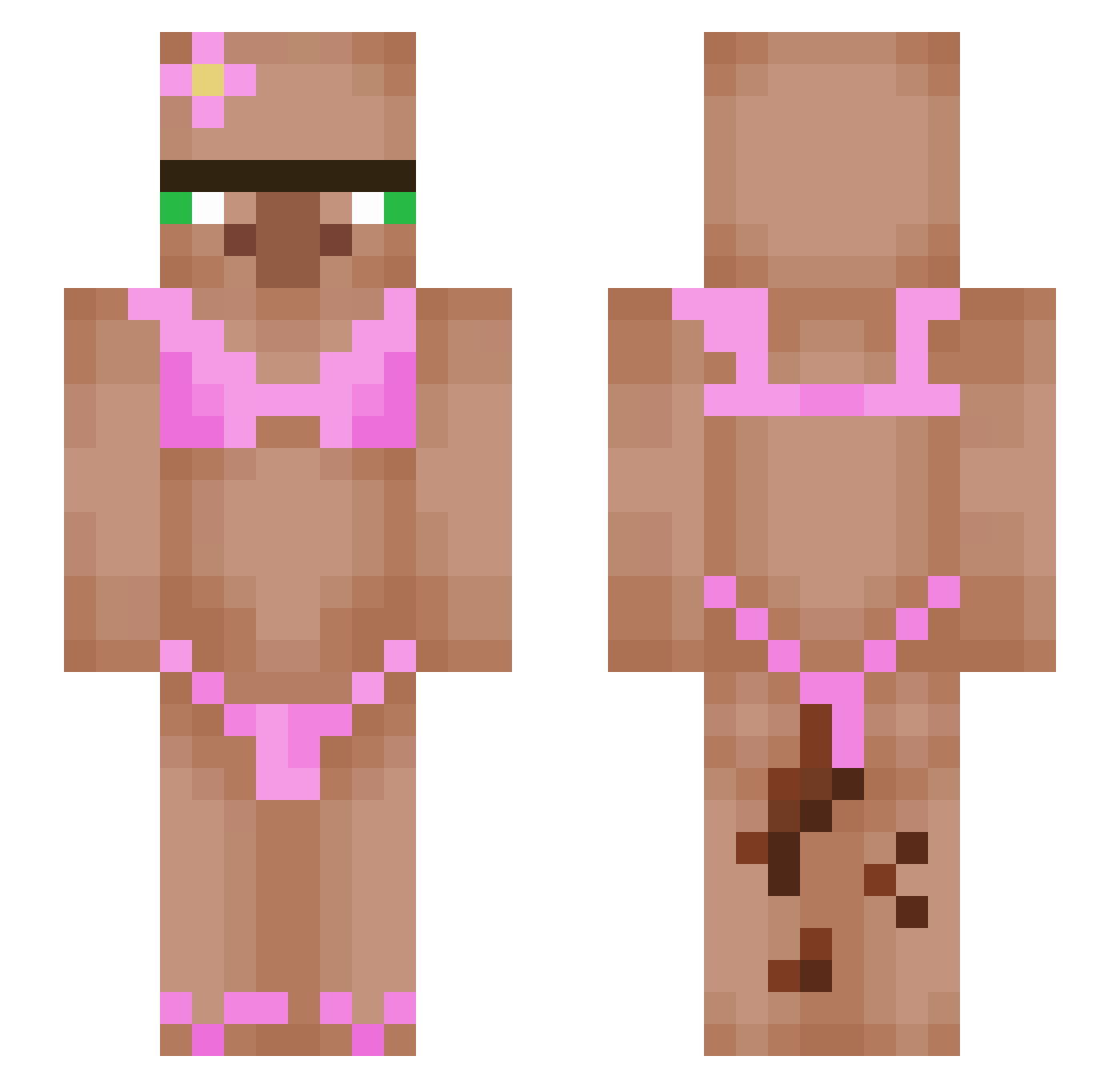
Current Minecraft skin of the player Burito13, loaded from the official Mojang API. Rotate the 3D model with your mouse or finger, then download the skin as a PNG file and use it in Minecraft: Bedrock Edition or Java Edition for free. When Burito13 changes their skin, this page updates automatically and the old skin stays in the history below.
Other players with this skin (437)
Burito13 was the 263rd player we have seen with this skin, first spotted on 19.09.2026. The same skin was seen on these players. Open a nickname to see their current skin and skin history.
 SenseiJB23 Tikru1 Oolmert TateyamaRin Duumey yesican123 Acrogenous Dave181011 chlooooeee Baileyurmomsucks BurberTBH AWiseMonkee MokryKlapek Explo_16 portal214 s1mple2021 Galaxy9934 A5ECHARRA Blender23 MRDucky40 SnappishChain78 Pplower7462 tantrasam ttronweb Helldon_man_ Dat1Cam PsicoPatataWeona Ivan1168 Protocrack jagermeister____ 5mandmore Slim_Willy zunukei qlqlaas Roboquackzilla maximumsigma KT30000 plzsuckmyleftnut LeshaunaGaming Panda_Got_Drip VanGogh09 mientowyYT papit4 dicar1o smoothie546 CrayonEater1163 4strid0 Wolfpackteam whoisblane aidenkingruler chin00987 Xxleena ArmorKyojin Blazeee21 KiQli SolidBlock20 nyfler Nozboltjr YesAleks kiaora_br0
More Bikini Minecraft skins
How to install the Burito13 skin
- Press the Download button above to save the skin as a PNG file.
- Minecraft: Bedrock Edition (PE): open the Dressing Room from the main menu (or tap your character → Edit Character), go to Classic Skins → Owned, press the + (new skin) button, choose the downloaded PNG and pick the Slim (Alex) model. Works on PC and mobile; consoles cannot import custom skins.
- Minecraft: Java Edition: open the Minecraft Launcher, go to the Skins tab, click New Skin, load the PNG, pick the Slim (Alex) model and press Save & Use. You can also upload it at minecraft.net → Profile → Change Skin.
The skin does not show up after import - what should I do?
Restart Minecraft and open the Dressing Room again - imported skins sometimes appear only after a restart. Also make sure you selected the imported skin and picked the Slim (Alex) model.
Which model should I choose, Classic or Slim?
This skin is designed for the Slim (Alex) model. If you pick the wrong model, the arms of the skin will look stretched or squeezed.
Is the skin of Burito13 free to download?
Yes. Press Download, save the PNG file and use it in Minecraft: Bedrock Edition or Java Edition - no payment or registration needed. The skin also works on multiplayer servers and Realms.
More skins
Looking for more? Go back to all Minecraft skins and check the top skins of the week, month and all time, or find any player's skin by nickname.