
BucketHead__ - Minecraft Skins & Skin History
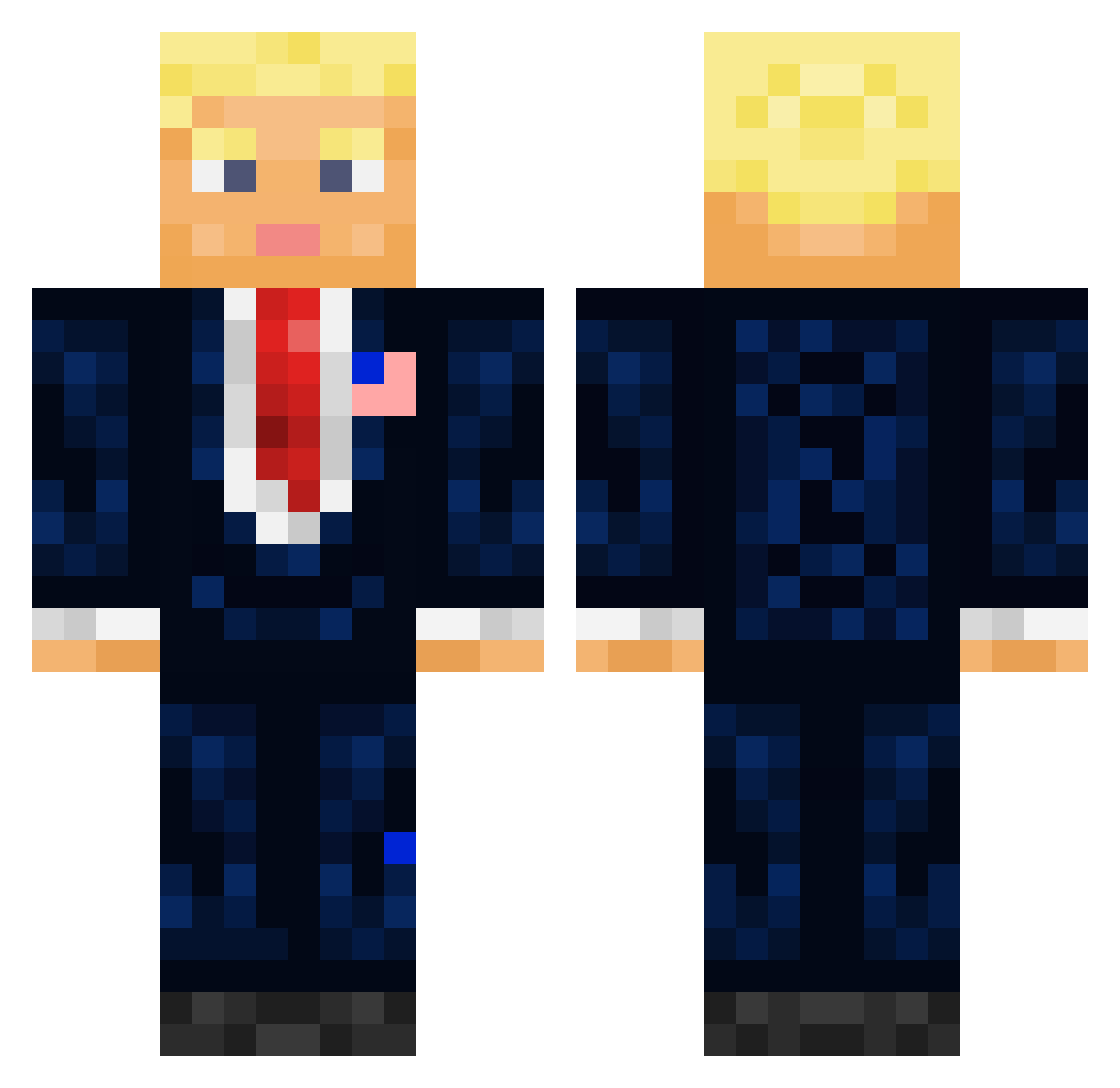
Current Minecraft skin of the player BucketHead__, loaded from the official Mojang API. Rotate the 3D model with your mouse or finger, then download the skin as a PNG file and use it in Minecraft: Bedrock Edition or Java Edition for free. When BucketHead__ changes their skin, this page updates automatically and the old skin stays in the history below.
Other players with this skin (711)
BucketHead__ was the 438th player we have seen with this skin, first spotted on 01.10.2026. The same skin was seen on these players. Open a nickname to see their current skin and skin history.
 Elijass olibobzo howgrrrreg KimJongun5353553 prorok6477 Cameroboy RuthlessKenz aaleix0112 BroBroBot ErtugrulSakal Galaxy_Flame66 saikutu2 Tharic yachtkaleb Yonatani100 Borisamma Ohrip__ Quantinx MagmaKermit dudefroge OnkelJimm Xolarq Prigojjine Tomorin111 Roggio jywebs Gibada kumwuz Orangekoolaid93 clarahue xR4yZoR Baobao_bashi CheesyTomb the_beaR_TED DortHit_c4752632 _Destination Faycus AHa__Da HiyoY4 Makssigmaskibidi AKAbear6 ShaftyUpshaw DodoTrump MadMax91 jochsaus sopie_ Team_Smirnov LeftyTheBadger Vince2112 Karolloo_ Vayvayvay007 OrderedThrone5 SystemaSolaris8 Nick_the_thicc13 murty507 jackattackbite WallaceDJAndrew MrPoo300 WormierRock0 teck_voulu
More President Minecraft skins
How to install the BucketHead__ skin
- Press the Download button above to save the skin as a PNG file.
- Minecraft: Bedrock Edition (PE): open the Dressing Room from the main menu (or tap your character → Edit Character), go to Classic Skins → Owned, press the + (new skin) button, choose the downloaded PNG and pick the Classic (Steve) model. Works on PC and mobile; consoles cannot import custom skins.
- Minecraft: Java Edition: open the Minecraft Launcher, go to the Skins tab, click New Skin, load the PNG, pick the Classic (Steve) model and press Save & Use. You can also upload it at minecraft.net → Profile → Change Skin.
The skin does not show up after import - what should I do?
Restart Minecraft and open the Dressing Room again - imported skins sometimes appear only after a restart. Also make sure you selected the imported skin and picked the Classic (Steve) model.
Which model should I choose, Classic or Slim?
This skin is designed for the Classic (Steve) model. If you pick the wrong model, the arms of the skin will look stretched or squeezed.
Is the skin of BucketHead__ free to download?
Yes. Press Download, save the PNG file and use it in Minecraft: Bedrock Edition or Java Edition - no payment or registration needed. The skin also works on multiplayer servers and Realms.
More skins
Looking for more? Go back to all Minecraft skins and check the top skins of the week, month and all time, or find any player's skin by nickname.