
BroncoBoy7879 - Minecraft Skins & Skin History
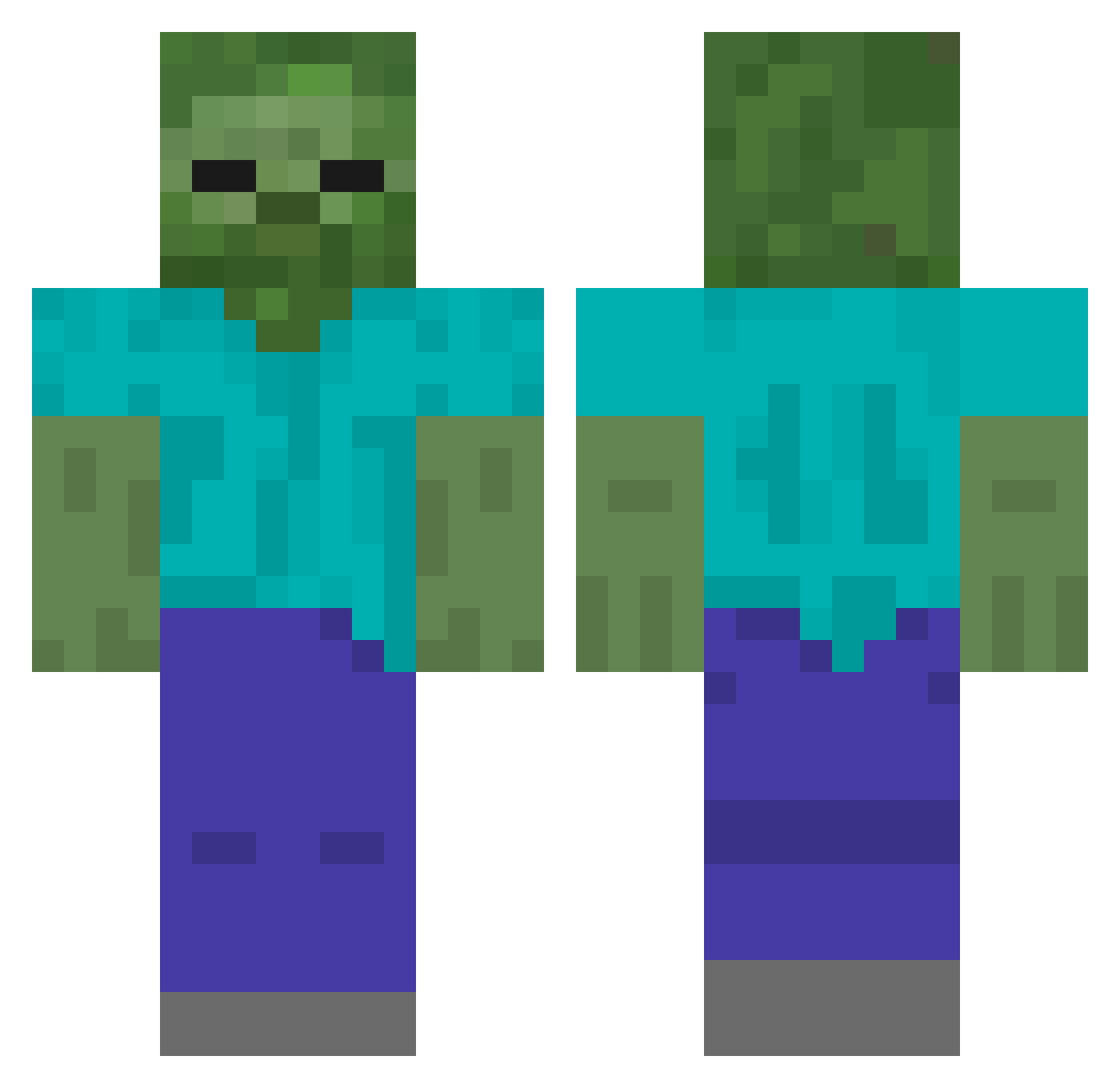
Current Minecraft skin of the player BroncoBoy7879, loaded from the official Mojang API. Rotate the 3D model with your mouse or finger, then download the skin as a PNG file and use it in Minecraft: Bedrock Edition or Java Edition for free. When BroncoBoy7879 changes their skin, this page updates automatically and the old skin stays in the history below.
Other players with this skin (435)
BroncoBoy7879 was the 125th player we have seen with this skin, first spotted on 26.08.2026. The same skin was seen on these players. Open a nickname to see their current skin and skin history.
 haiba_1 Black_uron DarkAce1812
 Good4ever5 lugnadig Marcomask Mali_7 Sharkky223 pisterman rik787 ecxstasy miguelly11 TobyChan1234 E_SEXS ShibaStarOuo fish0802 Bhuy103 Mclovin_1331 Flex_007 eric082710 RK816 JOGO_D HarrySJ TopNotchGooner Mathias3660 Baby_Jack18 LunaHaides xXJustin101Xx GOD_WEBBER DejJS hika1010 euqka 420weedman69 JIMMYCL Gravando BITAMIN135 Sangrakwol PeulYang chucbek JoonHa_KING_Ji maman135 1337n Drummerboy9687 Ze_Xi_ Tahaa2 fuji_eiei crazydinner Felekbambus maximillian00 foot6942021 ClassicalLemur ayakyunn Freddy_901 yottimotti SmilieInc Joshlex silly_boy123 heilisuperluks kamze luchaosat
More Undead Minecraft skins
How to install the BroncoBoy7879 skin
- Press the Download button above to save the skin as a PNG file.
- Minecraft: Bedrock Edition (PE): open the Dressing Room from the main menu (or tap your character → Edit Character), go to Classic Skins → Owned, press the + (new skin) button, choose the downloaded PNG and pick the Classic (Steve) model. Works on PC and mobile; consoles cannot import custom skins.
- Minecraft: Java Edition: open the Minecraft Launcher, go to the Skins tab, click New Skin, load the PNG, pick the Classic (Steve) model and press Save & Use. You can also upload it at minecraft.net → Profile → Change Skin.
The skin does not show up after import - what should I do?
Restart Minecraft and open the Dressing Room again - imported skins sometimes appear only after a restart. Also make sure you selected the imported skin and picked the Classic (Steve) model.
Which model should I choose, Classic or Slim?
This skin is designed for the Classic (Steve) model. If you pick the wrong model, the arms of the skin will look stretched or squeezed.
Is the skin of BroncoBoy7879 free to download?
Yes. Press Download, save the PNG file and use it in Minecraft: Bedrock Edition or Java Edition - no payment or registration needed. The skin also works on multiplayer servers and Realms.
More skins
Looking for more? Go back to all Minecraft skins and check the top skins of the week, month and all time, or find any player's skin by nickname.