
BreadHaus - Minecraft Skins & Skin History
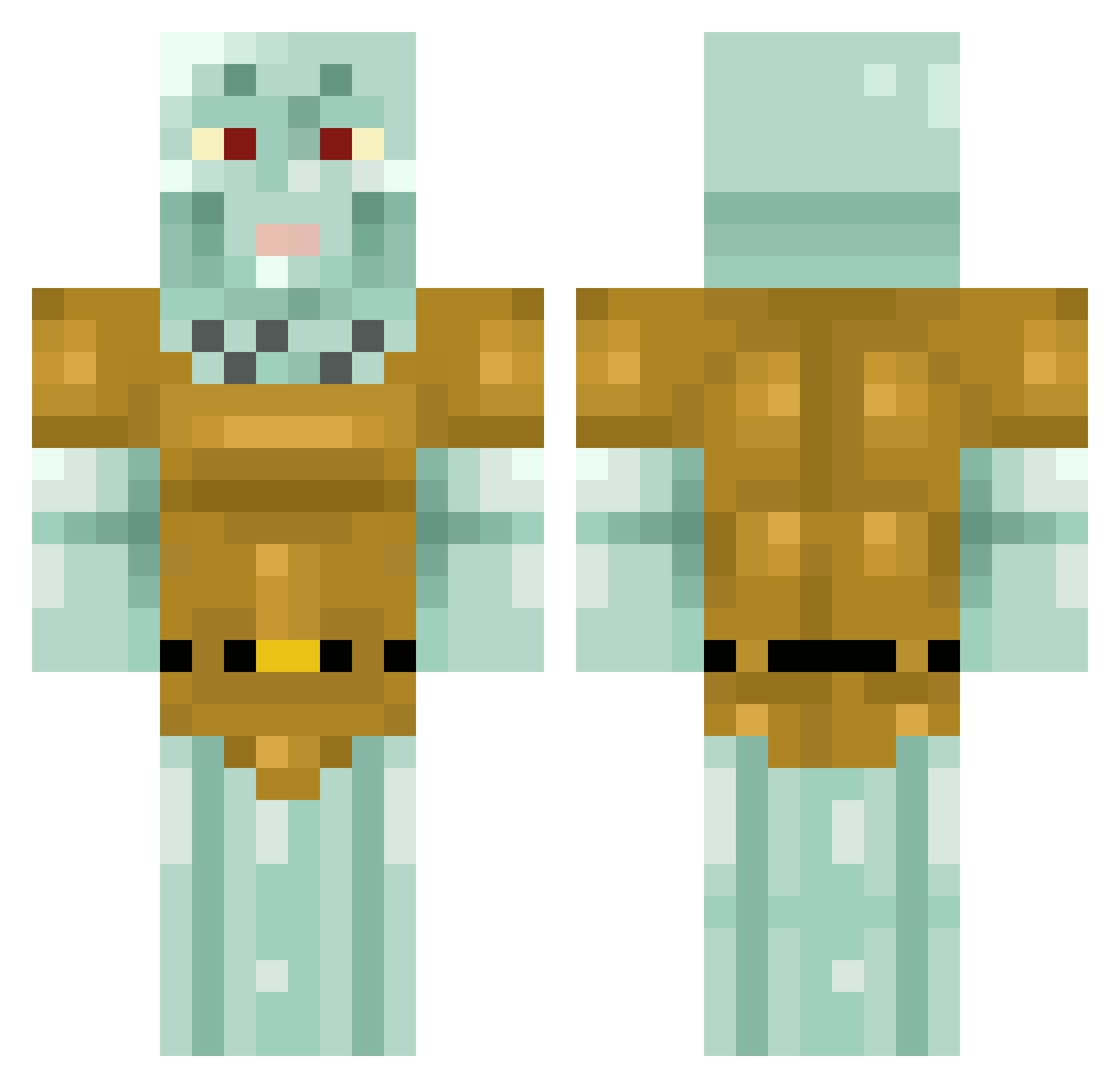
Current Minecraft skin of the player BreadHaus, loaded from the official Mojang API. Rotate the 3D model with your mouse or finger, then download the skin as a PNG file and use it in Minecraft: Bedrock Edition or Java Edition for free. When BreadHaus changes their skin, this page updates automatically and the old skin stays in the history below.
Other players with this skin (413)
BreadHaus was the 284th player we have seen with this skin, first spotted on 05.10.2026. The same skin was seen on these players. Open a nickname to see their current skin and skin history.
 ZEEDUP1 HelloGuys001 Poochy3311 kunakuna95 BootyCrusher2000 Dandelion77 Fluxbert Cl0dh0P3R KimchiisKorea Ceiling_Tile Daavyyy MeekeyD B3anFart Kifushnik_Vova squd_ Navikz WillSmithsSlap Daddy0989 ChubbyWalrus110 Simian_Bad Kapuzenkerl uncleronsdad sennaaaaa_ Chungyv2 AWESOMEfreak14 Gigward Molo_3nder danzitak Dr_De_ ashtro777 2noyaa Abuilder_2000 Lurguiel HqndsomeSquid DuDutwo BigThor05 DethChiken Meliasguapo Pretax_Juncos VernKo Jnrkingmum6969 Squidward42069 ChtulhuJ Bhrish Frostpikyt A_smart_onion unniegirl Vxpo Razor777 TakingTokes Dantee02112 AJThePenguin27 MysticalHeart80 Drew_007_ Cankerr SkullFunTime BIGDADDY696996 Ilikemangoe MAERTSON BigDV23
More Squidward Tentacles Minecraft skins
See all 88 Squidward Tentacles skins
How to install the BreadHaus skin
- Press the Download button above to save the skin as a PNG file.
- Minecraft: Bedrock Edition (PE): open the Dressing Room from the main menu (or tap your character → Edit Character), go to Classic Skins → Owned, press the + (new skin) button, choose the downloaded PNG and pick the Classic (Steve) model. Works on PC and mobile; consoles cannot import custom skins.
- Minecraft: Java Edition: open the Minecraft Launcher, go to the Skins tab, click New Skin, load the PNG, pick the Classic (Steve) model and press Save & Use. You can also upload it at minecraft.net → Profile → Change Skin.
The skin does not show up after import - what should I do?
Restart Minecraft and open the Dressing Room again - imported skins sometimes appear only after a restart. Also make sure you selected the imported skin and picked the Classic (Steve) model.
Which model should I choose, Classic or Slim?
This skin is designed for the Classic (Steve) model. If you pick the wrong model, the arms of the skin will look stretched or squeezed.
Is the skin of BreadHaus free to download?
Yes. Press Download, save the PNG file and use it in Minecraft: Bedrock Edition or Java Edition - no payment or registration needed. The skin also works on multiplayer servers and Realms.
More skins
Looking for more? Go back to all Minecraft skins and check the top skins of the week, month and all time, or find any player's skin by nickname.