
Br0wny3D - Minecraft Skins & Skin History
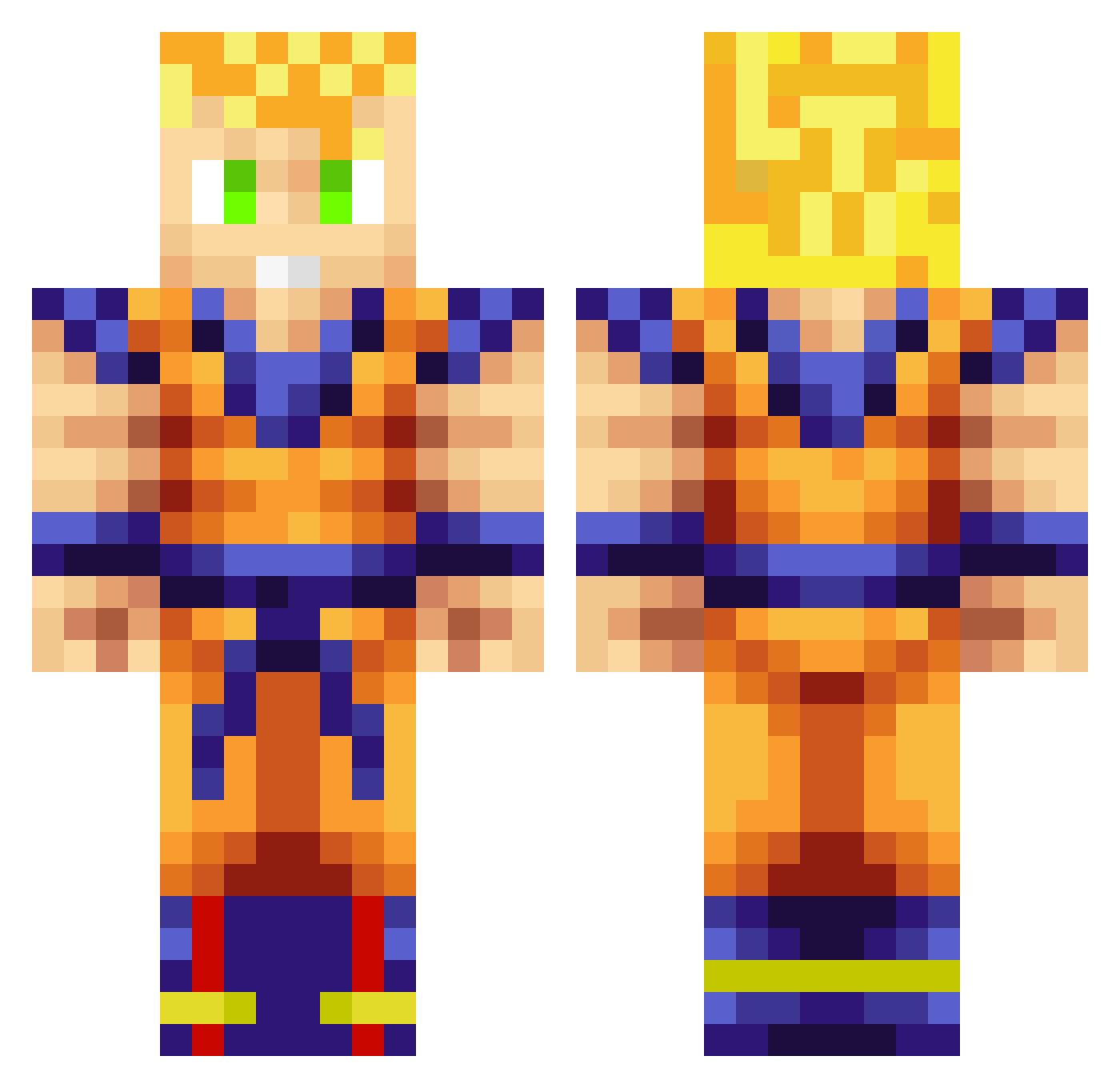
Current Minecraft skin of the player Br0wny3D, loaded from the official Mojang API. Rotate the 3D model with your mouse or finger, then download the skin as a PNG file and use it in Minecraft: Bedrock Edition or Java Edition for free. When Br0wny3D changes their skin, this page updates automatically and the old skin stays in the history below.
Other players with this skin (927)
Br0wny3D was the 46th player we have seen with this skin, first spotted on 28.07.2026. The same skin was seen on these players. Open a nickname to see their current skin and skin history.
 ssjdalek Koning_Jesper NixieStix ShdwDvl Pancholo_3 DatmiZ JewDewd ChopStick2000 dallin06 joshisp0sh ItsFeninBreh Lukaka1993 asm45 Cool_Beans94 wrengar Airistikay ReikenDark gokuvegeta124 thebilou Kyntoxy JLCB_92 xisquet orla2005 Imerk260 dandiestguide Jerrayyyy downtowndamage Rossco20 Facu42HD mbc456 SomeKid3 xHEARTLESSxRIKU Captwood24 samzbs9 CrackedCloyster evil_idiot FuddyBoi _Amer03_ NZFighter ElGolden DannyKrux sonic42855 xCxLx TWOUGHT Fynest7 LeptOdira BluePaper Copeus DrDollarBlvd locknload2001 BlackFock indoplasm Kinzoya CrimsonElegy DetusX Gauge_ DjMammy xXunderboysXx Kiepan Daroca22
More Goku Minecraft skins
How to install the Br0wny3D skin
- Press the Download button above to save the skin as a PNG file.
- Minecraft: Bedrock Edition (PE): open the Dressing Room from the main menu (or tap your character → Edit Character), go to Classic Skins → Owned, press the + (new skin) button, choose the downloaded PNG and pick the Classic (Steve) model. Works on PC and mobile; consoles cannot import custom skins.
- Minecraft: Java Edition: open the Minecraft Launcher, go to the Skins tab, click New Skin, load the PNG, pick the Classic (Steve) model and press Save & Use. You can also upload it at minecraft.net → Profile → Change Skin.
The skin does not show up after import - what should I do?
Restart Minecraft and open the Dressing Room again - imported skins sometimes appear only after a restart. Also make sure you selected the imported skin and picked the Classic (Steve) model.
Which model should I choose, Classic or Slim?
This skin is designed for the Classic (Steve) model. If you pick the wrong model, the arms of the skin will look stretched or squeezed.
Is the skin of Br0wny3D free to download?
Yes. Press Download, save the PNG file and use it in Minecraft: Bedrock Edition or Java Edition - no payment or registration needed. The skin also works on multiplayer servers and Realms.
More skins
Looking for more? Go back to all Minecraft skins and check the top skins of the week, month and all time, or find any player's skin by nickname.