
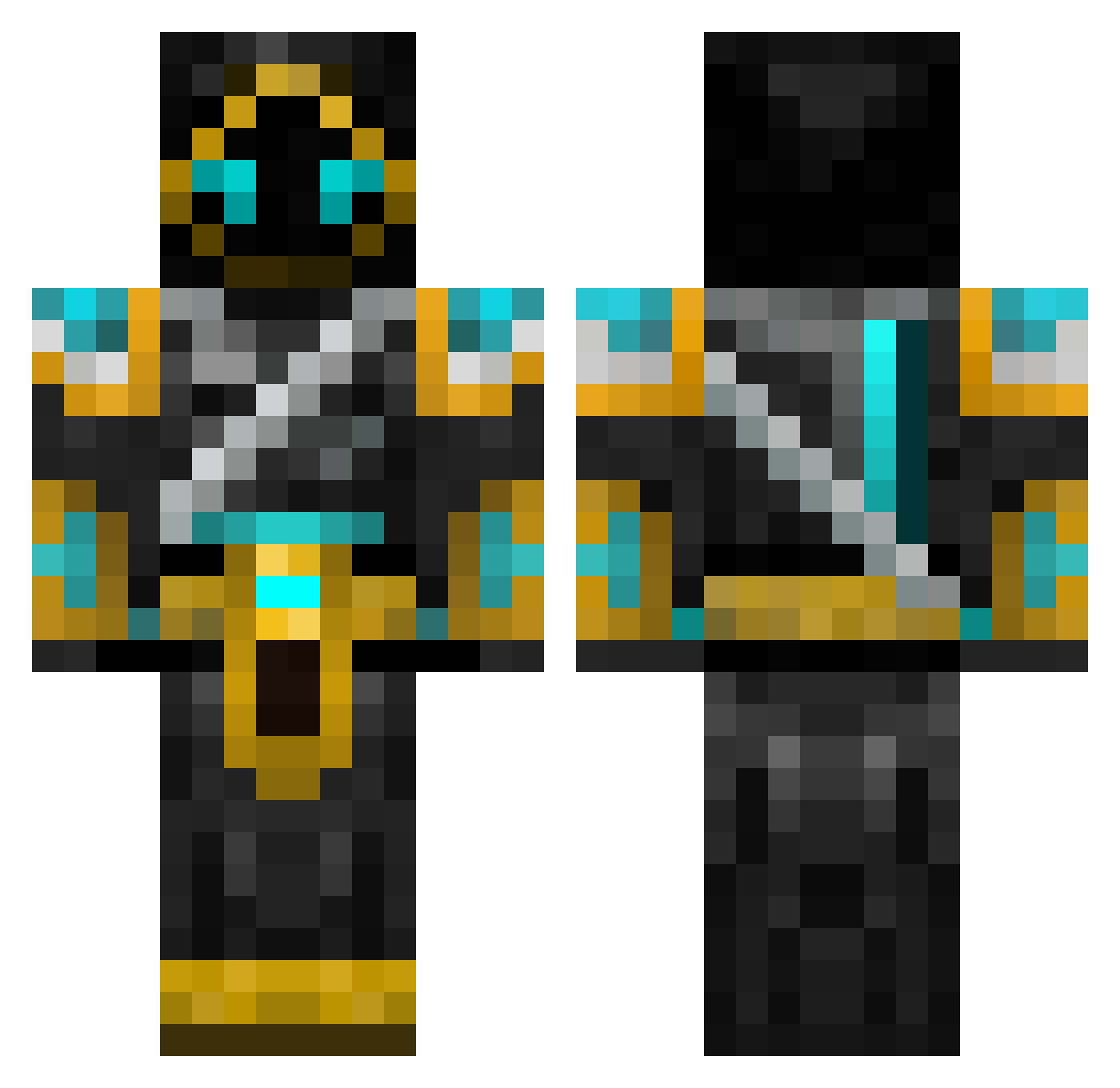
Current Minecraft skin of the player BowenMc17, loaded from the official Mojang API. Rotate the 3D model with your mouse or finger, then download the skin as a PNG file and use it in Minecraft: Bedrock Edition or Java Edition for free. When BowenMc17 changes their skin, this page updates automatically and the old skin stays in the history below.
Other players with this skin (549)
BowenMc17 was the 361st player we have seen with this skin, first spotted on 23.09.2026. The same skin was seen on these players. Open a nickname to see their current skin and skin history.
 RobMayor ehtsang darkryder9 ajmj120 bch3 HarmonyBass Revenas grassking RakoonGZ gowtystar liverpoolman1 LordSausage21 karab0r 90pippo DeathsCrow mightymouse2411 RowanTheHeralder Abester23 Sebbo_co PIGEONRYAN Irongiant7421 Plutorious PhrakexD reiken85 TheMelkor1 CREEPERHUNTER308 RedOmega55 creeper271199 johannla Kat_Slayer matze090 devilscry613 MoritzHundt Ascanon Whaltie Fireminer82 Lewaxy Ikamono jaso2901 Optic_Cube Rhysie08 Pardor zxwarrior NKL15 NoUserName1 Fraktul SomzTohm explodingtaco99 vatsug007 GrantTheSandman OLI_D im_super_cool567 sapcor SpiritofMars NinjaStorm90 Kopnuss UltraKaiju forgottenix Usual_Cat Inanna28
More Hooded Warrior Minecraft skins
See all 40 Hooded Warrior skins
How to install the BowenMc17 skin
- Press the Download button above to save the skin as a PNG file.
- Minecraft: Bedrock Edition (PE): open the Dressing Room from the main menu (or tap your character → Edit Character), go to Classic Skins → Owned, press the + (new skin) button, choose the downloaded PNG and pick the Classic (Steve) model. Works on PC and mobile; consoles cannot import custom skins.
- Minecraft: Java Edition: open the Minecraft Launcher, go to the Skins tab, click New Skin, load the PNG, pick the Classic (Steve) model and press Save & Use. You can also upload it at minecraft.net → Profile → Change Skin.
The skin does not show up after import - what should I do?
Restart Minecraft and open the Dressing Room again - imported skins sometimes appear only after a restart. Also make sure you selected the imported skin and picked the Classic (Steve) model.
Which model should I choose, Classic or Slim?
This skin is designed for the Classic (Steve) model. If you pick the wrong model, the arms of the skin will look stretched or squeezed.
Is the skin of BowenMc17 free to download?
Yes. Press Download, save the PNG file and use it in Minecraft: Bedrock Edition or Java Edition - no payment or registration needed. The skin also works on multiplayer servers and Realms.
More skins
Looking for more? Go back to all Minecraft skins and check the top skins of the week, month and all time, or find any player's skin by nickname.