
BoomK0315 - Minecraft Skins & Skin History
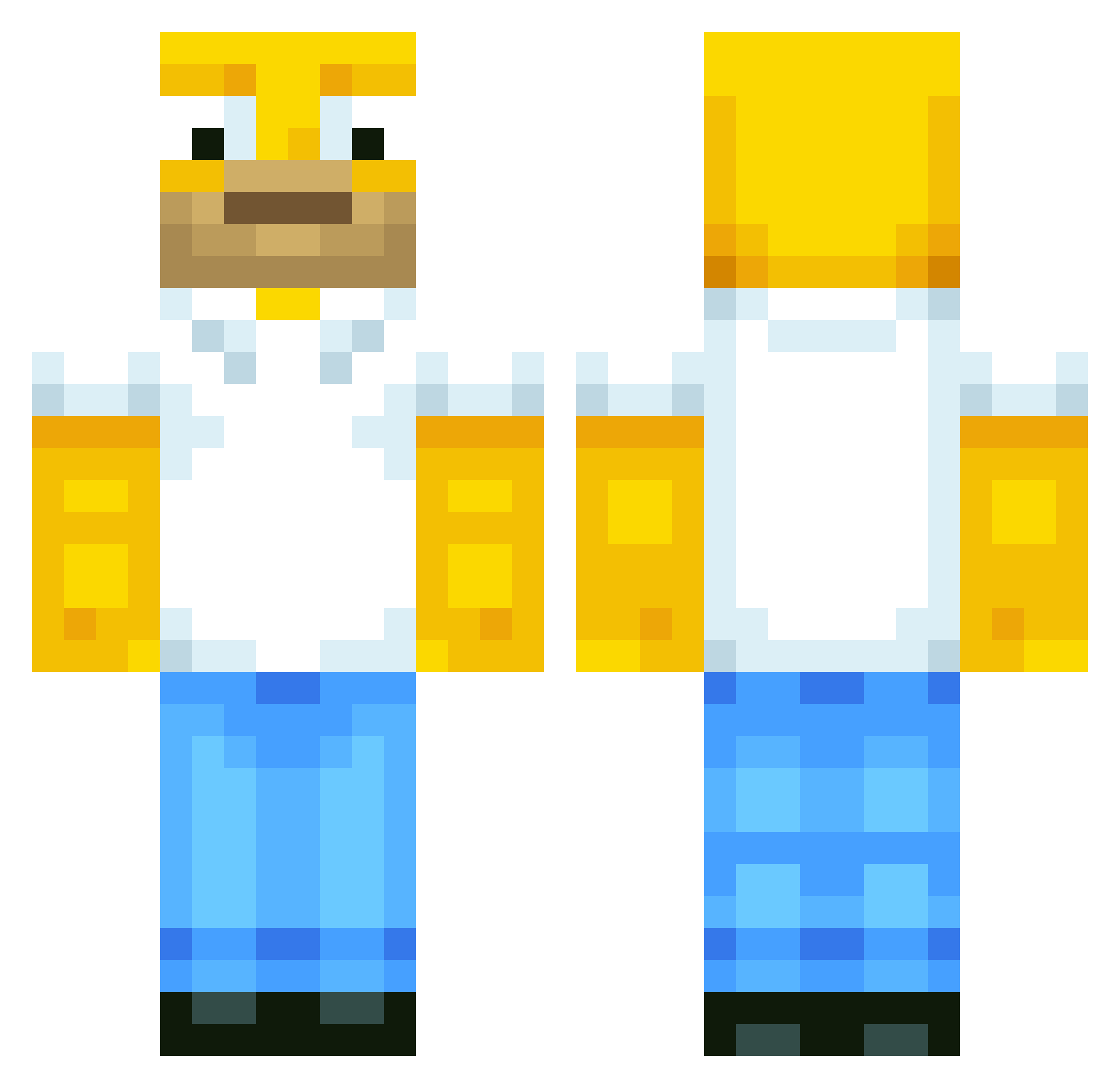
Current Minecraft skin of the player BoomK0315, loaded from the official Mojang API. Rotate the 3D model with your mouse or finger, then download the skin as a PNG file and use it in Minecraft: Bedrock Edition or Java Edition for free. When BoomK0315 changes their skin, this page updates automatically and the old skin stays in the history below.
Other players with this skin (567)
BoomK0315 was the 240th player we have seen with this skin, first spotted on 01.09.2026. The same skin was seen on these players. Open a nickname to see their current skin and skin history.
 Monkibeansoup mcan1999 AraberAksel DoctorClaw Ricky_Man greimiboy23 bornayr Daniboy2400 LuckyOn10FPS Ronster1738 XxGamingManiacxX Pointless121 HomerJSimpson mitko1725 Hwan_121 unichuny Peepolini SUPERCHORIPAN hazy__ gman35124 nolandoh tanillo23 bolldog3636 MagicDeMode Habroslav lalawackers TermAlts2 Lukinhooo15 grottman_ Tronx55 MXC44 Senor_Barriga EmmaMemma11 DJJOSH315 ohhjamie55 fbn_04 Simpson690 Chicken_Alfredo9 LTDenyer12 herloo Xander_1_1 Buffboi Tobiassom Tman7143 Chili06 messipro17 mtzz10 Gst4r AstraPlaneta GinnieHazel SeanWakes 0DELI0 sifumind2 Liam_Mul grap9 carcrazer90 Souksha DonCervantes SuperTongtu Rikx5
More Homer Simpson Minecraft skins
See all 283 Homer Simpson skins
How to install the BoomK0315 skin
- Press the Download button above to save the skin as a PNG file.
- Minecraft: Bedrock Edition (PE): open the Dressing Room from the main menu (or tap your character → Edit Character), go to Classic Skins → Owned, press the + (new skin) button, choose the downloaded PNG and pick the Classic (Steve) model. Works on PC and mobile; consoles cannot import custom skins.
- Minecraft: Java Edition: open the Minecraft Launcher, go to the Skins tab, click New Skin, load the PNG, pick the Classic (Steve) model and press Save & Use. You can also upload it at minecraft.net → Profile → Change Skin.
The skin does not show up after import - what should I do?
Restart Minecraft and open the Dressing Room again - imported skins sometimes appear only after a restart. Also make sure you selected the imported skin and picked the Classic (Steve) model.
Which model should I choose, Classic or Slim?
This skin is designed for the Classic (Steve) model. If you pick the wrong model, the arms of the skin will look stretched or squeezed.
Is the skin of BoomK0315 free to download?
Yes. Press Download, save the PNG file and use it in Minecraft: Bedrock Edition or Java Edition - no payment or registration needed. The skin also works on multiplayer servers and Realms.
More skins
Looking for more? Go back to all Minecraft skins and check the top skins of the week, month and all time, or find any player's skin by nickname.