
BodhiD - Minecraft Skins & Skin History
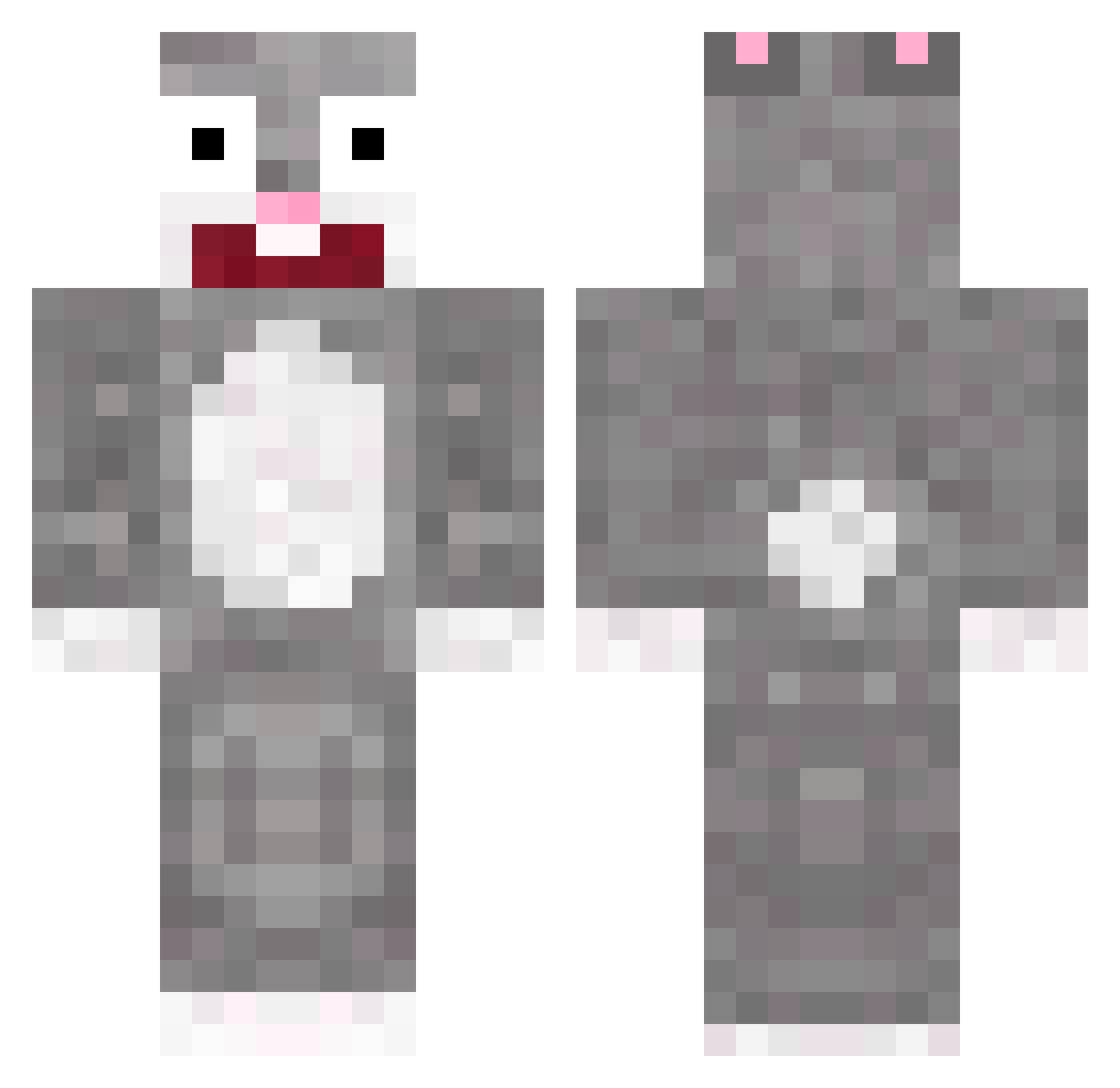
Current Minecraft skin of the player BodhiD, loaded from the official Mojang API. Rotate the 3D model with your mouse or finger, then download the skin as a PNG file and use it in Minecraft: Bedrock Edition or Java Edition for free. When BodhiD changes their skin, this page updates automatically and the old skin stays in the history below.
Other players with this skin (78)
BodhiD was the 48th player we have seen with this skin, first spotted on 26.09.2026. The same skin was seen on these players. Open a nickname to see their current skin and skin history.
 gandaf27 Kewyx15 Moon_NB 25925_ LeBlaireauEx jaesung3147 iedeus SASA_4444 dsaasdads toyamamia _FluffyBunny K1mN22co sxnikx __PZ__ ____yina goddoosick_ yy_Thanos Strongleg7 yamiyam1 da1_moon LA_NUM jucerzin amorimfxp minkgora Vegitgood surin113 Nokia2545 Osiran ZeroCup SevOne6 mo_re_al ssollang Pretty_men BlueBerry66 snowyy_nathan VroCcoli_30 BisexualBunny 218kon2 Bunnybi GGHBONG r4bbitt xX_ThoR_Xx SuperCoolJohn71 chocobrother PINOice Mix_Block SquirrelDora ExternalizableF dnady Purest1 SixTwoZerow Chang_Han GYULIMING HockeyGuy1214 bileb_ Eunseo77 Doedell G_ts GuavaWoman Fermyn
More Big Chungus Minecraft skins
How to install the BodhiD skin
- Press the Download button above to save the skin as a PNG file.
- Minecraft: Bedrock Edition (PE): open the Dressing Room from the main menu (or tap your character → Edit Character), go to Classic Skins → Owned, press the + (new skin) button, choose the downloaded PNG and pick the Classic (Steve) model. Works on PC and mobile; consoles cannot import custom skins.
- Minecraft: Java Edition: open the Minecraft Launcher, go to the Skins tab, click New Skin, load the PNG, pick the Classic (Steve) model and press Save & Use. You can also upload it at minecraft.net → Profile → Change Skin.
The skin does not show up after import - what should I do?
Restart Minecraft and open the Dressing Room again - imported skins sometimes appear only after a restart. Also make sure you selected the imported skin and picked the Classic (Steve) model.
Which model should I choose, Classic or Slim?
This skin is designed for the Classic (Steve) model. If you pick the wrong model, the arms of the skin will look stretched or squeezed.
Is the skin of BodhiD free to download?
Yes. Press Download, save the PNG file and use it in Minecraft: Bedrock Edition or Java Edition - no payment or registration needed. The skin also works on multiplayer servers and Realms.
More skins
Looking for more? Go back to all Minecraft skins and check the top skins of the week, month and all time, or find any player's skin by nickname.