
BlueWave89090 - Minecraft Skins & Skin History
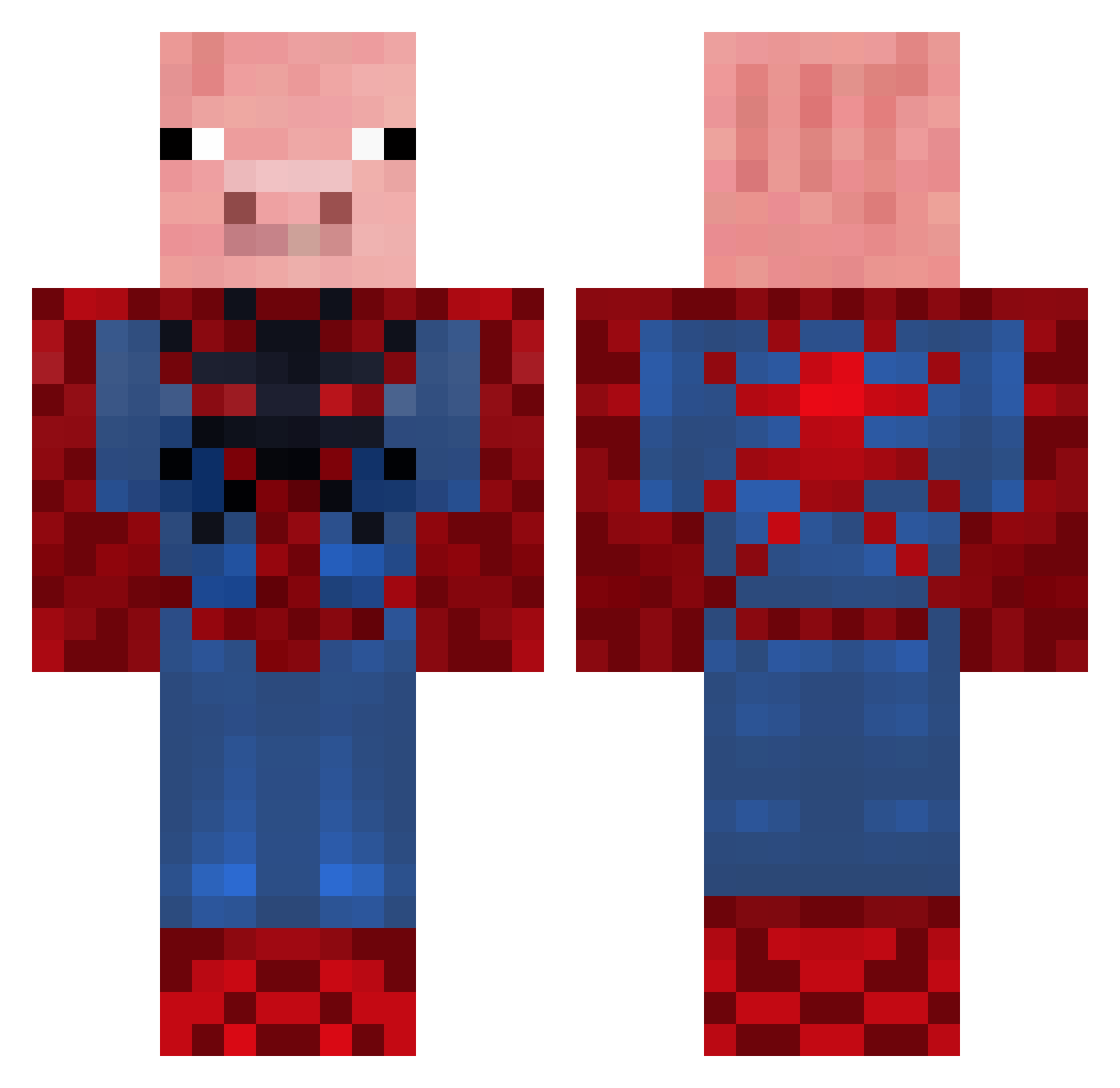
Current Minecraft skin of the player BlueWave89090, loaded from the official Mojang API. Rotate the 3D model with your mouse or finger, then download the skin as a PNG file and use it in Minecraft: Bedrock Edition or Java Edition for free. When BlueWave89090 changes their skin, this page updates automatically and the old skin stays in the history below.
Other players with this skin (655)
BlueWave89090 was the 37th player we have seen with this skin, first spotted on 31.07.2026. The same skin was seen on these players. Open a nickname to see their current skin and skin history.
 Starchitects minirhody9 OldManWilt MsOtt fireyking2003 jaxman28 arcticstijn mr_minecraft3256 Spoderman__ ImmortalLegend8 rex7337 Xavier_Beast19 Ethaw kingmozz tinu88 REDMASTERMIND _LesNIK_ Hokies15 PigKing218 zandraB Jamesbock axeluppsala skeengy NEUTRONSTAR_2 Ocko26 Xx00PooBearxX DarboDerbyshire nickqop Doopy_Er robbe_goor 97ReLaX97 RBomBer21 faarisimo foxes2929 sparky41 dlghwns dundeederryboy robdog2002 Reagenn Speckjes SpiderpigDE immer4ever Japz_eye Danester03 tony13579025 raptordru R3zO_Skillzz Theo0522 Jdog22 T0X1C_GAM3R DER_Peiniger KimneeeZ oliversqs menderus brandynhiggins pippinspancakes DeltaClasher BabyYoshi123 jayjude Linus_J_97
More Pig Minecraft skins
How to install the BlueWave89090 skin
- Press the Download button above to save the skin as a PNG file.
- Minecraft: Bedrock Edition (PE): open the Dressing Room from the main menu (or tap your character → Edit Character), go to Classic Skins → Owned, press the + (new skin) button, choose the downloaded PNG and pick the Classic (Steve) model. Works on PC and mobile; consoles cannot import custom skins.
- Minecraft: Java Edition: open the Minecraft Launcher, go to the Skins tab, click New Skin, load the PNG, pick the Classic (Steve) model and press Save & Use. You can also upload it at minecraft.net → Profile → Change Skin.
The skin does not show up after import - what should I do?
Restart Minecraft and open the Dressing Room again - imported skins sometimes appear only after a restart. Also make sure you selected the imported skin and picked the Classic (Steve) model.
Which model should I choose, Classic or Slim?
This skin is designed for the Classic (Steve) model. If you pick the wrong model, the arms of the skin will look stretched or squeezed.
Is the skin of BlueWave89090 free to download?
Yes. Press Download, save the PNG file and use it in Minecraft: Bedrock Edition or Java Edition - no payment or registration needed. The skin also works on multiplayer servers and Realms.
More skins
Looking for more? Go back to all Minecraft skins and check the top skins of the week, month and all time, or find any player's skin by nickname.