
Blockhair99 - Minecraft Skins & Skin History
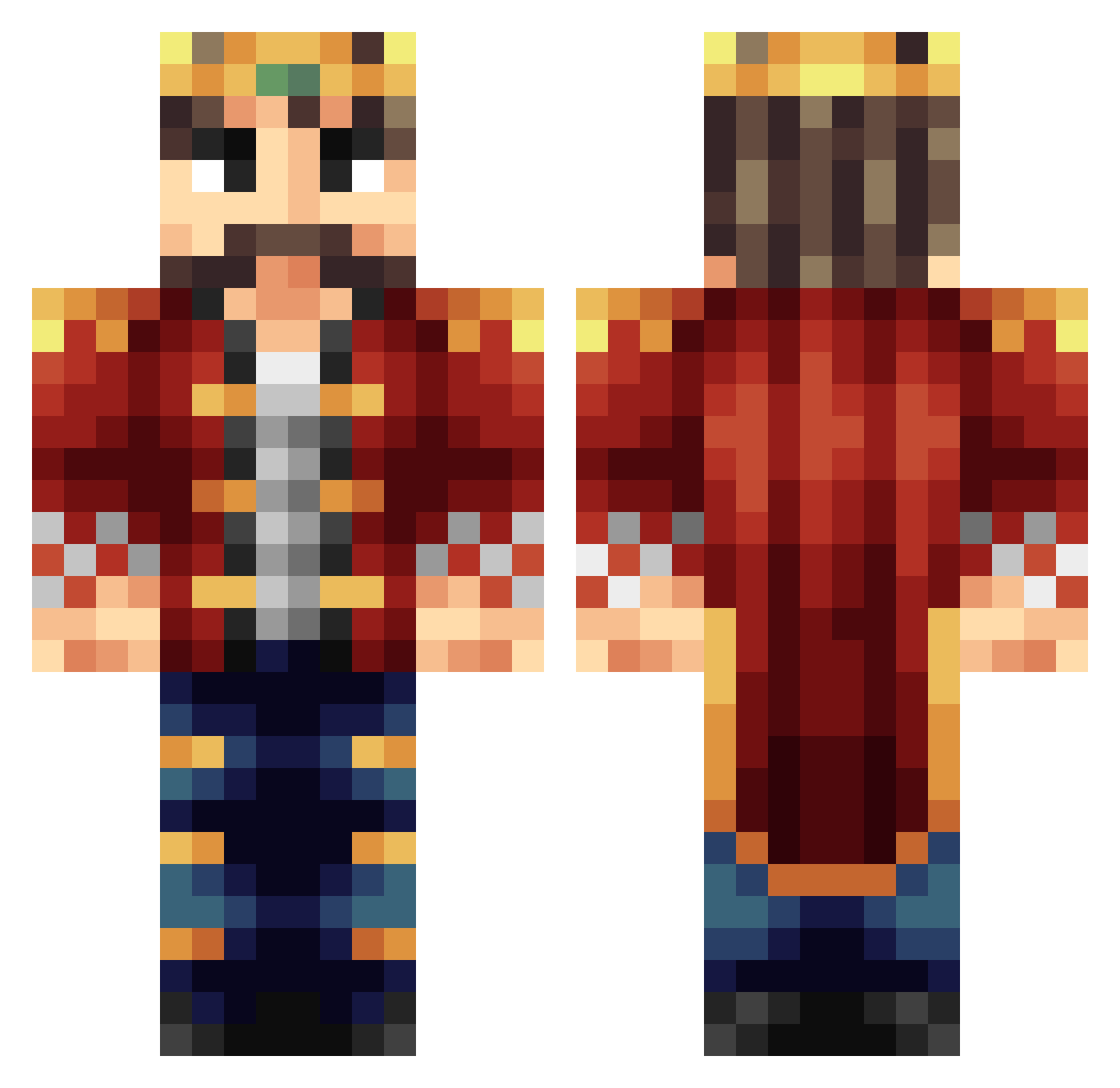
Current Minecraft skin of the player Blockhair99, loaded from the official Mojang API. Rotate the 3D model with your mouse or finger, then download the skin as a PNG file and use it in Minecraft: Bedrock Edition or Java Edition for free. When Blockhair99 changes their skin, this page updates automatically and the old skin stays in the history below.
Other players with this skin (245)
Blockhair99 was the 135th player we have seen with this skin, first spotted on 23.09.2026. The same skin was seen on these players. Open a nickname to see their current skin and skin history.
 LACBorg KING_45_ nonsense_lord Leviticutio martinhy Touftouf2000 MacBeth6138 Mch_s NamelessTurnip BudOnPC Kleos83 TGerritsen98 OcielGonzo Kuba1921 Daevnir Jullebulle03 Corzymaster Antoine Maxousou45 Don_Andle fulspdoff Kratosben King5901 barnabyaaron Piotr4320 Sir_Theinky mastercreator33 Eman2746 GamrMoose1 NightSilk mrbradking Cookiepro48 VindictivePride WeikenL Static201 kapiteinspoof dgeorge198 ObeseKing ROFLMFAOLEL Phaux2 Cursed_Berserk Shadow_SaS Aquecel MAXimalSend KoenigLudwig_1 JazperTheKing The_Pie_King jitters__ Scoogee2 TheSaghbini THELASTSTARFISH LouisKinder Bei_Hai EthanPAPA0705 PieterTuijl Leiaoo Hemaworst14 RichieTNT21 bavingo TheFirePrior
More Technoblade Minecraft skins
See all 4262 Technoblade skins
How to install the Blockhair99 skin
- Press the Download button above to save the skin as a PNG file.
- Minecraft: Bedrock Edition (PE): open the Dressing Room from the main menu (or tap your character → Edit Character), go to Classic Skins → Owned, press the + (new skin) button, choose the downloaded PNG and pick the Classic (Steve) model. Works on PC and mobile; consoles cannot import custom skins.
- Minecraft: Java Edition: open the Minecraft Launcher, go to the Skins tab, click New Skin, load the PNG, pick the Classic (Steve) model and press Save & Use. You can also upload it at minecraft.net → Profile → Change Skin.
The skin does not show up after import - what should I do?
Restart Minecraft and open the Dressing Room again - imported skins sometimes appear only after a restart. Also make sure you selected the imported skin and picked the Classic (Steve) model.
Which model should I choose, Classic or Slim?
This skin is designed for the Classic (Steve) model. If you pick the wrong model, the arms of the skin will look stretched or squeezed.
Is the skin of Blockhair99 free to download?
Yes. Press Download, save the PNG file and use it in Minecraft: Bedrock Edition or Java Edition - no payment or registration needed. The skin also works on multiplayer servers and Realms.
More skins
Looking for more? Go back to all Minecraft skins and check the top skins of the week, month and all time, or find any player's skin by nickname.