
Bleik54 - Minecraft Skins & Skin History
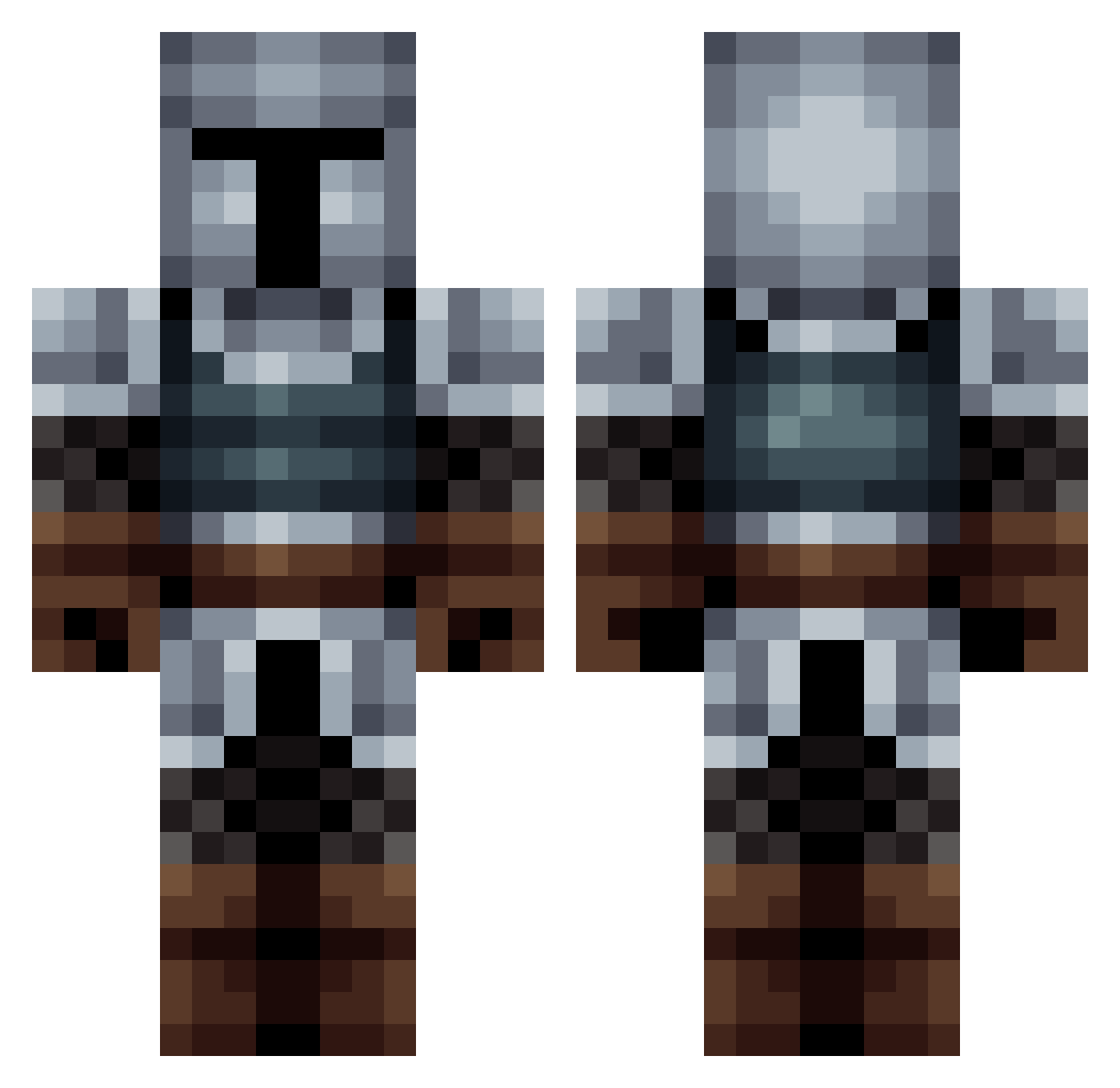
Current Minecraft skin of the player Bleik54, loaded from the official Mojang API. Rotate the 3D model with your mouse or finger, then download the skin as a PNG file and use it in Minecraft: Bedrock Edition or Java Edition for free. When Bleik54 changes their skin, this page updates automatically and the old skin stays in the history below.
Other players with this skin (563)
Bleik54 was the 350th player we have seen with this skin, first spotted on 03.10.2026. The same skin was seen on these players. Open a nickname to see their current skin and skin history.
 Einhjeriar TheRedBaron162 legrandyakkai LCMClegend BuddyKiller36 cmdr_Black hooman12 Stormtrooper1223 Boracicspace145 Mirash187 Aeredas Xtermin8eR J_A_Z_1107 BondoJames4 LCIDK Amdalarion Isonar kartofelek13576 PhantomPHX57 COMMUNIST5191 is92 Taleqaniwww meauxy Godschoosen Hardoldan AlisVevo flexlp123 FluffyDonut125 Daubert1151 Flololol73 Fuuzah RandomUser01 Alexand3rBv VirizZz MARUchan02 QuiteANurse Fabricio990 Magalor YEEchung lTZombieTl Untrusty_ Knight2312 Arielcitho lad__pvnTTV TheBlueTitan01 BoostedBonobo01 Valgir33 LordDingo vladislavyk birkedwinhoaas Timothy155 sccman MonkOsu MoGaGaming Hankanman MatuMi5566 Musimano add_Text_ AYAYA1966 ThemoyXD
More Medieval Minecraft skins
How to install the Bleik54 skin
- Press the Download button above to save the skin as a PNG file.
- Minecraft: Bedrock Edition (PE): open the Dressing Room from the main menu (or tap your character → Edit Character), go to Classic Skins → Owned, press the + (new skin) button, choose the downloaded PNG and pick the Classic (Steve) model. Works on PC and mobile; consoles cannot import custom skins.
- Minecraft: Java Edition: open the Minecraft Launcher, go to the Skins tab, click New Skin, load the PNG, pick the Classic (Steve) model and press Save & Use. You can also upload it at minecraft.net → Profile → Change Skin.
The skin does not show up after import - what should I do?
Restart Minecraft and open the Dressing Room again - imported skins sometimes appear only after a restart. Also make sure you selected the imported skin and picked the Classic (Steve) model.
Which model should I choose, Classic or Slim?
This skin is designed for the Classic (Steve) model. If you pick the wrong model, the arms of the skin will look stretched or squeezed.
Is the skin of Bleik54 free to download?
Yes. Press Download, save the PNG file and use it in Minecraft: Bedrock Edition or Java Edition - no payment or registration needed. The skin also works on multiplayer servers and Realms.
More skins
Looking for more? Go back to all Minecraft skins and check the top skins of the week, month and all time, or find any player's skin by nickname.