
Blazebat5 - Minecraft Skins & Skin History
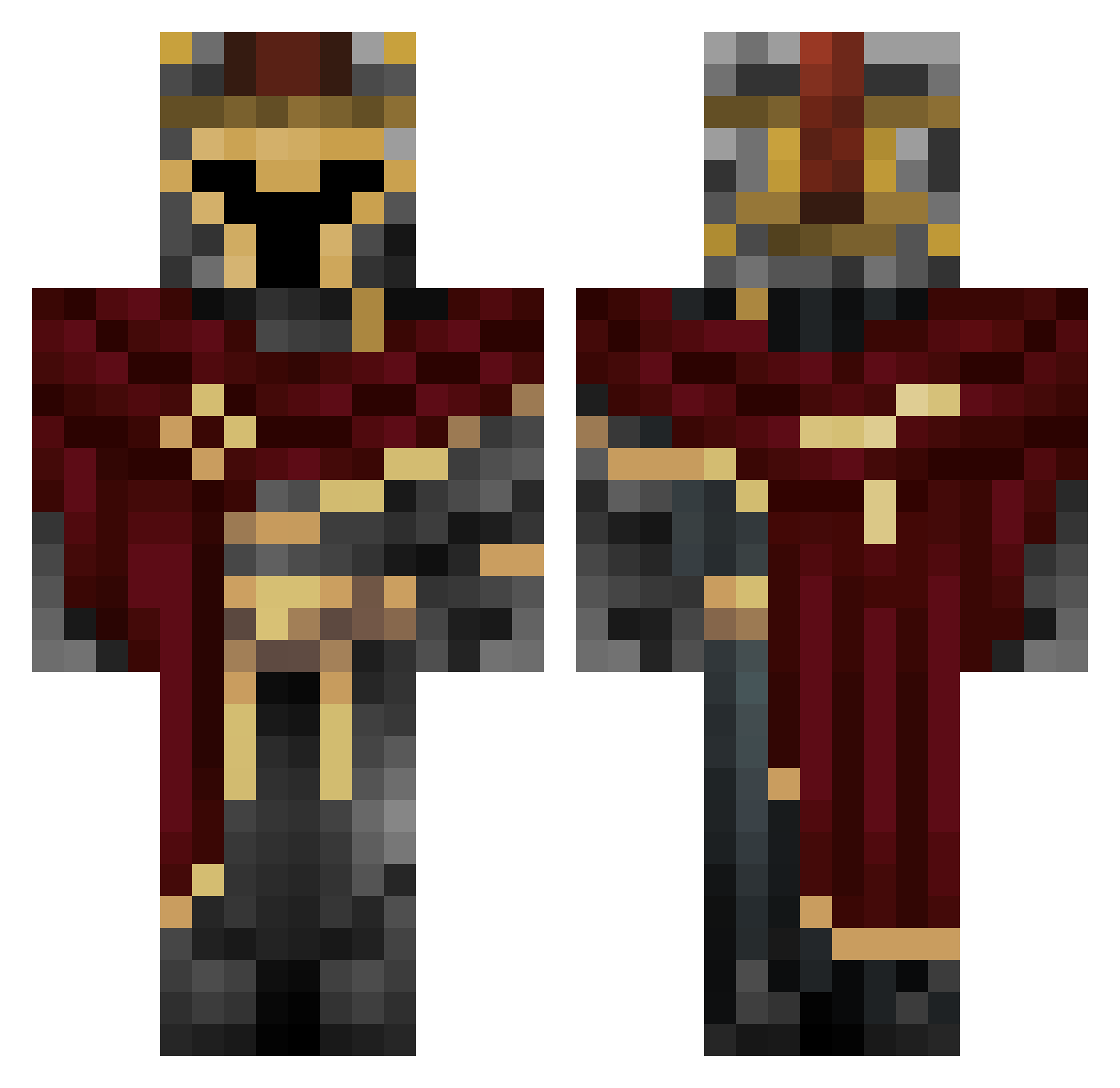
Current Minecraft skin of the player Blazebat5, loaded from the official Mojang API. Rotate the 3D model with your mouse or finger, then download the skin as a PNG file and use it in Minecraft: Bedrock Edition or Java Edition for free. When Blazebat5 changes their skin, this page updates automatically and the old skin stays in the history below.
Other players with this skin (454)
Blazebat5 was the 304th player we have seen with this skin, first spotted on 05.10.2026. The same skin was seen on these players. Open a nickname to see their current skin and skin history.
 EPU207 PK______ Zooouuu outatime427 Asher1579 Jessethje Strangular Nexoplus ideazzzz kirill_quartz ElFreddys Fallen_King_ Tracest195 KrimsonKnight GainzMaster proximalpanic66 EnZ3ni Zennks S_H_1_F_T K0rrUP73d kyndar21 faultykey9197 KVolf 1Grqvity tilltheendz kerbskirbs IronTeJus SNSbsc2024 calamar909 lilbadwolfjr Magnush WallTable Pepoloh parunyu Lordhidden LetsPlayLean Moonsano Buridak v1p3r_111 Thefoguercrack cookieguyking CoolUnique_Name Ecrison Blue_Zenith JustChrollo lil_ducky23 TotardoX thepigeonknight ArdentToucan Valkiriann danpicasso wolf1505 JustPlayThis1 DannyMacaroni420 BruuninZziika Pandemonium007 demich_ WarlordDarkness TheOwl09 BronzeChalice66
More Spartan Minecraft skins
How to install the Blazebat5 skin
- Press the Download button above to save the skin as a PNG file.
- Minecraft: Bedrock Edition (PE): open the Dressing Room from the main menu (or tap your character → Edit Character), go to Classic Skins → Owned, press the + (new skin) button, choose the downloaded PNG and pick the Classic (Steve) model. Works on PC and mobile; consoles cannot import custom skins.
- Minecraft: Java Edition: open the Minecraft Launcher, go to the Skins tab, click New Skin, load the PNG, pick the Classic (Steve) model and press Save & Use. You can also upload it at minecraft.net → Profile → Change Skin.
The skin does not show up after import - what should I do?
Restart Minecraft and open the Dressing Room again - imported skins sometimes appear only after a restart. Also make sure you selected the imported skin and picked the Classic (Steve) model.
Which model should I choose, Classic or Slim?
This skin is designed for the Classic (Steve) model. If you pick the wrong model, the arms of the skin will look stretched or squeezed.
Is the skin of Blazebat5 free to download?
Yes. Press Download, save the PNG file and use it in Minecraft: Bedrock Edition or Java Edition - no payment or registration needed. The skin also works on multiplayer servers and Realms.
More skins
Looking for more? Go back to all Minecraft skins and check the top skins of the week, month and all time, or find any player's skin by nickname.