
Blaze12_ - Minecraft Skins & Skin History
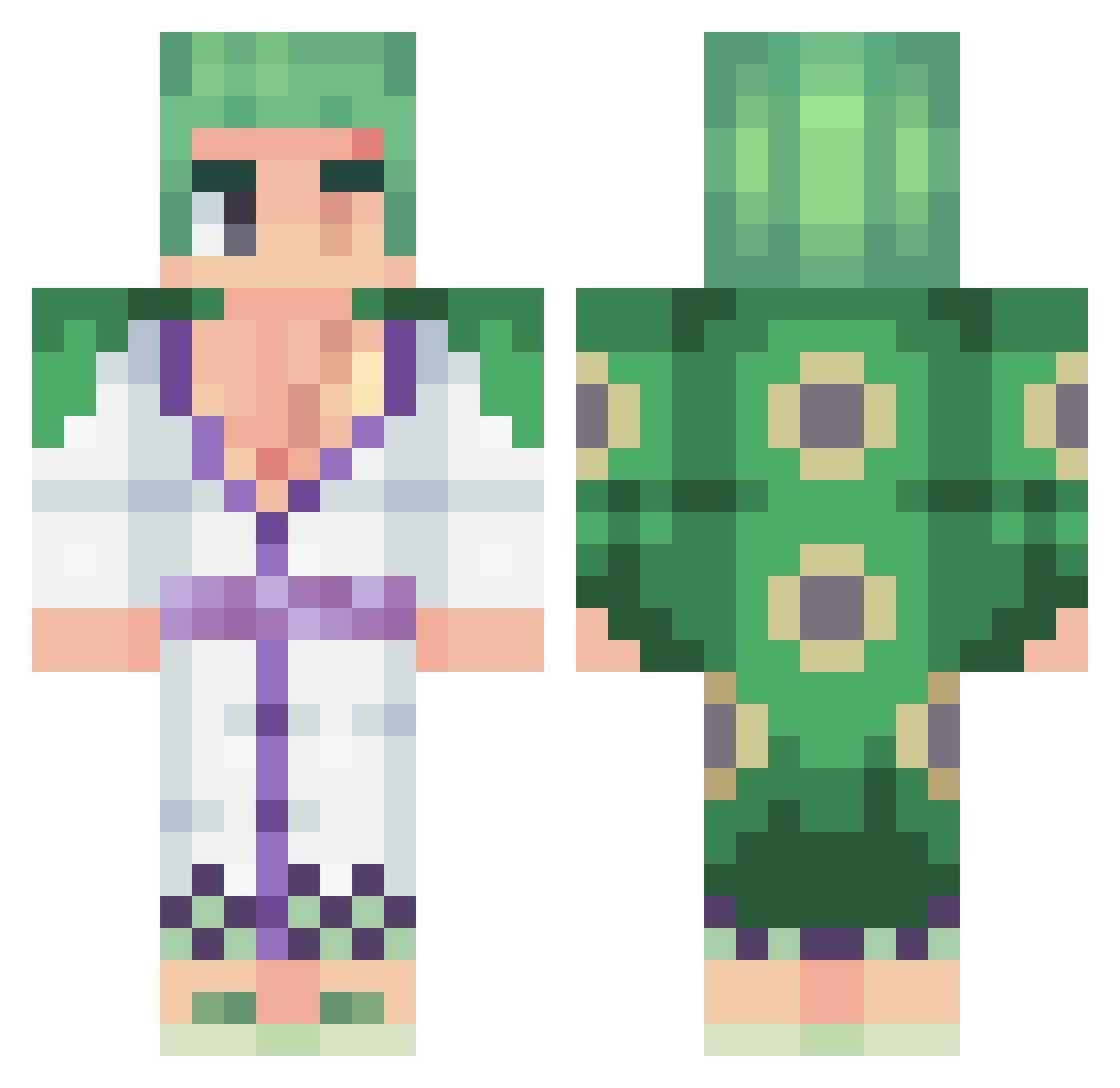
Current Minecraft skin of the player Blaze12_, loaded from the official Mojang API. Rotate the 3D model with your mouse or finger, then download the skin as a PNG file and use it in Minecraft: Bedrock Edition or Java Edition for free. When Blaze12_ changes their skin, this page updates automatically and the old skin stays in the history below.
Other players with this skin (449)
Blaze12_ was the 233rd player we have seen with this skin, first spotted on 22.09.2026. The same skin was seen on these players. Open a nickname to see their current skin and skin history.
 SKaiser2710 Roger6532 gordo166 Rayan1815 YeeheeWasTaken TTV_RiseN_GO Laseti Lockdown7687 joestar33 FloElDiablo AbrahamZUCC RapidRaif Bauticool1 lilmoh Daryzen hashihara Shashu69 Luiz_1605 ZeroX934 Dun_kell badsett Mugiwaraa31 ArtisticShawl299 ZannyDruid8 MrAreku taakun523 Eisilveira Cime420 RaYuRa1706 aiveel Nestro28 VertoxMC yooruichi EmriLes _Lupinek_ Alexdercoole101 Draconium69 Rorrre TenKoji xgufix OmarGhajar Skwabe_Sensei Sawako01 Armandoonu SkyNast X1aoAndyy Death_Silver TheStormSage KingPineapple_AA blazemadsa formigo Tempow8 NovaLmkpk viva_cage38 SunFlowerAN10 RicFlairDrip windruner26 Vhaly_ pekunaattori ViceGuy00
More Roronoa Zoro Minecraft skins
See all 335 Roronoa Zoro skins
How to install the Blaze12_ skin
- Press the Download button above to save the skin as a PNG file.
- Minecraft: Bedrock Edition (PE): open the Dressing Room from the main menu (or tap your character → Edit Character), go to Classic Skins → Owned, press the + (new skin) button, choose the downloaded PNG and pick the Classic (Steve) model. Works on PC and mobile; consoles cannot import custom skins.
- Minecraft: Java Edition: open the Minecraft Launcher, go to the Skins tab, click New Skin, load the PNG, pick the Classic (Steve) model and press Save & Use. You can also upload it at minecraft.net → Profile → Change Skin.
The skin does not show up after import - what should I do?
Restart Minecraft and open the Dressing Room again - imported skins sometimes appear only after a restart. Also make sure you selected the imported skin and picked the Classic (Steve) model.
Which model should I choose, Classic or Slim?
This skin is designed for the Classic (Steve) model. If you pick the wrong model, the arms of the skin will look stretched or squeezed.
Is the skin of Blaze12_ free to download?
Yes. Press Download, save the PNG file and use it in Minecraft: Bedrock Edition or Java Edition - no payment or registration needed. The skin also works on multiplayer servers and Realms.
More skins
Looking for more? Go back to all Minecraft skins and check the top skins of the week, month and all time, or find any player's skin by nickname.