
BigWalk32 - Minecraft Skins & Skin History
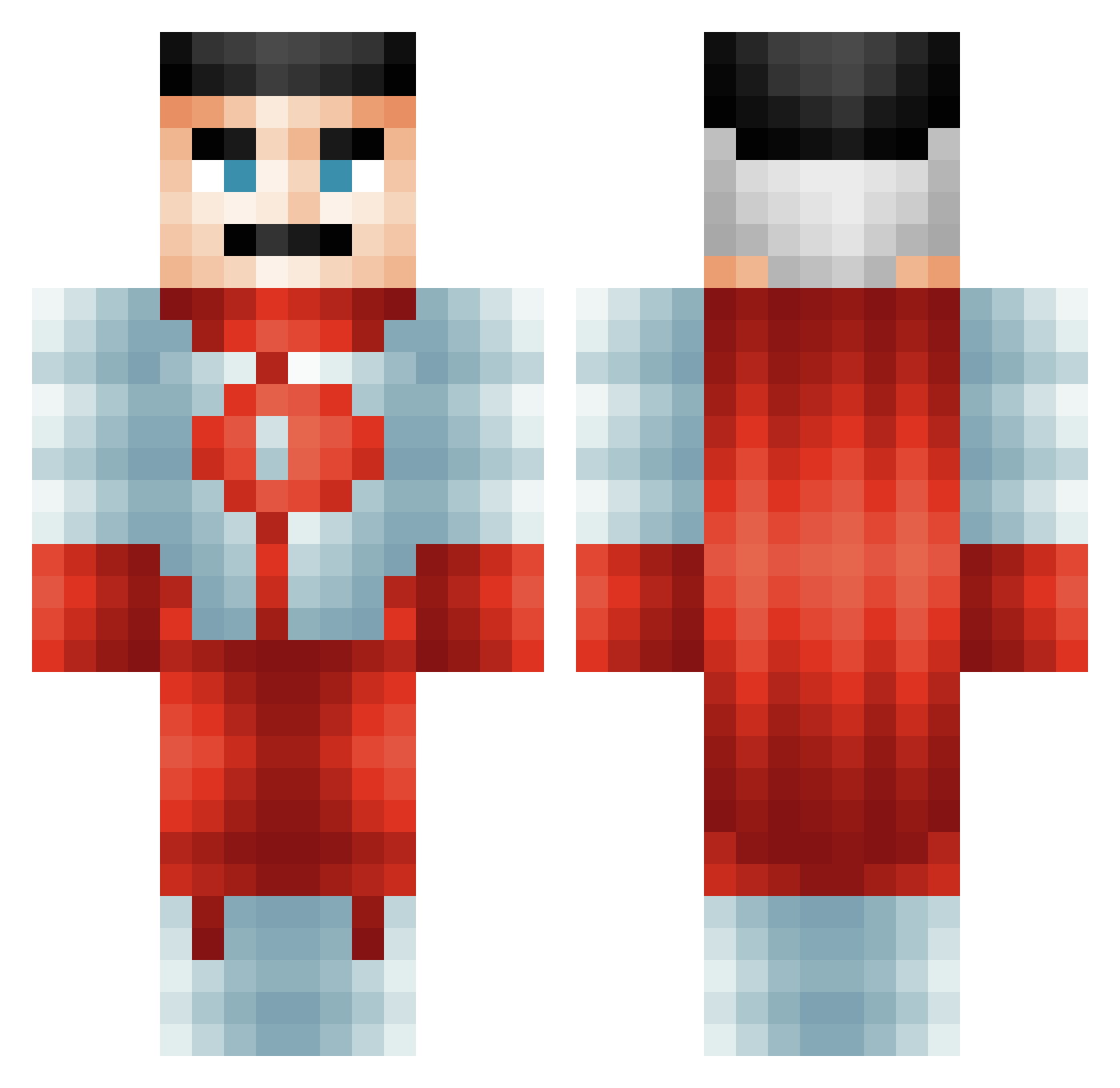
Current Minecraft skin of the player BigWalk32, loaded from the official Mojang API. Rotate the 3D model with your mouse or finger, then download the skin as a PNG file and use it in Minecraft: Bedrock Edition or Java Edition for free. When BigWalk32 changes their skin, this page updates automatically and the old skin stays in the history below.
Other players with this skin (579)
BigWalk32 was the 220th player we have seen with this skin, first spotted on 31.08.2026. The same skin was seen on these players. Open a nickname to see their current skin and skin history.
 hatpheenio haufen123 EbonPeterson2 MasterBird7169 Lazer385 AlixOG Fullretire Vihola DomniMan PLXiity_69 _Guskin KippenSoep_ Kauan_mr elbicho33 BobestheFett32 Patit0juan05 yourdamcousin Dark718 ThePeterphile nuke_lea Midnighthtx bladeefan2007 OperatorFlamingo MEXICANBATMAN80 RilesRiles33 Huyard ZweiMichael08 grug231 iTargota
 SpinneySix McDani0s Arkaneyl Rapid_Dlc Big_Beauvois ThisGuy6721 kimjoshun26 zzzzj04 esekkacakcisi313 Brabkey HardDaddy matibalcervip FenrisDaWolf Drip_Ax teddanduvet Sertan_AL knicto Smithy3344 NewGuyWhen Se3ao3o4 Frosty0455 sansSOURCIL lucas0705pro T4NEELLEY JD187 hexen221 NotFunnyGuy
 Robertplayz10 ESTEBANANO69 Suchmos808 dank_pillow
More Omni Man Minecraft skins
How to install the BigWalk32 skin
- Press the Download button above to save the skin as a PNG file.
- Minecraft: Bedrock Edition (PE): open the Dressing Room from the main menu (or tap your character → Edit Character), go to Classic Skins → Owned, press the + (new skin) button, choose the downloaded PNG and pick the Classic (Steve) model. Works on PC and mobile; consoles cannot import custom skins.
- Minecraft: Java Edition: open the Minecraft Launcher, go to the Skins tab, click New Skin, load the PNG, pick the Classic (Steve) model and press Save & Use. You can also upload it at minecraft.net → Profile → Change Skin.
The skin does not show up after import - what should I do?
Restart Minecraft and open the Dressing Room again - imported skins sometimes appear only after a restart. Also make sure you selected the imported skin and picked the Classic (Steve) model.
Which model should I choose, Classic or Slim?
This skin is designed for the Classic (Steve) model. If you pick the wrong model, the arms of the skin will look stretched or squeezed.
Is the skin of BigWalk32 free to download?
Yes. Press Download, save the PNG file and use it in Minecraft: Bedrock Edition or Java Edition - no payment or registration needed. The skin also works on multiplayer servers and Realms.
More skins
Looking for more? Go back to all Minecraft skins and check the top skins of the week, month and all time, or find any player's skin by nickname.