
knicto - Minecraft Skins & Skin History
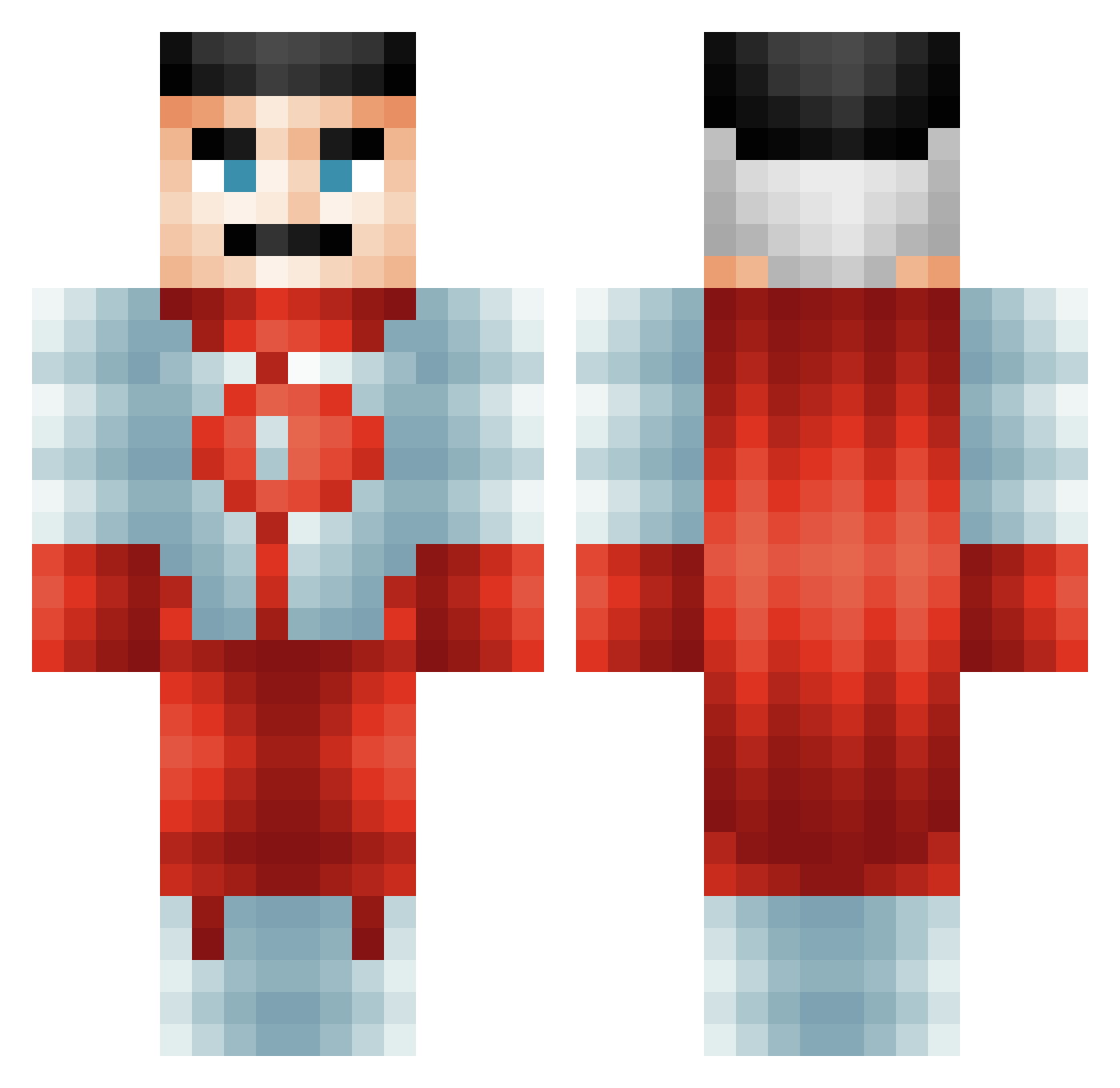
Current Minecraft skin of the player knicto, loaded from the official Mojang API. Rotate the 3D model with your mouse or finger, then download the skin as a PNG file and use it in Minecraft: Bedrock Edition or Java Edition for free. When knicto changes their skin, this page updates automatically and the old skin stays in the history below.
Other players with this skin (485)
knicto was the 241st player we have seen with this skin, first spotted on 05.09.2026. The same skin was seen on these players. Open a nickname to see their current skin and skin history.
 Smithy3344 matibalcervip Se3ao3o4 Brabkey lucas0705pro T4NEELLEY zzzzj04
 Robertplayz10 ThisGuy6721 Big_Beauvois Jaylooon Arkaneyl Capt_Aidan CORMAC0808 iTargota ZweiMichael08 sheluvpeyton MEXICANBATMAN80 _terodactylover_ Xryhain Midnighthtx boe_Jiden65 aliardaakmaz iSum3rr Szymusuwu nuke_lea asiltendonu ThePeterphile Dark718 Denischeckers19 Christianlol7 elbicho33 12cm_Squared BattleBacca32 doronas PLXiity_69 Perpetualbee andrewdeluxe DomniMan Jensen1312 Lazer385 MasterBird7169 hbearz Boultsy575 haufen123 Sineadj16 crafta5 hatpheenio Slurpo0 normalhumanboy Yekram BigWalk32 EbonPeterson2 j1zash AlixOG Sikox200 Fullretire zylows14 Vihola _Guskin
More Omni Man Minecraft skins
How to install the knicto skin
- Press the Download button above to save the skin as a PNG file.
- Minecraft: Bedrock Edition (PE): open the Dressing Room from the main menu (or tap your character → Edit Character), go to Classic Skins → Owned, press the + (new skin) button, choose the downloaded PNG and pick the Classic (Steve) model. Works on PC and mobile; consoles cannot import custom skins.
- Minecraft: Java Edition: open the Minecraft Launcher, go to the Skins tab, click New Skin, load the PNG, pick the Classic (Steve) model and press Save & Use. You can also upload it at minecraft.net → Profile → Change Skin.
The skin does not show up after import - what should I do?
Restart Minecraft and open the Dressing Room again - imported skins sometimes appear only after a restart. Also make sure you selected the imported skin and picked the Classic (Steve) model.
Which model should I choose, Classic or Slim?
This skin is designed for the Classic (Steve) model. If you pick the wrong model, the arms of the skin will look stretched or squeezed.
Is the skin of knicto free to download?
Yes. Press Download, save the PNG file and use it in Minecraft: Bedrock Edition or Java Edition - no payment or registration needed. The skin also works on multiplayer servers and Realms.
More skins
Looking for more? Go back to all Minecraft skins and check the top skins of the week, month and all time, or find any player's skin by nickname.