
BerkaySF - Minecraft Skins & Skin History
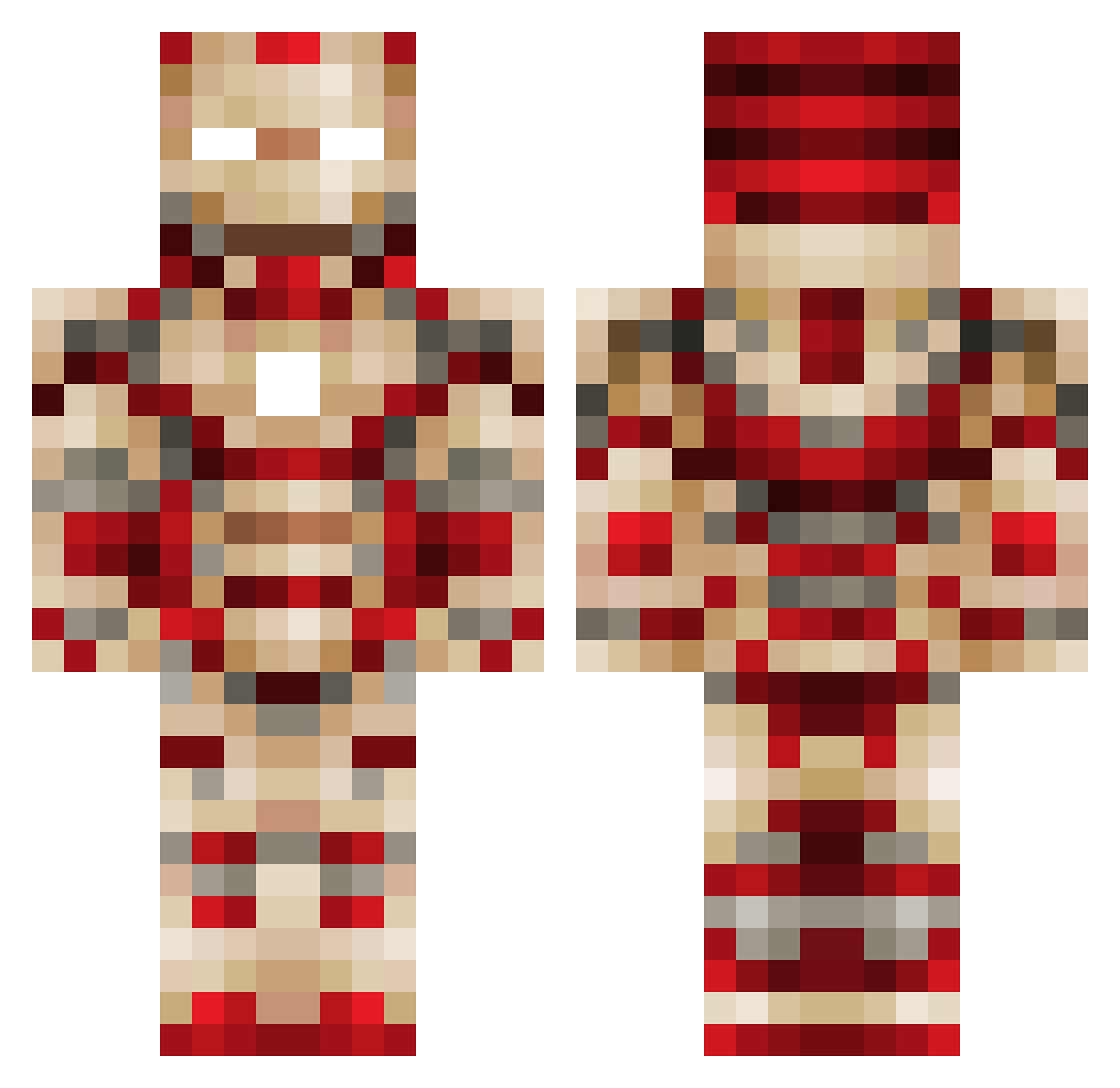
Current Minecraft skin of the player BerkaySF, loaded from the official Mojang API. Rotate the 3D model with your mouse or finger, then download the skin as a PNG file and use it in Minecraft: Bedrock Edition or Java Edition for free. When BerkaySF changes their skin, this page updates automatically and the old skin stays in the history below.
Other players with this skin (120)
BerkaySF was the 37th player we have seen with this skin, first spotted on 25.08.2026. The same skin was seen on these players. Open a nickname to see their current skin and skin history.
 davidkyoo ColdFury85 Paeddy1992 Baldy0 00Ev_alt064 Y_HORIZON Krystofgame1 ClemoS KUBAkorqe Marvel_3000 3UFFALO TOPoison ROOOKIE140 remittent323 Lumine_zzang MasterFleksa xiaobudian2014 kira0922 HzOsman RegularJMG 00_dntn xxlmgxmaster FroXone69 WrinklyStraw32 iEatCrayons4Life LeHoff baconex mashimalou SCVBG ItsIggy Shubham_Dash Shadwz3_69420 ZonateLight97 Maxime66
 Gabrys2015r semittaks APD64 moshamad R4J4PR3M Bammerman212 mrartdude13 shashatuzi Lilymm126 minecraftjakinge Scookie233 chaifeng TheWorldBH gracamolecarg LuffyNuffy Bernas_Patarra Highlander8K SharpenedPickle ROCCYK Michael_Sze Helpless_Scrub Kennybuddy Carter_ray5 clt2001 Swerv15 a1234675twz
More Iron Man Minecraft skins
How to install the BerkaySF skin
- Press the Download button above to save the skin as a PNG file.
- Minecraft: Bedrock Edition (PE): open the Dressing Room from the main menu (or tap your character → Edit Character), go to Classic Skins → Owned, press the + (new skin) button, choose the downloaded PNG and pick the Classic (Steve) model. Works on PC and mobile; consoles cannot import custom skins.
- Minecraft: Java Edition: open the Minecraft Launcher, go to the Skins tab, click New Skin, load the PNG, pick the Classic (Steve) model and press Save & Use. You can also upload it at minecraft.net → Profile → Change Skin.
The skin does not show up after import - what should I do?
Restart Minecraft and open the Dressing Room again - imported skins sometimes appear only after a restart. Also make sure you selected the imported skin and picked the Classic (Steve) model.
Which model should I choose, Classic or Slim?
This skin is designed for the Classic (Steve) model. If you pick the wrong model, the arms of the skin will look stretched or squeezed.
Is the skin of BerkaySF free to download?
Yes. Press Download, save the PNG file and use it in Minecraft: Bedrock Edition or Java Edition - no payment or registration needed. The skin also works on multiplayer servers and Realms.
More skins
Looking for more? Go back to all Minecraft skins and check the top skins of the week, month and all time, or find any player's skin by nickname.