
Bennett708 - Minecraft Skins & Skin History
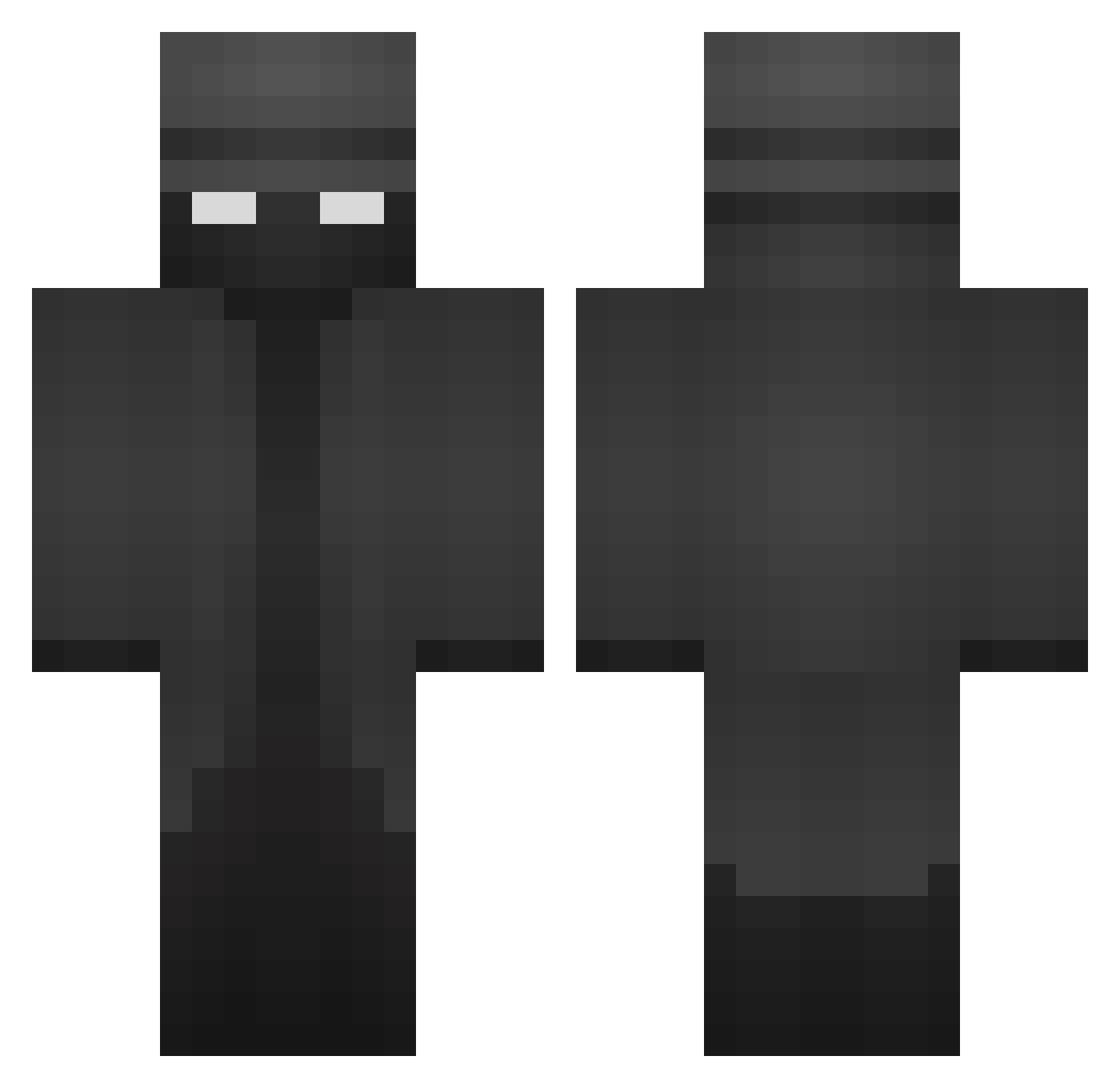
Current Minecraft skin of the player Bennett708, loaded from the official Mojang API. Rotate the 3D model with your mouse or finger, then download the skin as a PNG file and use it in Minecraft: Bedrock Edition or Java Edition for free. When Bennett708 changes their skin, this page updates automatically and the old skin stays in the history below.
Other players with this skin (230)
Bennett708 was the 169th player we have seen with this skin, first spotted on 07.10.2026. The same skin was seen on these players. Open a nickname to see their current skin and skin history.
 dnjsgur221 So_ch BebbleSprout V2_N1TR0zx CogBon jananlin Regalize callsignMarte ecomumbles HuntForYah_ Mettmensch dontmsg IIPrismII 87cz Kai_baby ____Dagon____ EricM22 TTholy AmitJacob Gonza_MoyaYT_ YomazEver SatinyDark PrinceOfCrime40 MadJesterXII Simsim95 Piotres33 RockiestYak6162 madcap3000 Universe0207 HaGzZ_ adorabler M4dH4tter7 NoGirlInMyBed highlec master9690 squidkids987 DJ_Ross137 TheTimbitMann SkadiddlyBop leo87253 witdashifts7 Vequ23 Tzonggo GKFShadow1 Hodazzle Angel87 nigerianNinja69 Spaqhetti PaiPaiPai PatsFan128 DeadMastery LouThunders 53Tyler Nimzx Tendo_Kami Liru5 richardstraws JonathansAlt Marshifur kratezo
More Noir Minecraft skins
How to install the Bennett708 skin
- Press the Download button above to save the skin as a PNG file.
- Minecraft: Bedrock Edition (PE): open the Dressing Room from the main menu (or tap your character → Edit Character), go to Classic Skins → Owned, press the + (new skin) button, choose the downloaded PNG and pick the Classic (Steve) model. Works on PC and mobile; consoles cannot import custom skins.
- Minecraft: Java Edition: open the Minecraft Launcher, go to the Skins tab, click New Skin, load the PNG, pick the Classic (Steve) model and press Save & Use. You can also upload it at minecraft.net → Profile → Change Skin.
The skin does not show up after import - what should I do?
Restart Minecraft and open the Dressing Room again - imported skins sometimes appear only after a restart. Also make sure you selected the imported skin and picked the Classic (Steve) model.
Which model should I choose, Classic or Slim?
This skin is designed for the Classic (Steve) model. If you pick the wrong model, the arms of the skin will look stretched or squeezed.
Is the skin of Bennett708 free to download?
Yes. Press Download, save the PNG file and use it in Minecraft: Bedrock Edition or Java Edition - no payment or registration needed. The skin also works on multiplayer servers and Realms.
More skins
Looking for more? Go back to all Minecraft skins and check the top skins of the week, month and all time, or find any player's skin by nickname.