
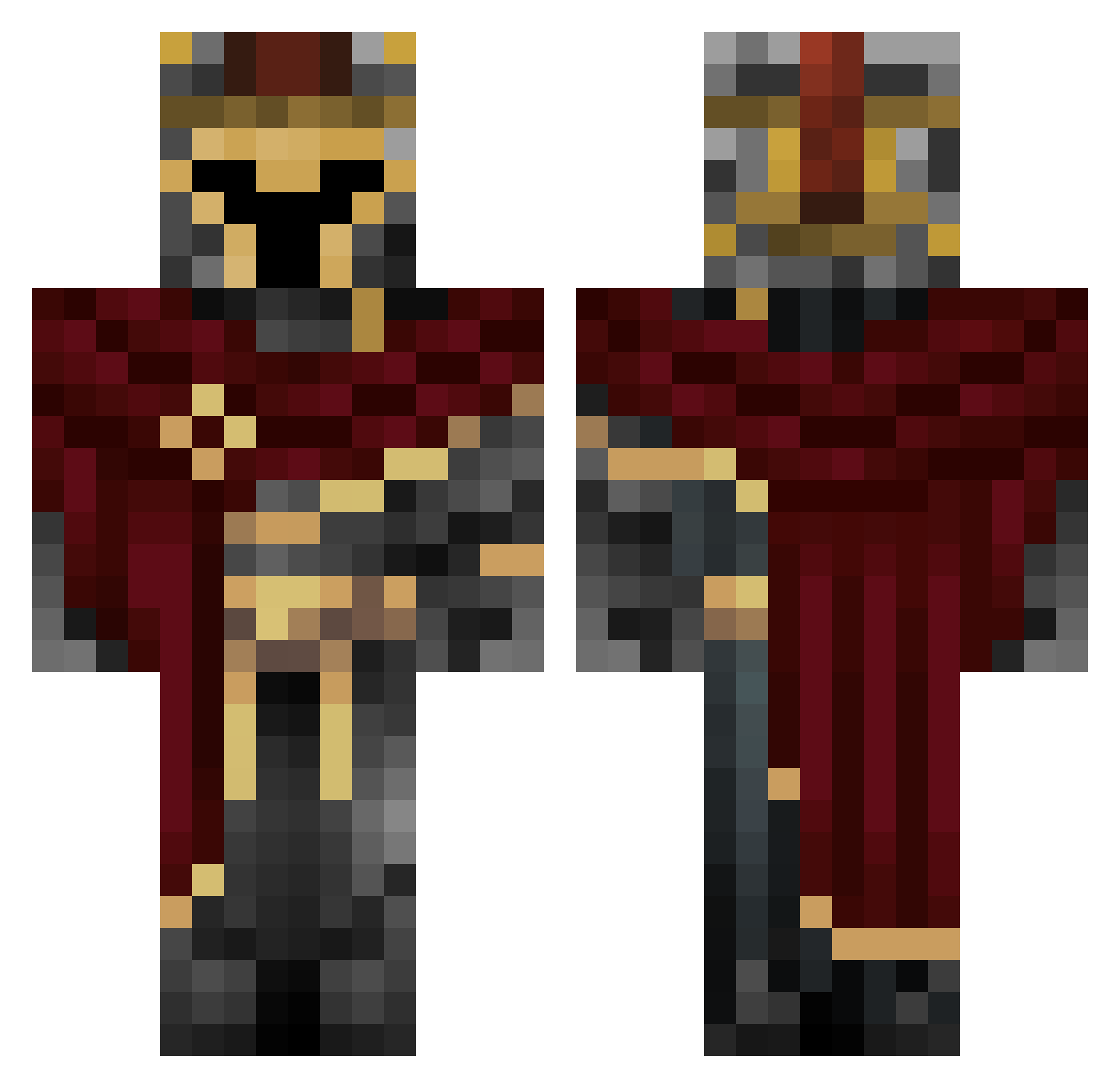
Current Minecraft skin of the player Belem67, loaded from the official Mojang API. Rotate the 3D model with your mouse or finger, then download the skin as a PNG file and use it in Minecraft: Bedrock Edition or Java Edition for free. When Belem67 changes their skin, this page updates automatically and the old skin stays in the history below.
Other players with this skin (524)
Belem67 was the 353rd player we have seen with this skin, first spotted on 23.09.2026. The same skin was seen on these players. Open a nickname to see their current skin and skin history.
 Yatashi00 Saf2k wujabambo Harkuba BIsKo_Me ootti S0ulSt3al3R Gabrielsq rbhbkk OkiDooki BuffetGraph2007 tommygun7551 Moss_Alchemist 0LYMPINHELL BetteMan915 Shagrow Doro_Ghoul Doom_07 TheDeadeyeSloth sollogambit SantiLloyd Mizzery2u Diiaster Saneklol22 DoomVR_125 MasterPuggster Zephylios Susering PlatinumAced Royal_Crimsyn Sparefire liamthenorth Lunarisolus MonopolyChamp Totable8 NuclearZero2855 ams1812 WeeWooDragon Bumbo318 PhantomBladeX2 1_________ dominikessa2651 fispen2007 DinoBen33 DaEagste CowboyEnjoyer69 NextMarrow03478 Patricio_dami Emirex29 d3lord333 _ccasey MrFancyPantsV3 Venixity Raymond_Dash Loon1two GhostBoyxxx HeFk Ainteresting Peppe_085 darthEez
More Spartan Minecraft skins
How to install the Belem67 skin
- Press the Download button above to save the skin as a PNG file.
- Minecraft: Bedrock Edition (PE): open the Dressing Room from the main menu (or tap your character → Edit Character), go to Classic Skins → Owned, press the + (new skin) button, choose the downloaded PNG and pick the Classic (Steve) model. Works on PC and mobile; consoles cannot import custom skins.
- Minecraft: Java Edition: open the Minecraft Launcher, go to the Skins tab, click New Skin, load the PNG, pick the Classic (Steve) model and press Save & Use. You can also upload it at minecraft.net → Profile → Change Skin.
The skin does not show up after import - what should I do?
Restart Minecraft and open the Dressing Room again - imported skins sometimes appear only after a restart. Also make sure you selected the imported skin and picked the Classic (Steve) model.
Which model should I choose, Classic or Slim?
This skin is designed for the Classic (Steve) model. If you pick the wrong model, the arms of the skin will look stretched or squeezed.
Is the skin of Belem67 free to download?
Yes. Press Download, save the PNG file and use it in Minecraft: Bedrock Edition or Java Edition - no payment or registration needed. The skin also works on multiplayer servers and Realms.
More skins
Looking for more? Go back to all Minecraft skins and check the top skins of the week, month and all time, or find any player's skin by nickname.