
BedlessDarwisy - Minecraft Skins & Skin History
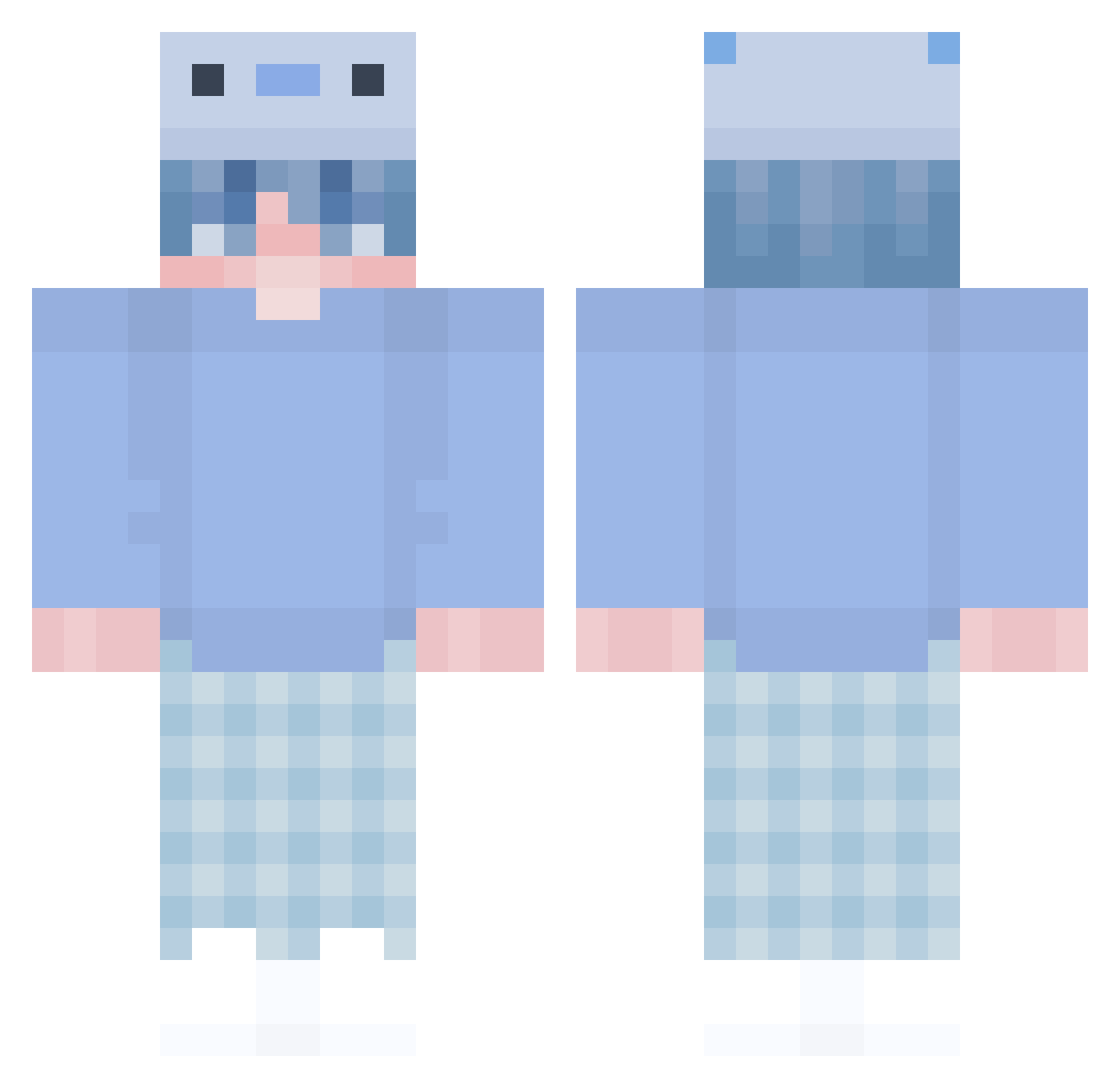
Current Minecraft skin of the player BedlessDarwisy, loaded from the official Mojang API. Rotate the 3D model with your mouse or finger, then download the skin as a PNG file and use it in Minecraft: Bedrock Edition or Java Edition for free. When BedlessDarwisy changes their skin, this page updates automatically and the old skin stays in the history below.
Other players with this skin (302)
BedlessDarwisy was the 281st player we have seen with this skin, first spotted on 18.10.2026. The same skin was seen on these players. Open a nickname to see their current skin and skin history.
 TARLEMATH Saturad0 domeramma HexNea_ Mispah 9jira_27 kaduzu Skept1kl Kutooth Mijaelbn Deywo_ totocloon NahLuh StarSkream CeasingComb6437 JMimi1207 god82937 Nopiik OscarR11 Loeffel_3001 Ooosh DarkSolotl nickk664 Marellodel Dragila_ A7_EXE Oscar4395 Simbuuu sby29 raidgr Rueikm Mr_Voister Franeko123321 Nann12 M4rs_HD selam0306 Sqwazyy Tutu_Redstone __S0RR0W__ j0van_ Kyyno Oxelot1 Seyrox_yt Manh2k7vn Orcyx IDWTT tito456 JxydenPXF NKoffeE qenzi McBohnie ByeoII Mujogan yabAle Axo_Slime XxcomaXx xSkipqx 9furHT1JPtopPvpe CaylebLOL FERXXZO
More Axolotl Minecraft skins
How to install the BedlessDarwisy skin
- Press the Download button above to save the skin as a PNG file.
- Minecraft: Bedrock Edition (PE): open the Dressing Room from the main menu (or tap your character → Edit Character), go to Classic Skins → Owned, press the + (new skin) button, choose the downloaded PNG and pick the Classic (Steve) model. Works on PC and mobile; consoles cannot import custom skins.
- Minecraft: Java Edition: open the Minecraft Launcher, go to the Skins tab, click New Skin, load the PNG, pick the Classic (Steve) model and press Save & Use. You can also upload it at minecraft.net → Profile → Change Skin.
The skin does not show up after import - what should I do?
Restart Minecraft and open the Dressing Room again - imported skins sometimes appear only after a restart. Also make sure you selected the imported skin and picked the Classic (Steve) model.
Which model should I choose, Classic or Slim?
This skin is designed for the Classic (Steve) model. If you pick the wrong model, the arms of the skin will look stretched or squeezed.
Is the skin of BedlessDarwisy free to download?
Yes. Press Download, save the PNG file and use it in Minecraft: Bedrock Edition or Java Edition - no payment or registration needed. The skin also works on multiplayer servers and Realms.
More skins
Looking for more? Go back to all Minecraft skins and check the top skins of the week, month and all time, or find any player's skin by nickname.